

9 🔗 Social Media Attracted Customers. How Do You Guide Them into the Shop?
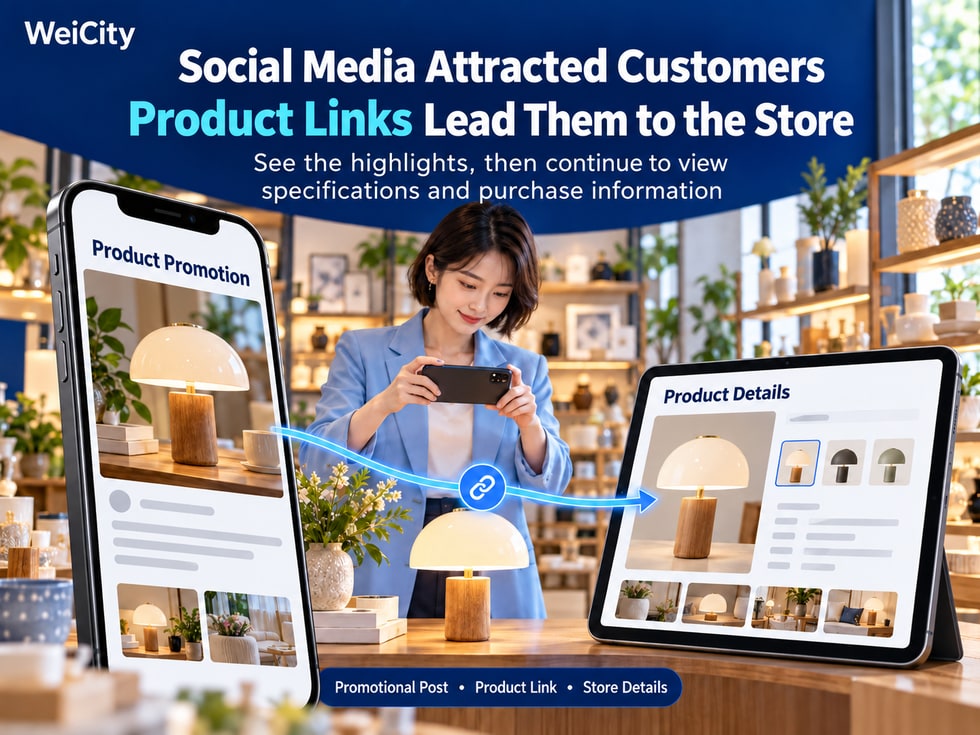
Add corresponding links to product promotions so that after customers notice the highlights, they can easily continue to check specifications, prices, and purchase methods.
Your product attracts attention on social media, but customers still need to send private messages to ask for details? Merchants can use WeiCity Shop or product page links in posts, chats, and personal profiles so interested customers can learn more. This article introduces how to choose sharing entry points, pair them with guiding copy, and check links and product information so promotion connects to a clear purchase page.
💬 "How much is it?"
💬 "Are there other colors?"
💬 "What are the dimensions?"
💬 "Where can I buy it?"
Your promotion has sparked interest. Next, a clear product link can help customers continue to view the details.
✨ Use promotion to attract attention, and use the Shop to provide further information.
Introduce the product's highlights in your post, then provide the matching page so customers can easily check the price, specifications, availability, and purchase conditions.
Choose an entry point that suits your promotion:
🛍️ Introducing one product
Provide the corresponding product page so customers can view this item directly.
📚 Introducing a group of products
If there is a shareable category page, provide that category link; otherwise, share the Shop entry and state the product name or category.
🏪 Introducing an entire brand
Provide the merchant channel link so customers can learn about the brand, services, and Shop content.
For example, when promoting a particular canvas bag, providing that product's link directly is more convenient than having customers enter the channel and search for it themselves.
With just a link, customers may not know what is inside.
You can add a clear sentence before the link:
🔹 "View this product's dimensions, colors, and price."
🔹 "Browse this period's new products and purchase instructions."
🔹 "For pickup and delivery arrangements, you can check the product page."
Keep your call-to-action text consistent with the actual page so customers find what they expect after clicking.
Using a commuter canvas bag as an example:
“Looking for an everyday bag that's convenient for carrying documents?
This commuter canvas bag fits A4 documents and has a small inner pocket for keeping keys and small items separate.
🛍️ View the size, style, price, and purchase instructions:
[Corresponding product link]”
📌 The above is an example. When publishing, use the product's actual features and replace the link with the correct one.
The post introduces the main highlights, while full specifications and conditions are placed on the product page so customers can learn more.
When a customer asks about a product, you can first answer their main concern, then attach the link.
For example:
“Hello, this one comes in blue and beige. The product page includes the dimensions, photos, and prices, so you can check it first. If you need to confirm availability for a style, you can also contact us.”
This way, customers can focus on the information, and you can continue handling their specific needs.
Answering the question first and then sharing the link makes communication feel more natural.
If the social platform allows a profile link, you can add a Shop or merchant channel entry point.
At the same time, explain:
🛍️“Product and Purchase Information”
🏪“Brand Introduction and Shop”
📦“View Products, Pickup, and Delivery Information”
Profile entry points suit everyday browsing; for single-product posts, provide the matching product link whenever possible.
Different social platforms display and handle links differently, so test on a mobile phone after setting them up.
Videos are well suited to showing a product's appearance, details, and how it is used.
For example:
👜 Show how the bag fits everyday items.
🪴 Show the flower pot's size and how it looks when displayed.
📦 Show what items the storage box can hold.
☕ Show the cup's appearance and included accessories.
Where the platform allows, attach the product link and explain where to view full information.
The styles and accessories shown in the video should match the product page; for other items used in demonstrations, state whether they are included.
Before promoting, confirm:
✅ The link opens the correct product.
✅ The images match the promoted style.
✅ Prices and specifications have been updated.
✅ Availability information is accurate.
✅ Pickup and delivery conditions are clear.
✅ Contact or purchase entry points work.
✅ The page is easy to read on mobile.
If a product has sold out or a promotion has ended, update the page promptly and adjust any promotional content that is still in use.
After entering a product page, some customers can select a product directly, while others need to confirm conditions first.
You can provide guidance based on the actual situation:
🛒 Standard products: View styles and purchase options.
💬 Custom products: First provide size, quantity, or design requirements.
📦 Special delivery products: First confirm the area and delivery conditions.
When entry points match the nature of the product, customers can more easily understand what to do next.
🛍️ Product Details
“The images, specifications, and prices for this product are organized here so you can review them all at once: [Product Link]”
🎨 Style Selection
“If you want to compare colors and sizes, you can view the product page; once you've chosen, confirm availability: [Product Link]”
📦 Delivery Information
“Pickup and delivery conditions are included in the product description, so you can review them before purchasing: [Product Link]”
🏪 Browse the Shop
“To see what products we currently have, you can start browsing from the Shop entry: [Shop Link]”
When using these, adjust them based on the customer's questions; there is no need to send the same full paragraph every time.
Choose a product with complete information, publish a clear introduction, attach the corresponding link, and then test the entire browsing process from the customer's perspective.
Observe follow-up questions and add any information customers still cannot find or do not understand.
WeiCity gives product promotion a clear next step, helping customers move from noticing highlights to learning more and making a choice.
👉 Learn about Shop features: https://wei.city