

62 How Security and Surveillance Merchants Can Use WeiCity: From Equipment Showcase to Customer Bookings
Showcase security equipment, applicable scenarios, installation services, and quotation information in one place, helping household and business customers learn more about solutions and contact you more easily.
How can CCTV, access control, alarm, and security system suppliers use WeiCity? Build a channel that makes it easy for customers to browse services, prepare their requirements, and contact you through equipment categories, product information, installation cases, and on-site assessment guidance.
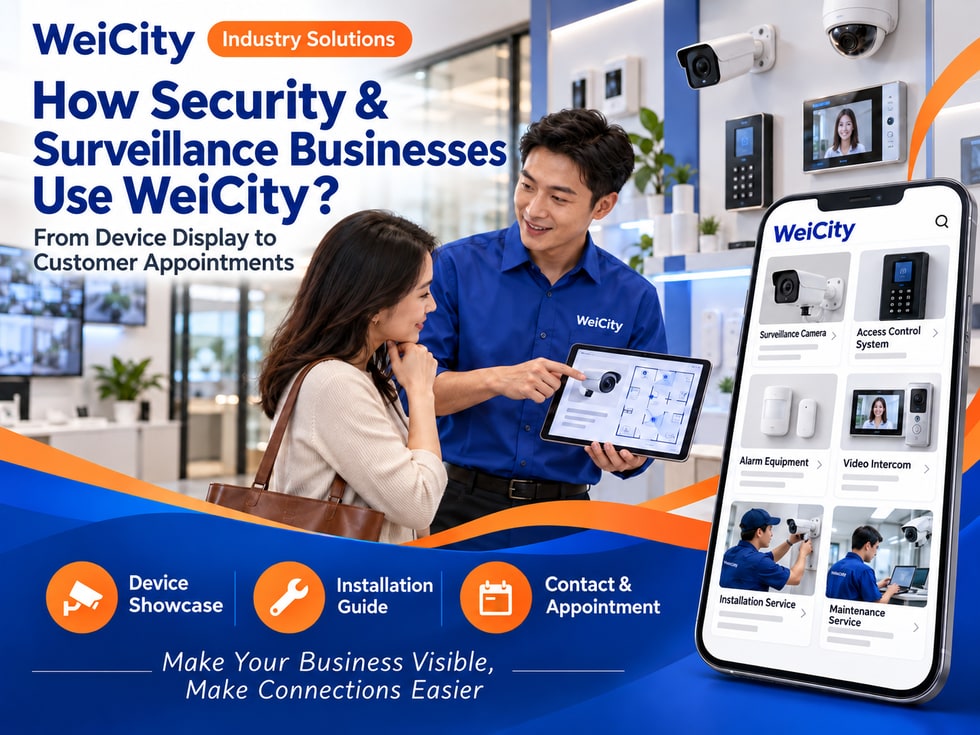
From Equipment Display to Customer Appointments
“How many cameras can be installed at home?”
“Can you arrange an access control system for the office?”
“Can the equipment be viewed on a phone?”
“How is the installation fee calculated?”
“The warehouse has several entrances and exits—what information should be prepared?”
When looking for security and surveillance services, customers usually first want to understand the equipment type, place of use, installation conditions and after-sales arrangements. Explaining your products and service scope clearly helps customers present their needs more effectively.
💡 With WeiCity, you can set up your own security services channel and organize equipment categories, installation cases and consultation processes, so customers can understand your services first and then contact you to confirm on-site needs.
✅ CCTV and Surveillance Equipment Merchants
Introduce the cameras, recording devices and related accessories you actually sell.
✅ Access Control and Entry Management Providers
Display access control devices, card reading methods and installation services.
✅ Alarm and Sensor Equipment Merchants
Describe the alarms, sensors and related systems you actually supply.
✅ Intercom and Door Equipment Suppliers
Introduce door intercoms, indoor terminals and related accessories.
✅ Network and Security Equipment Installers
Describe actual services such as cabling, installation and equipment setup.
✅ Commercial and Residential Security Solution Providers
Introduce target clients, on-site assessment and solution consultation processes.
📌 Equipment functions, installation scope and service capabilities should be described according to actual product information and the merchant's experience.
You can organize by equipment and use:
🔹 Surveillance Cameras
Categorize by indoor, outdoor or installation method.
🔹 Recording and Storage Devices
Explain the purpose, capacity or applicable conditions of the equipment (subject to product information).
🔹 Access Control Devices
Display the card reader, keypad, fingerprint or other equipment types you actually offer.
🔹 Alarms and Sensors
Organize by sensing method, purpose and installation location.
🔹 Intercom and Door Systems
Introduce door equipment, indoor terminals and related accessories.
🔹 Network and Cabling Accessories
Display the cables, connectors and installation accessories you actually supply.
🔹 Installation and Maintenance Services
Explain the scope of service for homes, offices or commercial spaces.
💡 Simple and clear product category names help customers find relevant equipment more easily.
Recommended to specify:
✅ Brand and model
✅ Equipment type and installation method
✅ Main specifications and interface information
✅ Whether network, power or cabling is required
✅ Suitable installation locations
✅ Equipment and accessories included in the package
✅ Whether professional installation is required
✅ Warranty and after-sales inquiry methods
✅ How stock and delivery time are confirmed
✅ Equipment functions are subject to product information
🔶 Example: Surveillance Camera Introduction
Brand and model: fill in according to the product label.
Installation location: explain the intended use as indicated on the product, such as indoor or outdoor.
Connection and power: introduce according to the product instructions.
Package contents: list the equipment and the accessories actually included.
Installation service: state whether it is provided separately by the merchant.
Purchase inquiry: contact the merchant to confirm after providing the installation location, quantity and usage needs.
📌 The functions, storage methods and installation conditions of different equipment may vary, so specific model descriptions should be followed.
It is recommended to prepare:
🔹 Overall Equipment Photos
Show the appearance of cameras, access control devices or other equipment.
🔹 Interface and Accessory Photos
Help customers understand connection methods and the actual accessories.
🔹 Installation Location Diagrams
Show how equipment is installed in homes, shops or offices.
🔹 Before-and-After Installation Cases
If customer site photos are used, obtain authorization first and remove identifiable information.
🔹 Equipment Operation Screens
General interfaces may be shown, but resident, employee or customer information should be hidden.
🔹 Team and Tool Photos
Introduce the actual installation staff and working environment.
📌 Before publishing cases publicly, obtain consent from the person in charge of the site and cover addresses, door numbers, faces in the images and other sensitive information.
1️⃣ Installation location
Describe the setting, such as a home, shop, office or warehouse.
2️⃣ Site photos or floor plans
Show entrances, corridors, parking areas or other installation locations.
3️⃣ Problems to solve
For example, monitoring an entrance, managing visitors or recording conditions in a specific area.
4️⃣ Number of devices or coverage area
If there is a preliminary idea, state the expected number of devices.
5️⃣ Network and power conditions
Provide existing network and power information at the site.
6️⃣ Preferred construction time
Helps the merchant arrange an on-site assessment or installation.
📌 Photos and descriptions help with initial communication, but equipment selection and installation locations must still be confirmed based on site conditions.
Suggested topics to cover:
🔹 Service area and on-site assessment method
🔹 Whether a site survey is required
🔹 Cabling, drilling and power conditions
🔹 Scope of equipment installation and basic setup
🔹 Whether network configuration is included
🔹 How construction time is confirmed
🔹 Site cleaning and equipment handover
🔹 Follow-up maintenance and fault contact methods
💡 Explaining equipment costs, installation labor and extra materials separately helps customers understand the quotation.
📌 Installation conditions vary with building structure, power, network and site environment. A suitable person should assess them before confirming the plan.
Recommended to specify:
✅ Equipment models and quantities included in the quote
✅ Whether cables, accessories and installation are included
✅ Whether an on-site assessment is required
✅ How additional cabling or construction is charged
✅ Whether equipment needs to be ordered
✅ Whether maintenance or follow-up services are charged separately
✅ Quote validity period and payment method
✅ How plan changes are reconfirmed
🔶 For example:
“Equipment and installation fees are confirmed based on the model, quantity, cabling distance and site conditions. Please share photos of the venue and your needs, and we will arrange an assessment and explain the quotation scope.”
📌 An initial online estimate may not include all on-site construction costs. The final content should be confirmed before installation.
You can remind customers:
🔹 Confirm the areas to be covered before installation
🔹 Avoid unnecessarily filming private or sensitive spaces
🔹 Accounts and passwords for devices should be properly managed by designated people
🔹 Regularly review device access permissions
🔹 Understand how footage is stored and viewed
🔹 Comply with venue management rules and applicable requirements
🔹 Contact the service provider when equipment malfunctions
📌 The use of security equipment should respect others' privacy and be arranged in accordance with applicable requirements and venue rules.
🔹 About Us
Introduce your business, service areas, and team experience.
🔹 Equipment Categories
Organize by surveillance, access control, alarm, and intercom systems.
🔹 Installation Services
Explain the scope of on-site assessment, cabling, and device setup.
🔹 Residential & Commercial Cases
Showcase authorized cases with privacy protected.
🔹 Consultation
Tell customers which information to provide for a preliminary understanding of their needs.
🔹 After-Sales & Maintenance
List equipment inquiries, fault contact methods, and maintenance arrangements.
🔹 Contact and appointments
Provide contact details, business hours, and on-site service options.
💡 To get started, you can first add your main equipment, installation scope, case photos, and a consultation information checklist, then gradually add after-sales details.
🔶 Customer asks: “What do I need to prepare for installing surveillance at home?”
You can reply:
“Hello, please tell us the installation location, the areas you want to monitor, and the network conditions on site. You're also welcome to send a few photos of the location. We'll review this first and then confirm whether an on-site assessment is needed.”
🔶 Customer asks: “Can access control be installed in an office?”
You can reply:
“Yes. Please first provide photos of the entrances, the door type, the number of users, and the management method you'd like. We will confirm the equipment and installation arrangements based on site conditions.”
🔶 Customer asks: “How much does installation cost?”
You can reply:
“Costs are confirmed based on equipment model, quantity, cabling, and site conditions. Please share the installation location and your requirements, and we will arrange a preliminary assessment and quote.”
1️⃣ Basic merchant information
Name, service areas, business hours, and contact details.
2️⃣ Main Equipment Categories
Organize surveillance, access control, alarm, and intercom products.
3️⃣ Product Specifications & Installation Requirements
Prepare models, connection methods, and applicable conditions.
4️⃣ Installation Cases & Site Photos
Confirm authorization and protect site privacy before publishing.
5️⃣ Assessment & Quotation Guide
Tell customers what information to prepare when they inquire.
✅ Do product models and features match the information?
✅ Are the equipment categories easy to understand?
✅ Are the installation scope and any additional costs explained?
✅ Is the information needed for on-site assessment listed?
✅ Are images authorized and is privacy protected?
✅ Are after-sales and maintenance methods clear?
✅ Does it avoid promising results that cannot be guaranteed?
✅ Are the contact details correct?
After organizing equipment information, installation scope, and a consultation guide in your channel, you can use it for daily replies, service promotion, and communication with residential and business customers.
Customers can browse products and services first, then provide their premises, quantities, and usage needs. Merchants can also use this to continue confirming equipment, on-site assessments, and quotation arrangements.
Want to learn how to set up a Security & Surveillance merchant channel?
Feel free to contact us through the official WeiCity channel contact details, and we can work together to organize content that suits your team.
WeiCity
Make your business visible and contact easier.