

16 🗓️ How often should you update your merchant channel after setting it up?
⏱️ No need to post every day. Use a simple daily, weekly, and monthly rhythm to keep information accurate and content fresh
💡 A merchant channel does not need a large amount of updates every day, but important information must stay accurate. Customer inquiries and orders need to be handled promptly, product and business hour information can be checked weekly, and brand introductions, popular content, and business direction are better reviewed monthly. This article provides a maintenance rhythm suited to small merchants, so one person can keep the channel running consistently.
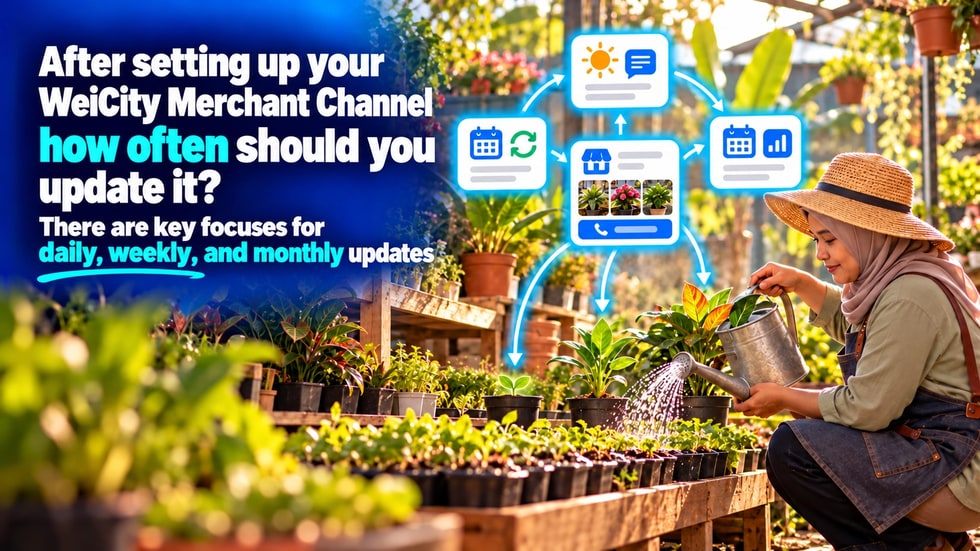
Creating a WeiCity merchant channel is only the beginning. Ongoing maintenance is what allows it to truly work for you.
After setting up their channel, many merchants face the same question: how often should the merchant channel be updated?
Some worry they must post content every day, which takes too much time to manage; others set up a channel and then leave it unupdated for a long time, so business hours, product prices, contact details, and promotions become outdated.
In fact, running a merchant channel does not require posting large amounts of content every day. What matters most is keeping the information customers see accurate and providing new content at appropriate times.
When customers visit a merchant channel, they usually want to find business hours, products, services, prices, locations, contact details, or ordering options.
If this information is inaccurate, customers may lose trust in your business even if the channel has a lot of content.
Therefore, merchants do not need to update just for the sake of updating. Simply schedule different maintenance times based on how important the information is and how quickly it changes.
• Important information that changes should be updated immediately
• Products and services that customers view frequently should be checked weekly
• Brand introductions and long-term content can be reviewed monthly
• Festival events and seasonal products should be updated before the event begins
The following information directly affects customers' visits, inquiries, or orders, so it should be updated as soon as it changes.
• Business hours and closing days
• Business address or service area
• Phone number and contact methods
• Temporary closure or special opening notices
• Product prices and service fees
• Products that are sold out or no longer offered
• Appointment availability and selectable times
• Promotion dates and conditions of use
• Expired payment, inquiry, or ordering links
For example, if a merchant closes early on a public holiday but does not update its business hours, customers may make a wasted trip.
If a promotion has ended but the channel still shows the old price, it can easily cause confusion.
These items do not necessarily change every day, but whenever they do change, they should be addressed promptly.
Most merchants do not need to publish articles every day, but they can perform a simple check whenever there is customer interaction.
Handle the following daily or as needed:
• Reply to customer inquiries
• Confirm orders and appointments
• Check for important messages
• Correct information errors reported by customers
• Update products that are temporarily sold out
• Adjust the day's appointments or service availability
If there are no inquiries, orders, or information changes on a given day, there is no need to post content just to stay active.
For most local merchants, a 30-minute channel check once a week is sufficient.
You can proceed as follows:
⏱️ Minutes 0 to 5: Check customer entry points
• Check that the inquiry button works
• Check phone numbers and contact links
• Make sure no orders or appointments have been missed
• Review the three most popular products
• Confirm that prices and stock levels are accurate
• Check service details and appointment times
🕒 Minutes 10 to 15: Check business information
• Confirm business hours
• Update special closing days
• Add temporary notices
• Answer a question customers often ask
• Introduce a main product
• Share a service process
• Publish a practical tip
• Upload photos of new products
• Share the store environment
• Show the service process
• Publish recently completed work
• Check whether the page is easy to read
• Test the inquiry and ordering buttons
• Check whether images are clear
• Confirm that important information is easy to find
After completing these steps, share your channel link on social media, in chat groups, or in customer conversations.
Once a month, you can carry out a more thorough channel review.
• Check whether the profile picture, cover, and brand introduction match your current image
• Delete or revise promotions that have ended
• Clean up expired notices and content
• Review your most popular products or services
• Record the questions customers ask most often
• Turn frequently asked questions into new articles
• Test all contact, payment, and ordering entry points
• Plan the products or topics to introduce next month
The focus of the monthly review is not to rebuild the entire channel, but to confirm that the channel still matches your current business operations.
Restaurants, retail, travel, beauty, education, and local service businesses are often affected by festivals and seasons.
Before major festivals or peak seasons begin, you can update in advance:
• Festival business hours
• Seasonal products
• Festive sets or gift boxes
• Special appointment arrangements
• Delivery and pickup times
• Festival promotion conditions
• Cover images that match the festive atmosphere
If your service area, business focus, or main products have changed significantly, you should also update the channel introduction accordingly.
Not all content needs constant updating.
The following content can be kept long-term as long as it remains accurate:
• Brand story
• The merchant's founding background
• Introduction to core services
• Basic purchase process
• Long-term customer guides
• Frequently asked questions and answers
• How to use products
• After-sales service information
This long-term content can continue to help new customers get to know your business. It only needs to be revised when information, processes, or policies change.
Small merchants usually do not have a dedicated content team, so the maintenance approach must be simple.
You can choose a fixed day and time each week, such as Monday morning or Friday afternoon, to spend 30 minutes checking your channel.
During your regular work, you can also collect material along the way:
• Photograph new products
• Save questions customers often ask
• Record real service processes
• Collect customer feedback
• Note business experiences worth sharing
When it is time for the scheduled update, simply choose one item from this material to publish, so you do not need to look for topics at the last minute.
When time is limited, you can handle items in the following order:
🔴 First priority: incorrect information that affects customers' decisions
🟠 Second priority: entry points that affect inquiries, appointments, payments, and orders
🟡 Third priority: products and services customers view frequently
🟢 Fourth priority: practical content that helps customers learn about your business
🔵 Fifth priority: images, layout, and other visual adjustments
First ensure information is accurate and features work properly, then consider adding content and improving the page's appearance.
• Posting large amounts of repetitive content to keep up an update frequency
• Not deleting old notices after a promotion has ended
• Products are sold out, but the channel still shows them as available to buy
• Prices or service conditions have changed but were not updated accordingly
• All content is promotional, with no practical information provided
• Forgetting to update contact entry points after changing phone numbers
• Only checking on a computer without testing how the mobile display looks
• Not replying to customer inquiries and messages for long periods
The goal of channel maintenance is not to make the page look busy, but to make it easier for customers to get accurate information and take action.
If you are not sure what to post each week, you can follow the cycle below.
1️⃣ Week 1: Introduce one main product or service
2️⃣ Week 2: Answer a question customers often ask
3️⃣ Week 3: Share real cases, works, or customer experiences
4️⃣ Week 4: Post store news, business stories, or a preview of next month
After Week 4, you can start a new cycle and change the products, questions, and cases.
A merchant channel does not need new articles every day, and it does not need a large investment of time.
As long as you update information promptly when it changes, do a simple check each week, and do a full review each month, the channel can stay trustworthy and useful over the long term.
A steady maintenance rhythm can help merchants:
• Reduce customer misunderstandings
• Improve the efficiency of inquiries and orders
• Show that the business is still operating normally
• Keep product and service information accurate
• Build up more content that can be discovered over the long term
• Gradually build customer trust in the brand
You do not have to finish everything at once. As long as you improve, add, and check something each week, the channel can keep working for your business.
👉 Create and keep maintaining your WeiCity merchant channel, so that every time customers visit, they see accurate, clear, and trustworthy merchant information.