

6 Inventory Deduction and Restocking: Understanding How Orders Affect Inventory
Distinguish between saleable quantity, order allocation, and returned products, so inventory records better reflect actual supply
When customers place orders, cancel orders, or return products, inventory records may be affected. This article uses simple examples to explain the differences between inventory deduction, inventory allocation, and restocking, and outlines key points for merchants to check when handling orders, helping you understand the relationship between order status and product quantities in the WeiCity Shop.
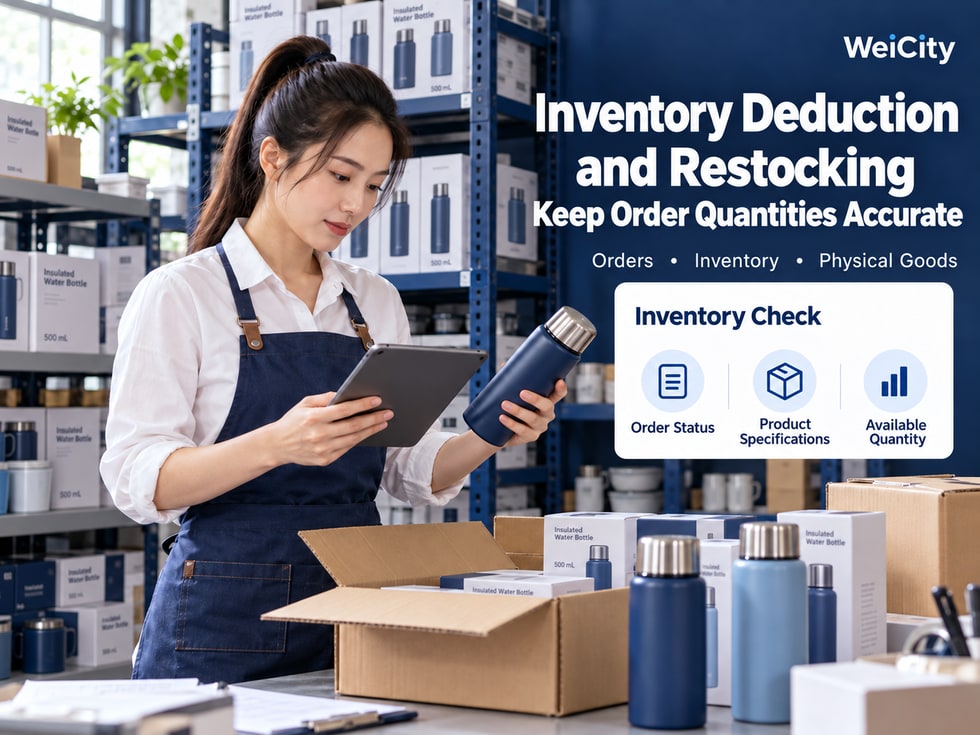
When should inventory decrease after a customer buys a product?
For example, a product originally has 10 units in stock.
A customer places an order for 2 units.
Should the product page immediately show 8 remaining units, or should inventory be deducted only after the customer's payment succeeds?
If the customer does not pay, cancels the order, or applies for a return after receiving the product, how should inventory be handled?
These questions involve two important concepts in product inventory management:
Stock Deduction and Stock Restoration.
For merchants using the WeiCity Shop, understanding how inventory changes relate to order status can help reduce overselling, duplicate sales, incorrect restocking, and inaccurate inventory records.
However, please note:
Different shop systems may use different inventory rules.
Some systems reserve inventory when the customer submits an order, some deduct it after payment succeeds, and others handle it separately based on order status and the shipping process.
Therefore, merchants should first confirm the inventory rules actually used by the WeiCity Shop, and then manage inventory according to orders and physical stock.
Product inventory is not just how many items are in the warehouse.
In actual business operations, physical inventory, order-reserved quantities, and saleable quantities may differ.
Refers to the quantity of products currently stored in a warehouse, store, or other storage location.
For example:
There are 10 insulated cups in the warehouse.
Physical stock is 10 units.
Refers to the quantity of products that have been set aside for orders and temporarily cannot be offered to other customers.
For example:
A customer places an order for 2 units.
The system or merchant has reserved 2 units for this order.
Refers to the quantity of products that can still be accepted for purchase.
For example:
📦 Physical stock: 10 units.
🔒 Reserved quantity: 2 units.
🛒 Sellable quantity: 8 units.
In this simplified example:
Sellable quantity = physical stock − reserved quantity.
In actual calculations, quantities that cannot be sold, such as damaged items, items awaiting inspection, or items occupied by other channels, may also need to be considered.
Because a product being in the warehouse does not necessarily mean it can be sold again.
For example:
The customer has successfully placed an order, but the product has not yet been shipped.
Although the item is still on the shelf, if it has been reserved for an order, it should not be sold to another customer.
For specific inventory fields, quantity names, and calculation methods, refer to the current WeiCity product management page.
📌 In inventory management, first distinguish between: how many products are in the warehouse, and how many products are still available for sale.
Inventory deduction means reducing the corresponding inventory records based on orders or other outbound situations.
However, different systems may process inventory at different stages.
For example:
📦 Original sellable quantity: 10 pieces.
🛒 Customer submits an order: 2 pieces.
🔒 System reserves: 2 pieces.
📊 Remaining sellable quantity: 8 pieces.
At this point, the product may not have been paid for, nor shipped.
However, because they have been reserved for the order, other customers temporarily cannot purchase these 2 pieces.
Another approach is:
When the customer submits the order, the sellable quantity is not reduced for the time being.
After payment succeeds, the corresponding deduction is made.
For example:
📦 Original sellable quantity: 10 pieces.
📝 Customer submits an order: 2 pieces.
💳 Payment succeeds.
📊 The sellable quantity is updated according to system rules.
Some inventory management processes also distinguish between:
🔒 Order reservation.
💳 Payment confirmation.
🚚 Physical outbound.
For example:
After the customer's payment succeeds, the product has already been reserved.
However, the physical quantity in the warehouse only decreases when the merchant actually ships the product.
Merchants cannot assume a product has left the warehouse simply because an order has been created.
Likewise, they cannot assume a product can be sold again simply because it is still in the warehouse.
📌 When inventory is deducted must be confirmed based on WeiCity's current actual order and inventory processing rules.
If a product comes in different colors, sizes, or capacities, the inventory must be matched to the version the customer actually purchased.
The previous article introduced SKU (Stock Keeping Unit), which helps merchants identify different product versions.
For example, a thermos cup is offered in:
🔵 Blue + 500ml.
⚪ White + 500ml.
🔵 Blue + 750ml.
⚪ White + 750ml.
Suppose the customer purchases:
🎨 Color: Blue.
☕ Capacity: 500ml.
🔢 Quantity: 2 pieces.
Then the inventory version that needs to be checked is:
🔵 Blue + 500ml.
Other specifications should not be wrongly reduced because of this order.
🏷️ Product name.
🎨 Color.
📏 Size or capacity.
🔢 Purchase quantity.
📦 Corresponding inventory.
For example:
Blue 500ml has sold out.
But white 500ml is still in stock.
If you only check the total quantity for the entire thermos cup model, you may overlook that a specific specification is out of stock.
For example:
CUP01-BLU-500: Blue 500ml.
CUP01-WHT-500: White 500ml.
These are only example internal codes.
Merchants can establish clear correspondences for different versions based on how they actually manage their products.
📌 Inventory deduction should correspond to the correct product specification, to avoid affecting other colors, sizes, or styles.
Inventory restoration means adding qualifying quantities back into inventory records, or releasing the original order reservation, based on actual circumstances.
However, not every order cancellation or refund means the product can be sold again.
For example:
The customer purchased 2 pieces.
The system has already reserved these 2 pieces.
Later, the customer cancels the order.
If the product has not yet been sent out and system rules allow the reservation to be released, the corresponding sellable quantity may be restored.
For example:
The customer submitted an order but did not pay within the specified time.
If the system originally reserved inventory, the reserved quantity may need to be released after the order is closed.
For example:
After receiving the product, the customer applies for a return.
The merchant receives the returned product and confirms that it still meets sales conditions.
Only then may the product be counted again as sellable inventory.
For example:
The customer returns a piece of clothing.
The merchant has not yet confirmed:
👕 Whether the product is complete.
🏷️ Whether the tags meet requirements.
📦 Whether the packaging is complete.
⚠️ Whether there is any damage.
In this case, it should not be treated directly as normal sellable inventory before inspection.
Merchants need to first confirm:
📋 Which order it corresponds to.
🏷️ Which product version it corresponds to.
🔢 How many quantities should be restored.
📦 Whether the physical item is still in the warehouse or has been returned.
🔄 Whether the system has already processed it automatically.
📌 Inventory restoration must have a clear basis to avoid adding inventory twice.
This depends on whether the current Shop provides an inventory reservation mechanism, as well as the order closure and release rules.
For example:
A customer places an order for 2 pieces.
But payment is not completed for a long time.
If the system has already reserved inventory when the order is placed, you need to confirm how long these 2 pieces will be held.
🕒 When does inventory reservation begin?
⌛ Is there a payment time limit?
📋 When is an unpaid order closed?
🔄 Is inventory released automatically after the order is closed?
💳 If payment is received only after the order has been closed, how should it be handled?
Suppose a product has only 5 pieces.
Customer A orders 3 pieces but does not pay.
If the system keeps reserving these 3 pieces, other customers may only be able to buy the remaining 2 pieces.
But if the system does not reserve inventory, multiple customers may place orders at the same time, resulting in insufficient stock.
Therefore, merchants need to understand the actual order rules.
For example:
The system had already reserved 2 pieces.
The merchant sees that the order is unpaid and manually adds 2 pieces to inventory.
The system then automatically releases 2 pieces.
This may cause the inventory quantity to be increased twice.
Do not conclude that a transaction is complete just because the customer says they have paid.
Confirm based on the current order records and the actual payment channel received.
📌 To understand how unpaid orders affect inventory, you must check the order status, payment status, and system release rules together.
Order cancellations, refunds, and returns often occur together, but they represent different situations.
Not every situation should be understood as "inventory is automatically added back."
For example:
A customer places an order for 2 pieces.
The product has not yet been shipped.
The order is later cancelled.
If inventory was originally reserved or deducted, confirm based on system rules whether it needs to be released or restored.
For example:
The customer finds a problem after receiving the product.
The merchant agrees to a refund but does not require the customer to return the product.
In this case:
💳 The refund may already have been completed.
📦 The product is still in the customer's hands.
Therefore, do not directly increase the warehouse's sellable quantity just because the refund succeeded.
For example:
The customer returns 1 thermos cup.
After receiving it, the merchant needs to check:
📦 Whether the product is complete.
🔍 Whether it is damaged.
🎁 Whether all accessories are included.
⚠️ Whether it meets the conditions for resale.
Only if it is confirmed that it can be sold again should it be processed according to the actual inventory workflow.
For example:
The returned product shows obvious damage.
This item may need to be recorded as:
🔍 Pending inspection.
🛠️ Pending repair.
⚠️ Not sellable.
Rather than directly increasing normal sellable inventory.
For example:
The customer originally purchased a blue size M top.
Later, they applied to exchange it for a blue size L.
The merchant needs to check separately:
👕 Whether the original product has been returned.
📦 Whether the original product can be sold again.
👕 Whether the new product is in stock.
🚚 Whether the new product has been shipped.
Because a refund affects the money paid.
A return involves the physical product.
Cancelling an order involves whether the order will continue to be fulfilled.
These may happen at the same time, or only one of them may happen.
📌 To decide whether inventory should be restored, check both the result of the order processing and the actual whereabouts of the physical product.
The following uses a hypothetical scenario to explain the basic relationships in inventory changes.
Assume the system works as follows:
Inventory is reserved when an order is placed, and physical outbound is recorded when the item is shipped.
This is only one common management method and does not mean WeiCity necessarily uses the same rules at present.
Product:
Stainless steel insulated cup.
📦 Physical stock: 10 units.
🔒 Reserved for orders: 0 items.
🛒 Available for sale: 10 items.
The customer submits the order.
The system reserves 2 items.
📦 Physical stock: 10 units.
🔒 Reserved for orders: 2 items.
🛒 Sellable quantity: 8 units.
At this point the product is still in the warehouse, but 2 of the items have been reserved for the order.
Assume that a successful payment does not deduct the already reserved available quantity again.
Then:
📦 Physical stock: 10 units.
🔒 Reserved for orders: 2 items.
🛒 Sellable quantity: 8 units.
A successful payment does not necessarily mean the available quantity needs to be reduced again.
The products actually leave the warehouse.
📦 Physical inventory: 8 items.
🔒 Reserved for orders: 0 items.
🛒 Sellable quantity: 8 units.
Because these 2 items have been sent out, the original order reservation is also released.
Assume the customer cancels the order before shipment and the 2 originally reserved items are successfully released.
Then:
📦 Physical stock: 10 units.
🔒 Reserved for orders: 0 items.
🛒 Available for sale: 10 items.
Assume the original order had 2 items shipped.
In this case:
📦 Physical inventory: 8 items.
🛒 Sellable quantity: 8 units.
The customer later returns 1 of them.
The merchant receives and inspects it, and confirms it can be sold again.
With no other inventory changes:
📦 Physical inventory: 9 items.
🛒 Available for sale: 9 items.
If the product is damaged and cannot be resold, the normal available quantity should not be increased directly.
It is only meant to illustrate that:
🛒 Placing an order may affect the available quantity.
💳 Payment may change the order status.
🚚 Shipping involves physical outbound movement.
❌ Cancellation may release reserved inventory.
↩️ For returns, whether to restore inventory depends on the physical condition of the item.
📌 Quantity changes at different stages must not be counted twice, otherwise inventory records can easily become wrong.
When a merchant reviews an order, it is recommended to confirm each item for that specific order.
For example:
📝 Awaiting payment.
💳 Paid.
📦 Pending processing.
🚚 Shipped.
❌ Cancelled.
Actual status names are subject to the current WeiCity order page.
Confirm:
💰 Whether the payment has been received.
📋 Whether the payment record matches the order.
⚠️ Whether there are any abnormal payment situations.
Confirm:
📦 Product names.
🎨 Color.
📏 Size or capacity.
🏷️ SKU number.
Confirm the customer bought:
1 item.
2 items.
Or another quantity.
Confirm:
📦 Whether the product is still in the warehouse.
🚚 Whether it has been shipped.
🏪 Whether self-pickup has been completed.
Confirm:
➖ Whether it has been deducted.
🔒 Whether it has been reserved.
➕ Whether it has been restored.
For example:
Whether a merchant or staff member has manually changed the inventory quantity.
Whether the following features are provided, and how they specifically work, should be confirmed on the current actual page:
📊 Automatic inventory deduction.
🔒 Order inventory reservation.
⌛ Release of unpaid orders.
🔄 Automatic restoration when orders are cancelled.
↩️ Return inventory handling.
📝 Inventory adjustment records.
📌 When handling inventory issues, it is recommended to first check the order status and system records, and then decide whether manual action is needed.
Sometimes a merchant may find that:
The system shows 10 items remaining.
But the warehouse actually has only 8 items.
In this case, the numbers should not be changed arbitrarily right away.
It is recommended to first find the cause of the difference.
Confirm whether there are:
🛒 Orders placed but not yet shipped.
💳 Paid orders awaiting processing.
🔒 Inventory already reserved.
For example:
🏪 Physical store sales.
💬 Orders received via WhatsApp.
📱 Other online platforms.
📦 Manually recorded orders.
If multiple channels share the same inventory, the product quantities need to be recorded in a unified way.
For example:
⚠️ Damaged products.
📦 Lost products.
🔍 Products pending inspection.
These products may not necessarily be sold further.
Confirm:
📦 Whether the products have been returned.
🔍 Whether the inspection has been completed.
🔄 Whether the inventory has been restored.
Confirm whether anyone has:
➕ Increased inventory.
➖ Decreased inventory.
🔄 Changed the specification quantities.
If differences still exist, a physical stocktake can be carried out.
For example:
The system has already automatically restored 2 items.
But staff did not know this and manually added 2 more items.
In the end, the system may show more available inventory than actually exists.
📌 When an inventory difference is found, find the cause first, and then adjust according to the actual situation.
If a manual inventory adjustment is truly necessary, it is recommended to keep clear records.
For example:
Stainless steel insulated cup.
For example:
CUP01-BLU-500.
For example:
10 items.
For example:
Decrease by 2 items.
For example:
8 items.
For example:
📦 Physical stocktake discrepancy.
⚠️ Damaged products.
↩️ Return inspection completed.
🏪 Supplementary record of store sales.
Record the actual processing date and time.
If multiple staff members manage products, you can record who made the adjustment.
Whether WeiCity provides inventory change records, operator records, or automatic logs should be confirmed based on current actual functions.
If there is no such function, merchants can use an internal record sheet to keep the necessary information.
📌 Every inventory adjustment should have a clear reason so it can be checked later.
Some merchants sell products through multiple channels at the same time.
For example:
🏪 Physical store.
🛍️ WeiCity Shop.
💬 WhatsApp.
📱 Other online platforms.
If these channels use the same batch of products, special attention must be paid to inventory records.
The warehouse actually has:
5 insulated cups.
Store sales:
2 items.
If the available quantity in the WeiCity Shop is not updated, it may still show 5 items online.
This may lead to overselling.
✅ Confirm which channels share inventory.
✅ Update records promptly for every sale.
✅ Check each specification separately.
✅ Carry out physical stocktakes regularly.
✅ Avoid repeated adjustments by multiple staff members.
Whether cross-platform or cross-store automatic inventory synchronization is supported should be confirmed based on WeiCity's current features and its integration with other systems.
Do not assume that inventory across multiple sales channels will stay consistent automatically.
📌 When selling through multiple channels, a unified inventory recording method is very important.
How often you check inventory can depend on the product's sales volume, stock quantity, and business model.
You can check them periodically based on your actual situation.
It is recommended to reconcile inventory more frequently.
For example:
Clothing.
Shoes.
Phone accessories.
Hardware tools.
Pay attention to stock differences between different variants.
For example:
🎁 Festive gifts.
💐 Festive bouquets.
👕 Promotional apparel.
📦 Limited-edition products.
When orders increase, it is even more important to confirm sellable quantities promptly.
For example:
❌ Insufficient stock.
🔄 Duplicate restocking.
📦 Physical stock does not match the system.
🛒 Multiple orders competing for the same stock.
These should be checked promptly.
📊 Verify system quantities.
📦 Confirm the physical stock.
⚠️ Identify damaged products.
🔄 Correct missing records.
🏷️ Check SKU mapping.
📌 Regular stocktakes can help merchants identify stock discrepancies and prevent errors from accumulating.
Not necessarily.
Please confirm based on WeiCity's current inventory deduction rules.
This depends on whether the system provides an order inventory reservation mechanism.
Different systems may handle this differently; the actual current rules shall prevail.
It usually involves physical stock leaving the warehouse, but the specific inventory fields and update timing depend on system rules.
Not necessarily.
Please confirm the order status, whether it originally reserved inventory, and whether the system provides automatic release or restocking.
This depends on the current order and inventory reservation rules.
Sellable inventory should not be increased simply because a refund has succeeded.
You also need to confirm whether the product is still in the warehouse, or whether it has been returned and meets sales conditions.
This should be determined based on the actual condition of the product, applicable rules, and your after-sales handling requirements.
You may record it as pending inspection, pending repair, or unsellable according to your actual management process; it should not be treated as normal sellable inventory.
If the current product type supports inventory management by variant, you can configure it according to the actual features available.
A SKU helps distinguish different product versions and makes it easier to reconcile quantities and orders.
Specific automatic restocking conditions and supported scope are subject to the current actual features.
Whether a manual adjustment feature is provided, along with related permissions and recording methods, is subject to the current product management page.
Merchants can manage the same batch of inventory according to their actual business model, but whether automatic synchronization is supported needs to be confirmed in the system features.
It is recommended to standardize product variants, SKUs, orders, and physical stock records, and to check inventory changes regularly.
📌 The key to inventory management is not just increasing or decreasing quantities, but ensuring every change has a clear basis.
✅ Physical quantity is accurate.
✅ Sellable quantity is clear.
✅ Reserved quantity has been reconciled.
✅ Colors are correct.
✅ Dimensions are accurate.
✅ SKU mapping is correct.
✅ Whether the order has been created.
✅ Whether payment has been made.
✅ Whether the order has been shipped.
✅ Whether the order has been canceled.
✅ Confirm the deduction timing.
✅ No duplicate deductions.
✅ Correct product version is matched.
✅ Confirm the order handling result.
✅ Confirm the physical condition of the product.
✅ No duplicate restocking.
✅ The product has been received.
✅ The product has been inspected.
✅ Confirm whether it can be sold again.
✅ The reason for adjustment is clear.
✅ The adjusted quantity is accurate.
✅ Automatic processing records have been checked.
✅ In-store sales have been recorded.
✅ Orders from other channels have been reconciled.
✅ Shared inventory records are consistent.
✅ Physical and system records have been reconciled.
✅ Inventory discrepancies have been investigated.
✅ Abnormal quantities have been handled according to the rules.
📌 Regularly checking orders, inventory, and physical stock can reduce inconsistencies in inventory records.
Inventory management is not simply adding or subtracting product quantities.
What really needs to be understood is:
🛒 Has the customer placed an order?
💳 Was the payment successful?
🔒 Has the product been reserved?
🚚 Has the product been shipped?
❌ Has the order been canceled?
↩️ Has the product been returned?
🔍 Can the returned product be sold again?
🔄 Has the system automatically restocked?
🏷️ Which SKU does the change correspond to?
Inventory management in the WeiCity Shop should focus on reconciling order status, product variants, and actual stock levels, so merchants can more clearly understand how many items remain available for sale.
For merchants, accurate inventory records can help:
📦 Reduce overselling.
🛒 Lower the risk of duplicate sales.
🏷️ Manage different variants correctly.
🔄 Avoid duplicate restocking.
📊 Plan restocking more clearly.
📝 Make it easier to trace inventory discrepancies.
📦 Clear physical quantities are needed to know how many products are in the warehouse.
🔒 Clear order allocations are needed to know which products have been reserved.
🛒 Accurate sellable quantities are needed to judge how many more purchases can be accepted.
🔄 Complete restocking records are needed to reduce duplicate inventory increases.
🏷️ Correct SKU mapping is needed to avoid confusing inventory across different variants.
From ordering, payment, and shipping to cancellation, refunds, and returns, each stage should be handled based on the actual order and physical stock situation.
When every inventory deduction and restocking has a clear basis, product management becomes more accurate and organized.
Specific inventory deduction timing, order reservation, automatic restocking, manual adjustment, and inventory recording features are subject to WeiCity's current Shop pages, product management settings, and the services you have activated.
👉 Open WeiCity: https://wei.city/