

6 WeiCity Voice-to-Text: Understand Messages Even When You Can't Listen to Them
Convert voice into readable text to make it easier to scan messages, grasp key points, and confirm details.
When you are in a meeting, riding in a vehicle, or in a quiet environment, playing back a voice message may not be convenient. The WeiCity voice-to-text feature helps you read the content of voice messages, so you can understand a message first and then listen to the original audio if needed. This article introduces suitable scenarios, how to use the feature, and how to verify important information such as names, amounts, and dates.
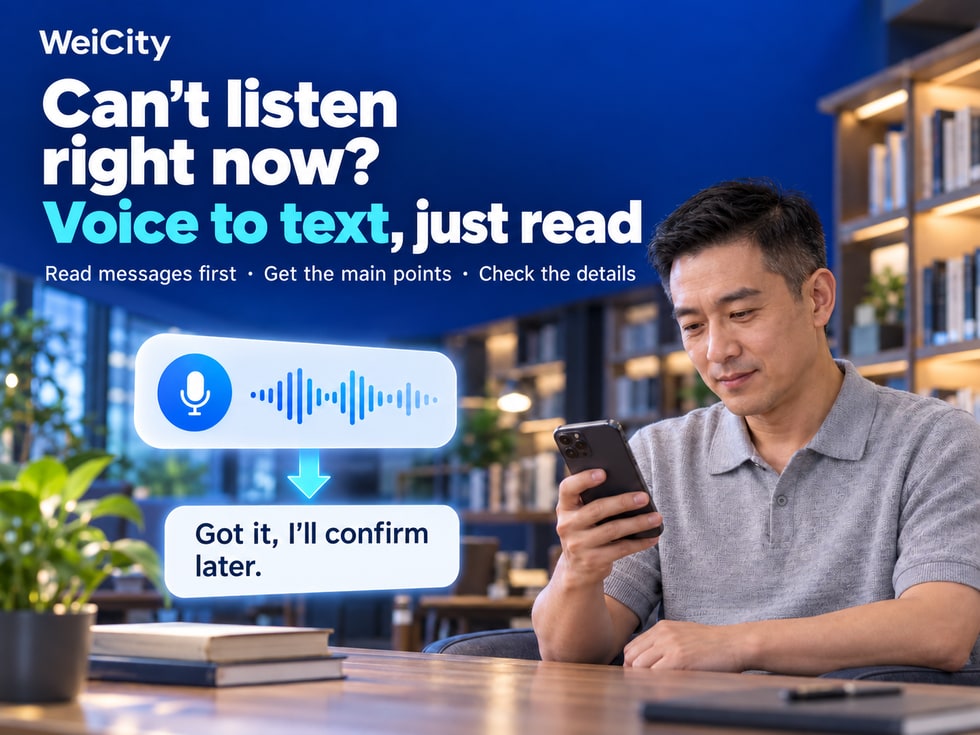
A friend sends a voice message, but you are in a quiet office and it is inconvenient to play the sound.
A customer explains a product requirement by voice, but you are in a meeting and want to first understand what they want to ask.
Someone in a work group sends a voice message with project progress and arrangements, and you want to quickly confirm whether anything needs action.
In these situations, the WeiCity voice-to-text feature can be useful.
With voice-to-text, users can convert received voice messages into text, so that when it is inconvenient to play sound, they can first read and understand the message content.
Whether it is a chat with friends, a merchant inquiry, or team communication, you can choose to read the text or listen to the voice based on the actual situation.
💡 WeiCity voice-to-text allows senders to express themselves naturally by voice, and gives recipients another way to understand messages.
This article introduces the purposes of WeiCity voice-to-text, how to use it, practical application scenarios, and how to avoid misunderstandings caused by speech recognition errors.
WeiCity voice-to-text converts the spoken content recognized in a voice message into text to help recipients read it.
Unlike ordinary voice playback, users do not necessarily need to listen to the entire recording immediately and can first understand the message through text.
🎙️ Senders use voice
Explain ideas, needs, or events by recording audio.
📝 Recipients read the text
Convert the voice into text to understand the main content of the message.
🔍 Check important information
If a word or sentence is unclear, you can listen to the original audio again.
💬 Continue the conversation
Reply by text or voice based on what you understood.
Please note that voice-to-text mainly presents the recognized speech content as text.
It may not automatically:
❌ Organize meeting summaries.
❌ Extract to-do items.
❌ Judge work priorities.
❌ Verify whether the information in the voice message is correct.
❌ Automatically translate the content into other languages.
📌 Voice-to-text helps users read voice content, but important information still needs further verification.
Voice messages are convenient, but the recipient is not always in a suitable situation to play sound.
The following are some common usage scenarios.
You are handling tasks in the office, with other colleagues nearby.
If you receive a voice message, you can first read the text to understand the content and reduce sound interference.
It is inconvenient to play private voice messages during a meeting.
You can check the converted text at a suitable time, and decide whether a reply is needed later.
For example, when riding a bus or train without earphones, it is not suitable to play voice messages aloud.
Voice-to-text can offer another way to read the message.
When you need to keep the surroundings quiet, you can read the text first.
For example, when family members are resting and it is inconvenient to play sound.
When you receive multiple voice messages in a group, you can first read the converted text and then decide which content needs further listening.
When a customer sends a voice message explaining a product need, the merchant can read the content first and then organize the questions that need to be confirmed.
📌 The main value of voice-to-text is that it still lets users understand a message's content when it is inconvenient to listen to audio.
To use WeiCity voice-to-text for the first time, you can start with a voice message you have already received.
Specific button names, access points, and display methods may vary depending on the device, account permissions, and platform version.
Open WeiCity and log in to your account.
Find the conversation that contains the voice message.
For example:
👤 Private chat with a friend.
🏪 Merchant inquiries.
💼 Work chat.
👥 Group discussion.
Confirm that the voice message comes from the correct contact or group.
Based on the current chat interface, look for the text conversion option provided for voice messages.
Use the current feature to convert the voice into text.
First understand the main topic and key content of the message.
If a sentence, number, or name looks incorrect, you can listen to the original audio again.
Ask questions based on the actual content, or confirm the next steps.
Whether voice-to-text is available and how the converted results are displayed may depend on platform features, the voice content, recording quality, or other conditions.
📌 For the specific conversion entry point, operating steps, supported languages, and scope of use, please refer to the current WeiCity platform interface.
Merchants may receive different types of inquiries every day.
For example:
🛍️ Product size.
📦 Product quantities.
🛠️ Repair issues.
🎨 Custom requests.
📚 Course schedules.
📅 Service hours.
Some customers prefer to use voice messages to explain their situation.
Through voice-to-text, merchants can read the customer's main needs first and then decide which details need further confirmation.
Customer's voice message:
“Hello, I'd like to find a display rack to place beside the shop door, mainly for displaying small boxed products. The space is fairly narrow, so I hope it won't block the entrance or exit.”
After reading the converted text, the merchant can first understand:
🏪 Location of use: beside the shop door.
📦 Product type: small boxed products.
📏 Space: the area is narrow.
🎯 Main need: easy display without affecting entry and exit.
“Hello, we understand your needs.
To help confirm a suitable display rack, we would like to know a few more details:
📏 Roughly how wide is the available space?
📦 Roughly what size are the products?
🔢 How many display racks do you need?
🎨 Do you have a preferred color or style?
You are also welcome to send photos of the location so we can better understand it.”
Because the merchant first understands the customer's usage background, then asks for information related to choosing the product.
This reduces unrelated questions and gives the follow-up communication a clearer direction.
📌 Voice-to-text helps merchants read customer needs, but product specifications, quantities, and prices still need to be confirmed further.
Repair or service inquiries sometimes require describing fairly complex situations.
For example:
🔧 What problem is the equipment having?
📅 When did the problem start?
🏠 Where is the equipment installed?
📍 Which area is the service location in?
Customers may find it more convenient to explain the situation by voice.
“The air conditioner at home can be turned on recently, but the cooling isn't very good. Sometimes it runs for a long time and the room still isn't cool. I'd like to know whether you offer on-site inspection.”
Through voice-to-text, the merchant can first understand the situation the customer describes.
📍 Service area.
🛠️ Equipment type.
📅 Preferred appointment time.
📋 Any other related circumstances.
“Hello, we have understood the situation you described.
Which area are you located in? About how long has the air conditioner been in use?
If convenient, you can also provide the equipment model so we can further confirm the service arrangement.”
Voice-to-text only helps in understanding the customer's description. It cannot replace a professional inspection, and the cause of an equipment fault should not be judged based solely on the transcribed content.
📌 For service industries, voice-to-text can help organize the direction of inquiries, but the actual problem still needs to be confirmed further.
Team discussions often involve:
📋 Work progress.
🎨 Revision feedback.
📅 Delivery time.
👤 Responsible persons.
📎 Project files.
If a team member sends a longer voice message, the recipient can first read the converted text and then organize the tasks that need to be carried out.
Project lead's voice message:
“This time the client wants the headline on the promotional image to be more prominent. Let's keep the event name, move the date to the next line, and then add the event location. I hope we can see the new draft by Wednesday afternoon.”
Through voice-to-text, team members can first read the related content.
However, the converted text does not necessarily organize work tasks automatically.
Therefore, members can actively organize the key points.
🎯 Revision goal: make the promotional image headline more prominent.
📝 Revision 1: keep the event name.
📅 Revision 2: move the date to the next line.
📍 Revision 3: add the event location.
⏰ Time: provide the new draft by Wednesday afternoon.
“Let me confirm the arrangements we just discussed:
🎨 First, adjust the headline position.
📅 Move the date to the next line.
📍 Add the event location.
🕒 Provide the new draft by Wednesday afternoon.
Is my understanding correct?”
Because speech recognition may produce errors.
Moreover, even if the text is recognized correctly, members may still understand the work requirements differently.
📌 Voice-to-text helps read work content, while written confirmation helps the team clarify the items that actually need to be carried out.
When a group has many members, you may receive several voice messages within a short time.
For example:
👤 The first member explains the event location.
👤 The second member discusses equipment arrangements.
👤 The third member adds the number of meals.
👤 The fourth member proposes a time change.
If it is inconvenient to play each message in turn, you can view the voice-to-text results with the current feature first.
📍 Location arrangements
Confirm whether the event location has changed.
🔧 Equipment preparation
Understand which items need to be prepared.
🍽️ Number of meals
Confirm the currently expected number of people.
📅 Time arrangements
Check the meeting and event times.
“Based on our discussion just now, here is the current summary:
📍 Event location: unchanged for now.
🔧 Equipment arrangements: still to be confirmed.
🍽️ Number of meals: waiting for the final count.
📅 Meeting time: Saturday at 3 PM.
If anything is misunderstood, please let us know.”
Voice-to-text does not mean that all members have agreed to these arrangements.
The organized content should still be confirmed by the relevant members.
📌 Group voice messages help supplement discussions, while text makes it easier for members to read and organize the key points.
Voice-to-text relies on speech recognition.
Actual conversion results may be affected by many factors.
For example:
🗣️ Speaking speed.
🎙️ Recording quality.
🔊 Background noise.
🌐 Language and accent.
🔤 Proper nouns.
Some words sound similar, but the converted text may differ.
Therefore, the following content especially needs to be checked.
For example:
Customer names.
Company name.
Brand names.
Names of responsible persons.
For example:
RM150.
RM1,500.
RM15,000.
These amounts can vary greatly, so they should not rely solely on the recognition results.
For example:
2 pieces and 12 pieces.
50 centimeters and 150 centimeters.
1TB and 10TB.
For example:
Tuesday and Thursday.
10:00 AM and 10:00 PM.
October 15 and October 25.
For example:
Street names.
House numbers.
Branch names.
Meeting points.
For example:
Equipment models.
Item numbers.
Product sizes.
Color codes.
You can directly ask the sender:
"To avoid mistakes, could you please confirm the quoted amount and pickup date in writing?"
Or:
"The transcribed text says Saturday at 3:00 PM. Is this time correct?"
📌 For important details such as names, amounts, dates, addresses, and specifications, it is best to confirm them again in writing.
WeiCity chat offers features such as voice-to-text and message translation.
Although both can help you understand messages, they serve different purposes.
| Comparison Item | Voice-to-Text | Message Translation |
|---|---|---|
| Main Purpose | Presents voice content as text | Helps you understand messages in different languages |
| Main problem it solves | Not convenient to listen to voice | Unfamiliar with the language used in the message |
| Common Scenarios | Offices, meetings, public places | Cross-language chats, merchant inquiries |
| Output | Recognized speech text | Translated message content |
| Things to note | Speech recognition errors may occur | Translation inaccuracies may occur |
You receive a Chinese voice message.
Use voice-to-text to read the recognized Chinese content.
You receive an English message.
Use the translation feature to help understand the meaning in Chinese.
Voice-to-text does not mean the system will automatically translate the content into the language you choose.
If you need to understand across languages, check the translation features WeiCity currently offers and their scope of use.
📌 Voice-to-text helps with "how to read a voice message," while message translation helps with "how to understand different languages."
Although voice-to-text is convenient for reading, reading text alone is not suitable for every situation.
In the following cases, it is recommended to listen to the original audio again.
For example, a sentence clearly does not fit the context.
For example:
"We'll confirm next week."
This sentence may need a further clarification of the specific date.
Some communication involves emphasis, pauses, or expressing attitude.
Reading the text alone may not fully convey this.
For example:
🛠️ Equipment names.
💻 Technical terms.
📚 Educational terminology.
🛍️ Product models.
For example:
Quoted amounts.
Payment terms.
Delivery dates.
Scope of services.
For example:
Responsible persons.
Completion times.
Content that needs to be revised.
You can check directly with the sender.
For example:
"I've read the voice-to-text, but I'm not sure about one part. Did you say Wednesday or Thursday just now?"
📌 Voice-to-text is useful as a reading aid. When content is unclear or important, you should still listen to the original audio and confirm with the sender.
Voice messages may contain personal information or work information.
For example:
👤 Customer names.
📍 Home addresses.
📞 Contact information.
💰 Business quotes.
📋 Internal company arrangements.
📚 Student or family information.
When using voice-to-text, pay attention to how relevant information is used and shared.
Without proper authorization, do not share private voice messages or converted text with unrelated people.
If the content involves sensitive information about customers or other people, first confirm whether it is appropriate to discuss in a multi-person group.
If a voice discussion involves Cloud Drive files, also check the access settings of the relevant files.
Voice-to-text may contain recognition errors.
For contracts, payments, appointments, or important work decisions, verify through appropriate means.
📌 Even after voice is converted to text, handle it carefully according to the sensitivity of the original content.
If you run into problems, first check the following.
Confirm whether the current message is a voice message, and check the action options it provides.
Different versions or accounts may show different feature entries.
Check your network connection, and see whether the page shows a processing status or an error message.
This may be related to recording quality, voice content, or the scope of current feature support.
Language support may vary. Please refer to WeiCity's current feature description.
You can listen to the original audio again, or ask the sender to supplement the text.
If text conversion is temporarily unavailable, you can:
🎧 Listen to the original audio when convenient.
💬 Ask the sender to add a text explanation.
📋 Reconfirm important matters.
📌 When you encounter conversion problems, first check the current platform prompts, then choose to listen to the original audio or continue communicating in writing as needed.
If you have not used this feature before, you can start with a simple voice message.
Go to a direct message or group chat that contains a voice message.
Confirm which message you need to view.
Follow the entry provided by the current interface.
First understand the main topic of the message.
For example:
📅 Date.
🕒 Time.
💰 Amounts.
📍 Location.
If the content is unclear, you can check it further against the original voice message.
For example:
"I understand what you mean. To confirm, you said Saturday at 3:00 PM, right?"
📌 Starting with a simple voice message lets you gradually become familiar with how to use voice-to-text.
WeiCity voice-to-text means chat no longer has only one way to receive messages.
Senders can use voice to explain things.
Recipients can choose to listen to the original audio or read the converted text, depending on their environment.
With voice-to-text, you can:
🔕 Read quietly
Understand messages first when it is inconvenient to play sound.
🏪 Assist merchant inquiries
Read customer needs described through voice.
💼 Understand work arrangements
Review voice content added by team members.
👥 Take part in group discussions
Read voice messages from different members as needed.
📝 Organize key points of communication
Further clarify the matters that need to be carried out.
🔍 Check important information
When content is unclear, listen again and confirm.
Some things feel more natural to say out loud.
Sometimes, reading text is more convenient.
🎙️ Senders can express themselves by voice.
📝 Recipients can understand through text.
💬 Confirm important details further.
📝 WeiCity Voice-to-Text | Can't listen to voice? You can still read the message first, making communication more flexible.
🌐 WeiCity — Connect People. Communicate Easier.
Open WeiCity and start with the next voice message you receive, choosing to read or listen based on your situation.
The next article will introduce 🌐 How to Use WeiCity Message Translation? How to make chats easier to understand across different languages.
Specific voice-to-text entry points, supported languages, conversion results, account permissions, and scope of use are subject to WeiCity's current platform interface and actual availability.
👉 Learn about WeiCity: https://wei.city