

3 How to Use WeiCity Channel Updates? From Latest News to Everyday Promotion
Publish new products, offers, events, and business notices promptly so customers can easily keep up with recent news from your business.
What content suits WeiCity channel updates? From organising text, images, and links, to offer conditions, event dates, and update frequency, this guide explains how to keep introducing your business with short, clear updates.
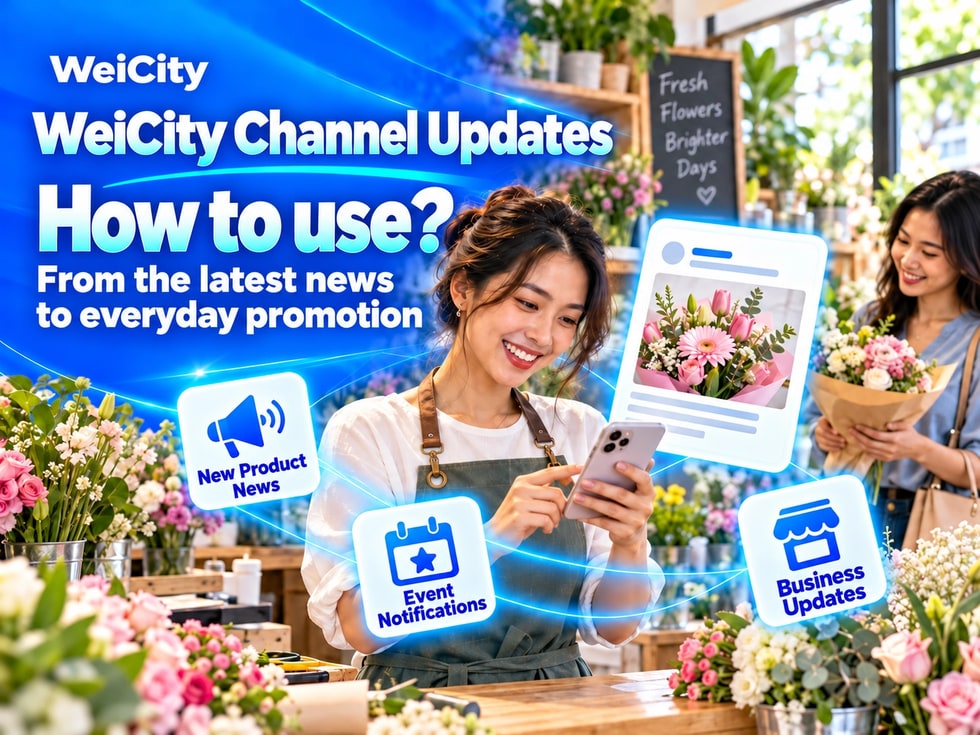
“A new product has arrived today. Where should I notify customers?”
“How do I clearly post weekend business hour changes?”
“I've already written a detailed article. Do I still need to post updates?”
“How do I write promotions so customers don't misunderstand them?”
Merchants' products, activities, and business arrangements keep changing. If customers rely only on a fixed merchant introduction, they may not know about recent news.
💡 With WeiCity channel updates, you can promptly publish new products, activities, offers, works, and business notices. This keeps your channel current and helps customers understand your recent arrangements.
Channel updates are suited to short, timely messages that customers need to notice soon.
For example:
✅ New product or new service launches
✅ New stock in store
✅ Current promotions
✅ Courses or activities open for registration
✅ Business hour changes
✅ Holiday arrangements
✅ Recent works and cases
✅ Temporary notices
✅ Sharing article or activity links
When customers browse your channel, updates help them learn what you are recently promoting or need to announce.
📌 The text, images, videos, links, or other items you can actually add should follow the features currently available in the channel backend.
Both updates and articles can publish content, but they suit different scenarios.
✅ Updates
Suited to shorter, timelier messages, such as:
• New products arriving today
• This week's offers
• Weekend activity reminders
• Business hour changes
• Newly completed works
• Registration closing soon
✅ Articles
Suited to more complete content that should be kept long term, such as:
• Detailed introductions to products and services
• Course registration guides
• Complete activity descriptions
• Usage and buying guides
• Frequently asked questions
• Project or service case studies
🔶 For example:
An education center can first publish a course introduction article, then use an update to announce “New course session now open for registration.”
A beauty salon can first use an article to introduce its service process, then use updates to share recent works or this month's offers.
💡 Articles provide complete explanations, while updates provide timely reminders. Important content can first be organized into an article, then updates can guide customers to read it.
Customers usually spend little time browsing updates, so the opening should state the key point directly.
Recommended to include:
1️⃣ What happened?A new product, offer, activity, or business notice.
2️⃣ When?Start date, end date, or applicable time period.
3️⃣ Who or what does it apply to?Explain the applicable products, services, stores, or customer conditions.
4️⃣ What should customers do next?Read the article, contact the merchant, register, book, or visit in person.
🔶 Example: New product arrival
“A new batch of kitchen storage products has arrived this week, in various sizes and styles. Feel free to browse the product photos. To confirm sizes, stock, or prices, please contact us.”
🔶 Example: Course registration
“Beginner children's drawing classes are now open for registration. Course details, schedules, and required supplies are outlined in the course introduction. Please share your child's age and preferred time slot to check availability.”
💡 State the key point in the first paragraph, then add conditions and contact methods.
A clear image helps customers understand update content more quickly.
You can use:
✅ New products or physical product photos
✅ Activity theme images
✅ Recent works
✅ Store or service scenes
✅ Business notice design images
✅ Article or course covers
✅ Photos of arrivals, preparation, or activity sites
Image tips:
🔹 Clear subject
🔹 Natural lighting
🔹 Avoid overly crowded compositions
🔹 Keep text brief
🔹 Keep a safe margin for important content
🔹 Match the content of the update text
📌 Important information such as dates, prices and conditions of use should be written out in the text as well as shown in images, so customers are not left unable to see it when the image is too small.
Writing only “Limited-time offer” or “Today's special price” may leave customers unsure what the offer applies to.
Recommended to specify:
✅ The products or services the offer applies to
✅ The start and end dates of the offer
✅ The offer content or how it is calculated
✅ Whether it is limited to specific branches, time slots or numbers of people
✅ Whether advance booking is required
✅ Whether it can be combined with other offers
✅ How customers can claim, purchase or take part
🔶 For example:
“Designated care services are offered at promotional prices on weekdays this month. The offer applies to specified time slots and requires advance contact to confirm a booking. For service details, prices and dates on which the offer does not apply, please see the event notes.”
📌 When an offer ends, update or stop promoting it promptly so customers do not ask about expired content.
Event messages should not only attract attention; they should also help attendees prepare.
Suggested contents include:
🔹 Event name
🔹 Date and time
🔹 Location
🔹 Who it is suitable for
🔹 Event content
🔹 Fees, if applicable
🔹 Places available and how to register
🔹 Items to bring
🔹 How rescheduling or cancellation will be notified
💡 If there is a lot of event information, you can first create a complete article, then use updates to announce registration opening, reminders about remaining places and pre-event notices.
📌 Whether event places are still open should be confirmed by the merchant.
When operating arrangements change, updates can help customers know in advance.
Suitable for posting:
✅ Holiday opening hours
✅ Temporary closures
✅ Branch relocation
✅ Changes to contact details
✅ Changes to service hours
✅ Appointment or last order times
✅ Changes to delivery or pickup arrangements
🔶 For example:
“We will adjust our business hours on October 20. We will be open until 4 p.m. that day. We will operate as usual on other dates. If you plan to visit or pick up an order, we recommend contacting us in advance to confirm.”
📌 After posting a new notice, also check whether the business hours in the channel's basic information need to be updated at the same time.
If an update is used to share more complete content, do not just post a link on its own.
We suggest adding a sentence of explanation first:
🔹 What the shared content is
🔹 Why it is worth reading
🔹 Which customers it suits
🔹 How to get in touch after reading
🔶 For example:
“Planning a renovation but not sure what information to provide when requesting a quote? This guide explains how to prepare site photos, measurements, area and project requirements. After reading, feel free to contact us for further discussion.”
If the channel automatically generates a link preview, still keep a short explanation so customers know whether they need to open it.
📌 Before sharing an external web page, confirm the page's source, content and that the link is still valid.
⭐️Restaurants
• ✅ Today's dishes
• ✅ New menu
• ✅ Holiday set meals
• ✅ Business notices
• ✅ Online Ordering cut-off reminders
⭐️ Retail Stores
• ✅ New stock arrivals
• ✅ Restocking notices
• ✅ New product introductions
• ✅ Promotional events
• ✅ Pickup arrangements
⭐️ Education and Training
• ✅ New class enrollment
• ✅ Open days
• ✅ Event reminders
• ✅ Holiday arrangements
• ✅ Registration deadline notices
⭐️ Beauty and Hair Salons
• ✅ Recent work
• ✅ New services
• ✅Available booking slots
• ✅ This month's events
• ✅ Changes to business hours
⭐️ Renovation and Repair
• ✅ Newly completed projects
• ✅ Service area notices
• ✅ Holiday arrangements
• ✅ Introduction to materials or services
• ✅ Booking slot updates
⭐️ Travel and Accommodation
• ✅ Room or event news
• ✅ Holiday packages
• ✅ Itinerary reminders
• ✅ Check-in notices
• ✅ Weather impacts and schedule changes
💡 Update content should come from real business activity; there is no need to post messages unrelated to customers just to stay active.
There is no fixed number of updates to post.
You can post based on actual business activity, for example:
🔹 When there are new products
🔹 When there is new work to show
🔹 Before an event starts
🔹 When an offer takes effect
🔹 When operating arrangements change
🔹 When there is an important reminder
Rather than repeating the same content every day, post one complete, clear update when there is real news.
💡 You can prepare a simple content plan in advance, such as organizing new products, work, events and common customer questions each week, then choose the content worth posting.
Customers may still see old updates after an event has ended.
Therefore, check regularly:
✅ Has the offer ended?
✅ Has registration closed?
✅ Do the business notices still apply?
✅ Is the product still in supply?
✅ Is the link still valid?
✅ Are contact details correct?
If content has expired, you can update it or stop using it according to the management options available in the back end.
📌 If you want to keep records of past events, clearly state in the content that the event has ended.
1️⃣ Welcome updateBriefly introduce the channel and the merchant's main business.
2️⃣ Main products or servicesChoose one item customers ask about most often.
3️⃣ Recent newsPost current, valid new products, events or arrangements.
4️⃣ Article sharingIntroduce a channel article that has already been completed.
5️⃣ Contact reminderExplain what information customers need to provide when they make an enquiry.
💡 Every update should let customers know: what this is, how it relates to them, and what they should do next.
✅ Does the opening state the key point directly?
✅ Are the date and time complete?
✅ Are the offer and promotion conditions clear?
✅ Do the images match the text content?
✅ Do prices, stock or spots need to be confirmed separately?
✅ Do the links open properly?
✅ Is the contact information valid?
✅ Does it include a next step customers can take?
✅ Does it avoid making unnecessary personal information public?
The channel's basic information helps customers get to know the merchant, articles provide complete explanations, and updates let customers keep up with recent news.
Organizing new products, promotions, works and business notices into updates in a timely way keeps your channel useful and makes it easy to share during daily inquiries and when promoting on social platforms.
Want to learn how to use WeiCity channel updates?
Feel free to contact us through the WeiCity official channel, and start publishing genuine, clear and useful information based on your industry and business arrangements.
WeiCityMake your business visible and your contact easier.