

10 How Often Should a Merchant Gallery Be Updated? Methods for Maintaining Outdated Materials and New Photos
Add new products promptly and adjust older images so that customers see content that matches your current business
How often should a merchant Gallery be updated? Starting from situations such as new product launches, shop changes, added case studies and discontinued products, this article introduces methods for checking, replacing, keeping and removing photos. It helps merchants maintain accurate image content and reduce misunderstandings and repeated enquiries caused by old photos.
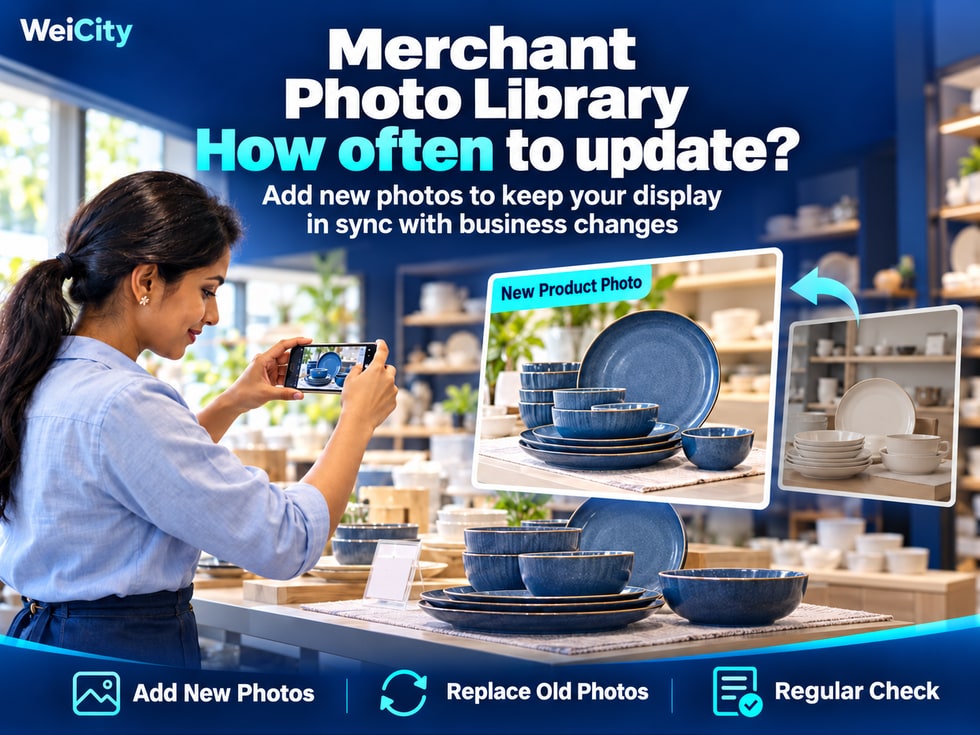
Once the merchant Gallery is set up, it does not mean that no further adjustments are needed.
As new products are launched, items are discontinued, shop decor is renovated, services change, and new case examples keep being added, photos and descriptions that were once accurate may gradually no longer reflect how the business actually operates.
If customers see discontinued products, an old shop entrance, or services that are no longer offered, they may be misled.
📸 Regularly maintaining your WeiCity merchant Gallery helps keep product, shop, and service case content accurate, so customers see information that better reflects your current business.
After the Gallery is published, products, shop environment, and service content may keep changing.
For example:
🆕 New products have been launched
If the Gallery still shows only older styles, customers cannot see the latest items.
📦 Products have been discontinued
Old photos without a note may lead customers to think the items can still be purchased.
🏪 The shop has moved
The Gallery still shows the original storefront and entrance.
🛠️ The service content has changed
Old case studies still show projects that are no longer offered.
🎨 The creative style has been adjusted
The portfolio still mainly features work from many years ago.
These situations should be reviewed promptly.
✅ Are the products currently on sale shown in the Gallery?
✅ For discontinued products, could customers still mistakenly think they are in stock?
✅ Do the shop photos match the current actual environment?
✅ Do the service cases still represent your current business?
✅ Are the image names and descriptions accurate?
📌 Gallery maintenance can begin by checking whether the content is still accurate, then deciding which photos need to be added, replaced, or taken down.
Merchants change at different speeds, so they do not all need the same update frequency.
Maintenance can be scheduled according to your business type.
For example:
👗 Clothing stores.
👜 Fashion accessory stores.
🎁 Gift shops.
📱 Electronics retailers.
If product styles are updated frequently, you may review recent content weekly.
Focus on checking new products, older styles, specifications, and product status.
For example:
🪑 Furniture showrooms.
🏠 Interior design companies.
🛠️ Repair service providers.
📷 Photography studios.
You may consider scheduling a more complete Gallery review once a month.
Focus on representative works, service cases, and related descriptions.
📍 Store relocation.
🚪 Entrance or signage changes.
📦 Discontinuation of key products.
🛠️ Services that are no longer offered.
🎉 Events that have ended.
📞 Contact information changes.
These situations do not need to wait for a fixed review date.
📌 Weekly or monthly schedules are only a reference for maintenance rhythm. What matters most is promptly addressing information that could affect customers' decisions.
When launching a new product, you do not necessarily need to upload only one main product image.
Depending on the product's features, prepare photos that help customers understand and compare it.
🛍️ Overall appearance
Show the complete style of the product.
🔍 Key details
Show materials, construction, or special design features.
📏 Dimensions and specifications
Help customers understand the actual size.
🎨 Colors and styles
Show the differences between versions.
🏠 Usage scenarios
Help customers understand how the product is actually used.
For example:
For example, a home goods store launching a new storage cabinet could show:
📸 New storage cabinet | Overall appearance.
🚪 New storage cabinet | Door design.
🗄️ New storage cabinet | Interior space.
📏 New storage cabinet | Size reference.
🏠 New storage cabinet | Placement effect in the living room.
If a new product belongs to an existing series, you can use a consistent naming style.
For example:
🪵 Storage cabinet Model A | Two doors, natural wood color.
🤍 Storage cabinet Model B | Three doors, off-white color.
If only the color, packaging, or some specifications have changed, the change should also be stated clearly.
📌 New product photos and descriptions should match the version actually supplied, so customers do not mistake new and old styles for identical products.
Not every old photo needs to be deleted immediately.
Products and works in different statuses can be handled in different ways.
If a product is only temporarily out of stock and still has display value, you may indicate its status in the supported description area.
For example:
Product status: Temporarily out of stock.
Additional note: For information about future supply, please contact the merchant to confirm.
If a product has been discontinued and has no other reference value, you may consider removing it from the public Gallery.
This helps prevent customers from continuing to ask about products they can no longer buy based on old photos.
If an older style can still serve as a reference for custom work, it may be kept, but its nature should be explained.
For example:
Work name: 2024 floral design case.
Additional note: This work is a past design reference. Current flowers, colors, and production arrangements must be confirmed separately.
If a service provided in the past is no longer offered, you may state:
This case is a completed project from the past. Please contact the merchant first to confirm whether similar services are currently offered.
📌 When keeping old photos, make sure customers understand what they currently represent, and reduce the chance that historical content is mistaken for current stock or existing services.
If a store relocates, changes its signage, adjusts its entrance, or is renovated, environment photos should be checked promptly.
These images can directly affect whether customers can find the merchant easily.
🏪 Storefront and signage
Help customers recognize the store's current exterior.
🚪 Entrance and floor route
Help customers know where to enter.
🪑 Main business area
Show the current interior environment of the store.
🛎️ Reception area
Help customers find where to check in or ask questions after arriving.
🅿️ Parking and related facilities
If related information is provided, confirm that the content is still accurate.
When updating environment photos, also check:
📍 Merchant address.
🕒 Opening hours.
📞 Contact number.
💬 WhatsApp contact.
🏪 Branch name.
For example:
If a merchant has moved to a new location but the Gallery still shows the old storefront, customers may use the photos to look for the wrong entrance.
📌 Store photos and address information should correspond to each other so customers see consistent information.
After completing new projects, you can add cases that represent your current service level and the types of work you accept.
For example:
🔧 Newly completed repair projects.
🏠 Recently completed renovation projects.
🧹 New cleaning service cases.
📷 Latest photography works.
🎨 Recent design projects.
First photo: Overall project photo.
Second photo: Key work details.
Third photo: Finished result.
Related description: Actual scope of service and project background.
Because a merchant's services may have changed.
For example:
🪵 Materials used may differ from the past.
🔧 Repair methods have been adjusted.
🎨 The creative style has changed.
📋 The scope of services has increased or decreased.
📅 Some services are no longer offered.
If an older case still has reference value, it may be kept, with accurate additional explanation.
For example:
This case is a completed project from the past. The materials and service arrangements currently used may differ, and specific details must be confirmed further.
📌 Historical cases can keep their reference value, but they should not lead customers to believe that every past project can be offered again under the original conditions.
Each time you add photos, you can also check whether similar content already exists.
For example:
❌ The same product has multiple nearly identical front-facing photos in a row.
❌ The same renovation case has been uploaded repeatedly from the same angle.
❌ A blurry image remains in a main display position.
❌ Multiple photos have no names, so customers cannot tell them apart.
📸 Out-of-focus photos
Important content cannot be seen clearly.
✂️ Incomplete subject
The product or the result of the service is clearly cropped.
🔍 Repeated angles
They do not provide new display information.
🎨 Obvious color distortion
This may cause customers to misunderstand the actual product.
📝 Inaccurate descriptions
The image and text do not correspond correctly.
If several photos differ only slightly in shooting angle, you may keep the clearest and most representative one.
However, if different angles show new details, they do not necessarily need to be deleted.
📌 A gallery is not about having as many photos as possible. It is about helping customers find useful content more quickly.
Customers may already have asked about a product based on the name or style number of a particular image.
Therefore, when replacing a photo, confirm whether the new image still refers to the same product or project.
For example:
Original name:
Storage Cabinet Model A | Double-Door Natural Wood
If you are only retaking clearer photos and the product specifications have not changed, you may keep the same name.
If the new product's size, structure, or design is clearly different, consider using a new name or number.
For example:
Storage Cabinet Model B | Three-Door Off-White
Do not simply change the original Model A number to a completely different product.
If the product only has a different package, color, or some accessories, you may note the version difference in the description.
For example:
Product name: Storage Cabinet Model A | 2026 Updated Version.
Additional note: The new version uses a different door panel color. Please refer to the current product information for specific specifications.
📌 Keeping image names and numbers consistent helps merchants keep track of the products customers are asking about.
The public gallery should remain clear, while original materials can be stored separately.
Before removing old photos, you may keep:
📸 Original photos
Save images that have not been repeatedly compressed.
🏷️ Product or work name
Makes them easier to identify later.
📅 Shooting or completion date
Helps you understand the period each image belongs to.
📝 Original description
Keeps related background and information.
📂 Project records
Makes it easier to find the corresponding case later.
For example:
Furniture Products
📁 Storage Cabinet Model A
📁 Storage Cabinet Model B
📁 Discontinued Models
Design Works
📁 2025 Projects
📁 2026 Projects
📁 Concept Design Works
Service Cases
📁 Kitchen Repairs
📁 Renovation Works
📁 Cleaning Services
For client projects, related authorizations and personal data should also be properly managed. Keeping internal records should not mean storing unnecessary sensitive information indefinitely.
📌 Managing original materials separately from public display content makes gallery updates easier and helps you find past works later.
At each review, you can note the items that need attention and their completion status.
For example:
Overall photos and detail images of new products.
Storefront photos taken after the shop was renovated.
Service descriptions in old cases that have since changed.
Product images for discontinued items with no reference value.
Whether mobile previews, image names, and contact details display correctly.
| Maintenance Item | Content to Handle | Status |
|---|---|---|
| New product photos | Upload images of new products | Pending |
| Shop environment | Replace old storefront photo | In progress |
| Service Cases | Edit old service description | Completed |
| Discontinued items | Remove outdated images | Completed |
| Mobile preview | Check how images display | To be checked |
If several people manage the gallery, you can note the person in charge and the completion date.
This reduces repeated uploads, missed items, and inconsistent naming by different people.
📌 A simple maintenance record can help merchants manage their gallery in a more organized way.
After making adjustments, you can check the public page on your phone.
Do not only confirm that images have been uploaded. Also check what customers actually see.
🆕 Finding the latest products
Are new products easy to find?
📦 Checking product status
Could discontinued items still be easily mistaken for items in stock?
🏪 Finding the shop entrance
Do the photos show the current storefront and the correct route?
🛠️ Viewing service cases
Do the case descriptions match the current scope of service?
🎨 Finding representative works
Do the latest works reflect the current creative direction?
✅ Whether old and new versions are clearly distinguished.
✅ Whether image names are accurate.
✅ Whether thumbnails display properly.
✅ Whether removed content still appears on other covers or introductions.
✅ Whether contact details are correct.
✅ Whether images are clear when opened on a phone.
If you find any inconsistent information, correct it at the same time.
📌 After updating, browsing from the customer's perspective is more helpful than only checking the upload results in the backend.
When maintaining the gallery for your WeiCity merchant channel, you can regularly review photos and related descriptions based on your actual business.
A simple maintenance process is:
Confirm that images are still clear and accurate and match your current business.
Let customers see the products, services, and works you currently offer.
Update specifications, environments, and service descriptions that have changed.
Depending on the situation, keep the descriptions, adjust the display, or remove the images.
Reduce similar photos that add no new information.
Make sure customers can still correctly identify products and projects.
Confirm that images, text, and contact details correspond to one another.
Actual maintenance should follow the editing, replacement, and removal features currently available in the WeiCity gallery.
For retail, food and beverage, photography, design, renovation, repair, and other merchants, the gallery will keep changing as the business develops.
Add content when there are new products, adjust when things change, and organize content promptly once it no longer has reference value.
🔄 Keep the gallery showing your current products, shop environment, and services, so customers see more accurate information and reach out with the right needs.
🌐 WeiCity | Keep your merchant gallery up to date so customers can see the latest content, understand your actual services, and move from browsing photos to making further inquiries.