

7 How to Use WeiCity Online Ordering Features? From Menu Display to Order Confirmation
Organise your menu, dish options, business hours, and pickup or delivery details in one place so customers can choose and order more easily.
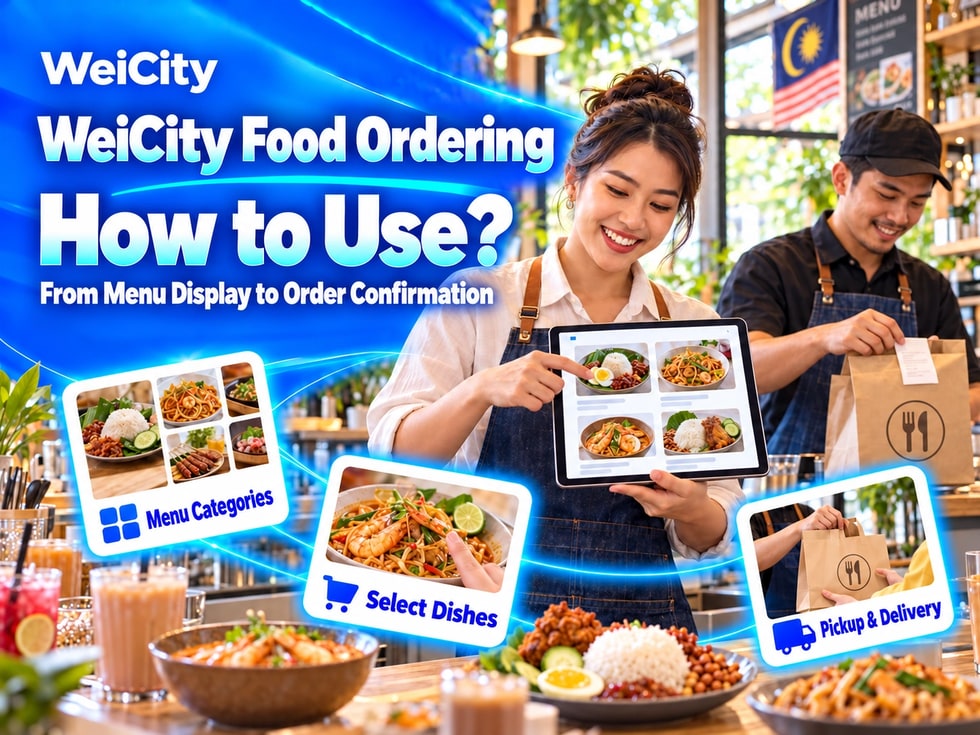
How can food and beverage merchants use WeiCity Online Ordering features? From menu categories, dish photos, and add-on options, to business hours, pickup, delivery, and order confirmation, this guide helps you create clear channel ordering content that is easy for customers to use.
“Where can customers view the full menu?”
“How should different sizes, flavors, and add-ons be chosen?”
“How can I avoid taking orders for dishes that have sold out today?”
“After customers submit an order, how do I confirm pickup or delivery?”
When restaurant merchants receive orders through chat, they often need to repeatedly send menus, confirm flavors, calculate quantities, and then ask for pickup or delivery details.
💡 With the WeiCity Online Ordering feature, you can organize menus, dish options, business hours, and order details in one place, making it easier for customers to browse and choose, and helping merchants confirm orders following a clear process.
The Online Ordering feature is suitable for food and beverage merchants who need to display menus and receive dish selections.
For example:
✅ Restaurants
✅ Cafés
✅ Snack Shops
✅ Bakeries and Baked Goods Shops
✅ Cake and Dessert Merchants
✅ Beverage Shops
✅ Home-Style Food Merchants
✅ Takeout and Meal Box Services
✅ Festive Food and Gift Box Merchants
Online ordering content can include:
🔹 Menu categories
🔹 Dish photos
🔹 Dish descriptions
🔹 Prices
🔹 Flavors and specifications
🔹 Add-on options
🔹 Serving hours
🔹 Pickup or delivery details
📌 The ordering, payment, pickup, delivery, and order management functions actually provided should be confirmed in the channel backend, account permissions, and the services the merchant has activated.
Clear categories help customers quickly find the dishes they want.
Common categories include:
🔹 Signature Recommendations
🔹 Staple Foods
🔹 Noodles and Pasta
🔹 Snacks
🔹 Drinks
🔹 Desserts
🔹 Kids' Meals
🔹 Set Meals
🔹 Vegetarian Options
🔹 Festive Limited Items
🔹 Pre-Order Items
Categories can also be organized by serving time:
🔹 Breakfast
🔹 Lunch
🔹 Afternoon Tea
🔹 Dinner
🔹 Weekend Specials
🔹 Served on Specific Dates
💡 Category names should be direct and easy to understand. Avoid creating many menu categories with duplicate content.
📌 If the same dish appears in multiple categories, keep its price, photo, and description consistent.
Beyond the name, customers also need to know what a dish includes.
It is recommended to include:
✅ Dish name
✅ Main ingredients
✅ Portion size or suitable number of people
✅ Flavor characteristics
✅ Optional specifications
✅ Whether side dishes or drinks are included
✅ Add-ons that can be selected
✅ Price
✅ Serving hours
✅ How far in advance to order
🔶 Example: Two-Person Sharing Set
Set contents: List the staples, snacks, and drinks actually included.Suitable for: Provide as a reference and explain the actual portion.Optional items: Clearly state which flavors or drinks can be substituted.Serving time: Indicate the applicable dates and time periods.How to order: After the customer selects dishes, the merchant confirms the order and pickup time.
📌 Do not use names such as "Deluxe Set" or "Value Combo" without listing the actual contents.
Customers usually look at photos first and then read the dish descriptions.
Recommendations:
🔹 Photograph dishes that are actually served
🔹 Use natural, bright lighting
🔹 Show the full portion
🔹 For sets, clearly photograph the included items
🔹 Explain different flavors or specifications separately
🔹 Keep the background tidy
🔹 Avoid excessive retouching
🔹 Regularly update plating or packaging that has changed
📌 Tableware, decorations, and side dishes shown in photos that are not included with the dish should be noted in the description.
Product photos should reflect as closely as possible what customers actually receive.
The same dish may have different choices, for example:
✅ Specifications
• Small Portion• Standard Portion• Large Portion• Single Serving• Sharing Portion
✅ Flavors
• Spice Level• Sauce• Drink Flavor• Cake Flavor• Cooking Style
✅ Add-ons
• Extra Rice• Extra Noodles• Extra Egg• Extra Meat• Extra Drink• Extra Side Dish• Extra Packaging or Tableware
It is recommended to specify for each option:
✅ Whether selection is required
✅ How many items can be selected
✅ Whether an extra fee applies
✅ How much each option adds to the cost
✅ Which combinations are not applicable
📌 If the system does not provide a corresponding option, confirm it with the customer in the dish description or at order confirmation. Do not assume the customer already understands.
Prices should make clear what the amount covers.
Recommended to specify:
🔹 Single item or set meal
🔹 Specification the price applies to
🔹 Whether drinks or side dishes are included
🔹 Add-on fees
🔹 Packaging fees
🔹 Delivery fees
🔹 Minimum order amount, if applicable
🔹 Festive or date-specific prices
🔹 Other fees that may apply
If "starting from" pricing is used, state which specification the lowest price applies to.
🔶 For example:
“The displayed price applies to the standard portion. Upgrading to a large portion, adding ingredients, or choosing delivery may incur additional fees, and the final amount will be listed at order confirmation.”
📌 Do not let required fees that were not disclosed appear only after the customer has completed their selection.
If customers need to know the main ingredients, relevant information can be provided in the dish description.
For example:
✅ Main meat or seafood
✅ Whether it contains egg, dairy, or nuts
✅ Whether it contains alcohol
✅ Whether vegetarian options are available
✅ Whether spice level can be adjusted
✅ Can specified ingredients be removed?
📌 Even if a dish does not directly use a certain ingredient, it may still come into contact with related components through shared kitchens, equipment, or preparation environments.
Merchants should not guarantee that a dish is "completely free of" or "absolutely never in contact with" an ingredient unless this can be confirmed.
Customers with severe food allergies or special dietary needs should contact the merchant directly before placing an order to confirm the actual preparation arrangements.
Business hours and order acceptance hours may differ, so they should be explained separately.
Suggested items to organise:
🔹 Store business hours
🔹 Order acceptance hours
🔹 Last order time
🔹 Pickup time slots
🔹 Delivery time slots
🔹 Closed days
🔹 Availability times for specific dishes
🔹 Items that require advance booking
🔹 Special holiday arrangements
🔶 For example:
"The store is open until 9 PM, and the final confirmation time for online orders is 8 PM. Cakes and large set meals must be booked at least one day in advance."
📌 If the daily order volume is full, orders for the relevant time slots or dishes should be stopped promptly, and the notice visible to customers should be updated.
Customers who choose self-pickup need to know:
✅ Store address
✅ Pickup entrance
✅ Available pickup time slots
✅ How to check in upon arrival
✅ Name or order number required for the order
✅ Whether advance payment is required
✅ How late arrivals are handled
✅ How long items can be held
🔶 For example:
"Please pick up your order at the time confirmed by the merchant. When you arrive, provide the order name and contact number so that staff can verify it."
📌 Before setting out, customers should confirm that the order has been placed and that they have received the pickup time confirmed by the merchant.
If the merchant actually provides delivery, the following can be explained:
🔹 Delivery areas
🔹 Delivery time slots
🔹 How delivery fees are calculated
🔹 Minimum order amount
🔹 Whether delivery is arranged by the merchant or another service
🔹 Address information customers need to provide
🔹 Handover arrangements for apartments, office buildings, or security desks
🔹 How to get in touch in case of delays
🔹 How to handle cases where the recipient cannot be reached
Customers can provide:
✅ Recipient name
✅ Contact phone number
✅ Full address
✅ Floor, unit, or door number
✅ Nearby landmarks
✅ Preferred delivery time slot
✅ Necessary handover instructions
📌 Delivery times may be affected by traffic, weather, order volume, and distance. Merchants should provide reasonable arrangements and avoid promising precise arrival times that cannot be guaranteed.
After the customer completes their selections, the merchant can check:
1️⃣ Dish name
2️⃣ Quantity
3️⃣ Specifications and flavors
4️⃣ Add-on items
5️⃣ Special requests
6️⃣ Self-pickup or delivery
7️⃣ Date and time slot
8️⃣ Recipient details
9️⃣ Item amount
🔟 Packaging, delivery, and other fees
1️⃣1️⃣ Final amount
1️⃣2️⃣ Payment arrangements
📌 A customer submitting an order or ordering intention does not necessarily mean the order has been confirmed. The dishes, amounts, times, and payment result confirmed by the merchant should be used as the basis.
If the relevant payment methods have been enabled, the following should be explained:
✅ Accepted payment methods
✅ Whether payment is required in advance or upon pickup
✅ Whether a deposit is required for large orders or booked items
✅ How payment is confirmed after payment
✅ Records customers need to keep
✅ How payment is handled when an order is cancelled
✅ Conditions for refunds
📌 Do not ask customers to send payment details, identity documents, or other sensitive information through public comments.
Payment processes should be handled through the methods that the merchant has actually enabled and confirmed as suitable for use.
Food and beverage products usually need to be prepared in advance, so the rules should be explained clearly.
These may include:
🔹 The latest time when changes can be made
🔹 Which dishes cannot be cancelled once prepared
🔹 Cancellation conditions for booked items
🔹 How late customers are handled
🔹 How to get in touch if the merchant cannot supply an item
🔹 How refunds or replacements are arranged
🔹 How weather or delivery issues are handled
📌 Conditions should be reasonable and clear, and comply with applicable local consumer regulations.
✅ Online Ordering + Posts
Publish today's recommendations, new menus, holiday set meals, and availability reminders.
✅ Online Ordering + Articles
Fully introduce banquet sets, cake bookings, corporate lunch boxes, or holiday ordering guides.
✅ Online Ordering + Gallery
Showcase dishes, packaging, the environment, and actual portion sizes.
✅ Online Ordering + Video
Introduce signature dishes, preparation processes, or pickup routes.
✅ Online Ordering + Coupons
Based on the features actually enabled, publish food and beverage offers that meet the eligibility conditions.
💡 The menu helps customers make selections, while other content helps them learn more about the dishes and activities.
1️⃣ Organize the main menu categoriesPlace the dishes customers order most often first.
2️⃣ Prepare real dish photosPhotograph actual portions, combinations, and packaging.
3️⃣ Fill in prices and optionsCheck specifications, flavors, and add-on fees.
4️⃣ Set availability timesExplain order acceptance, pickup, and delivery times.
5️⃣ Organize pickup and delivery rulesLet customers know how they will receive their food.
6️⃣ Test the complete ordering processStart from customers browsing the menu, and check that selection, submission, confirmation, and payment are clear.
💡 Start with a simple, accurate menu, then gradually add more dishes.
✅ Are the menu categories clear?
✅ Do dish names and photos match?
✅ Do prices state specifications and what is included?
✅ Are flavors, add-ons, and extra fees complete?
✅ Are key ingredients and dietary information explained appropriately?
✅ Are availability and last order times accurate?
✅ Are the self-pickup address and pickup process clear?
✅ How are delivery areas, time slots, and fees confirmed?
✅ Are the conditions for a valid order explained?
✅ Are payment, cancellation, and refund arrangements clear?
✅ Are dishes that are currently unavailable no longer accepting orders?
The Online Ordering feature helps food and beverage merchants consolidate menus, options, prices, and pickup information, reducing the need to repeatedly send the same content in chats.
Start by creating a clear menu, then arrange order confirmation, payment, self-pickup, and delivery based on the features actually enabled.
Customers can choose dishes more easily, and merchants can prepare and process orders based on complete information.
Want to learn how to use the WeiCity Online Ordering feature?
Feel free to contact us through the official WeiCity channel contact details, and start organizing your ordering content based on your menu, business operations, and service scope.
WeiCityMake your business visible and your contact easier.