

5 How do I choose WeiCity merchant channel feature modules? Set up your channel based on business needs
From products, articles, and Gallery to Online Ordering, choose features based on your actual business so customers can browse and inquire more conveniently.
Feature modules in a merchant channel should match your actual business needs. Starting from usage scenarios such as product displays, article introductions, Gallery, and Online Ordering, this article explains how to judge which modules suit your business, and uses setup examples from different industries to help merchants gradually build a WeiCity channel with clear content that is easy to maintain.
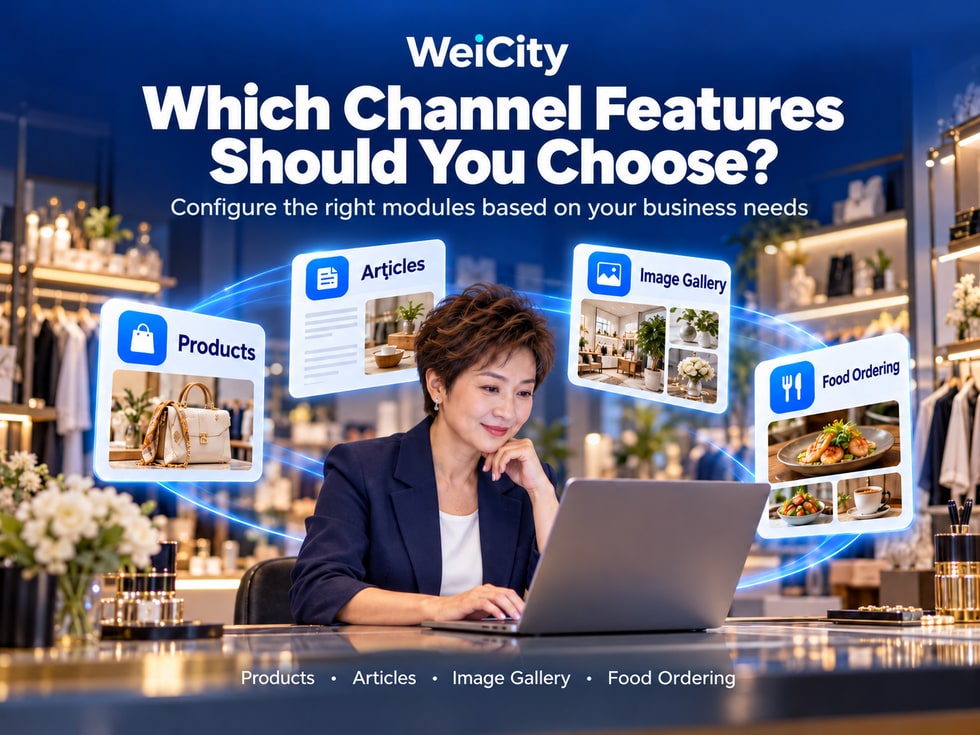
When setting up a WeiCity merchant channel, many merchants run into the same question:
The merchant channel offers different features. Which one should I use first?
🛍️ What kind of business is the Products module suited for?
📝 What content can the Articles module cover?
🖼️ What is the difference between the Gallery and product photos?
🍽️ Do restaurant merchants need the Online Ordering feature?
🎓 How can an education center display its courses?
🛠️ Should service merchants introduce their services first, or showcase their cases first?
Different merchants run their businesses in different ways, so the information customers need also differs.
Feature configuration for a WeiCity merchant channel should start from customer needs and your actual way of doing business, rather than enabling all modules at once.
Merchants can first organize their brand information, then choose from Products, Articles, Gallery, Online Ordering, and other features currently available as needed.
🌐 Basic merchant information: Let customers know who you are, where you are, and how to contact you.
🛍️ Products module: Display product names, images, prices, and specifications.
📝 Articles module: Explain services, usage methods, and frequently asked questions in detail.
🖼️ Gallery module: Show product details, business environment, and real work.
🍽️ Online Ordering module: Organize your menu and order process according to your restaurant's operating needs.
💬 Contact entry: Help customers further inquire and confirm their needs.
Specific modules, operating permissions, and transaction capabilities depend on the features provided by WeiCity's current channel plans and management pages.
A merchant channel is not better simply because it has more features.
What matters more is whether customers can find the information they need once they enter the channel.
We recommend first organizing the questions customers ask most often in daily business.
For example:
📦 What products are available?
💰 What is the price?
📏 What sizes are available?
🎨 What colors can be chosen?
📦 How can I buy or pick up?
This type of information is suitable for organizing through the Products module.
For example:
🔧 What repair items are offered?
📍 Which areas are served?
📋 How can I make an appointment?
💰 How can I request a quote?
This type of content can be explained through service introductions and articles.
For example:
🏠 Results after renovation.
💐 Floral bouquet designs.
🍰 Cake styles.
🎨 Design cases.
This type of content is suitable for display through the Gallery.
For example:
🍜 What dishes are available?
🥤 What drinks are available?
💰 What is the price?
🥡 Is takeout available?
🚚 Is delivery available?
Restaurant merchants can choose between menu display or the Online Ordering module, depending on the features actually available.
For example:
❓ How do I choose a product?
📋 What should I prepare before making an appointment?
🛠️ What is the service process?
📚 How should the product be used?
This type of content is suitable for introduction through articles.
For example:
📞 Contact phone number.
💬 WhatsApp.
📧 Email.
📅 Book a consultation.
Provide clear contact guidance based on the contact methods the channel actually supports.
First: What information do customers search for most often?
Second: Which content format makes things easiest to explain clearly?
Third: Can the merchant keep updating it consistently?
📌 Determine customer needs first, then choose the corresponding modules. This can reduce unnecessary setup and maintenance work.
The Products module is suited to merchants who need to display product information item by item.
It is especially convenient when customers need to compare styles, specifications, prices, or product content.
🏷️ Product name.
🖼️ Product images.
💰 Current price.
📏 Sizes and specifications.
🎨 Colors or styles.
📝 Product descriptions.
📦 Purchase or pickup arrangements.
For example:
🔧 Power Tools
📦 Product name: Electric drill.
📏 Specifications: Fill in according to the actual model.
💰 Price: Enter the current selling price.
📝 Description: Introduce suitable uses and main features.
For example:
👕 Men's casual shirt
🎨 Color: black, white, blue.
📏 Size: S, M, L, XL.
📝 Description: Introduce the material, fit, and points to consider when choosing.
For example:
🎁 Holiday gift box
📦 Contents: Explain which products the gift box includes.
🎨 Style: Introduce the packaging options available.
📅 Ordering: Explain whether advance booking is required.
Products module: Focuses on displaying the specific information of an individual product.
Articles module: Focuses on explaining how to choose, use, and related knowledge about products.
For example:
🛍️ Product: The model, specifications, and price of a particular electric drill.
📝 Article: What specifications should I pay attention to when buying my first electric drill?
Before use, separately confirm:
💳 Whether the payment methods you need are supported.
📦 Whether inventory management is provided.
🚚 Whether delivery settings are supported.
🛒 Whether the actual ordering process is supported.
🔄 Whether related order handling is supported.
📌 The Products module helps customers clearly compare products, but the actual purchasing and transaction capabilities should be confirmed based on the features available.
When customers need a more complete explanation, articles are more suitable than brief product introductions.
Merchants can organize questions they answer repeatedly every day into clear articles.
For example:
"What services do we provide?"
"How do I choose the right service?"
For example:
"What should I prepare before booking residential repairs?"
"How is household cleaning service usually arranged?"
For example:
"What specifications should I confirm when buying hardware tools?"
"How do I choose the right gift box size?"
For example:
"How should I store flowers after buying them?"
"What should I watch for when cleaning furniture daily?"
For example:
"Do I need to book in advance?"
"How do I confirm the delivery range?"
"Can products be chosen in different colors?"
For example:
🕒 Changes to business hours.
📦 New product introductions.
📅 Changes to service arrangements.
An education center can publish:
📚 Which grade levels are the courses suitable for?
📝 What do the courses mainly include?
📅 How can I learn about class times?
💬 What questions can parents prepare before inquiring?
We recommend that each article focus on one clear topic.
For example:
Not recommended:
"Our courses, center environment, fees, registration, activities, and all services"
Recommendations:
"Which grade levels are primary school tutoring courses suitable for?"
"What can I learn about before registering for a course?"
"What information should parents prepare when inquiring about a course for the first time?"
Clear titles, authentic content, and a clear topic help organize online material that is easy to read.
However, whether it is indexed by Google or ranks depends on page technical conditions, content quality, and other factors.
📌 The Articles module is suited to explaining complex questions clearly, so customers do not have to ask from the beginning every time.
For some products or services, customers can understand more easily through images.
For example:
🏠 Renovation results.
💐 Floral design.
🍰 Cake works.
🎨 Graphic design.
🏪 Store environment.
🛠️ Construction cases.
This content can be organized through the Gallery.
Suitable for:
🍽️ Restaurants.
☕ Cafés.
🏫 Education centers.
🏪 Physical retail store.
For example:
📸 Storefront exterior.
🪑 Indoor environment.
🏫 Teaching space.
Suitable for:
💐 Flower studios.
🎂 Cake making.
🎨 Design studios.
🛋️ Interior design.
Suitable for:
🔧 Repair services.
🏠 Renovation projects.
🪟 Door and window installation.
🧹 Cleaning services.
For example:
🏠 Kitchen Cabinet Installation Case
“Shows the appearance of the kitchen cabinets after installation, including cabinet doors, countertops and storage space.”
Or:
💐 Blue and White Graduation Bouquet
“A graduation floral work presented in a blue and white color scheme, suitable for reference on bouquet style and packaging design.”
🛍️ Product Images
Mainly help customers understand the products on display.
For example:
Product appearance, colors, sizes and details.
🖼️ Gallery
Mainly help customers browse a set of related images.
For example:
Different works, business environments or real cases.
If photos involve customers, staff, children, private residences or other identifiable information, confirm that you have proper authorization for public use.
Do not display private information without permission.
📌 The Gallery is suitable for supplementing text descriptions with real images, helping customers more easily understand your products, environment and works.
If you run a restaurant, café, bakery or other food and beverage business, you may further consider the menu and Online Ordering features.
Before using them, however, first confirm which features the current channel provides.
For example:
🍚 Staple foods.
🍜 Noodles.
🥤 Drinks.
🍰 Desserts.
🥗 Snacks.
Recommendations:
📸 Use photos of actual dishes.
🍽️ Keep images clear.
📝 Avoid photos that clearly do not match what is actually offered.
For example:
🍜 Base dish prices.
🥚 Add-on prices.
🥤 Drink prices.
📦 Set meal prices.
For example:
🍳 Breakfast.
🍱 Lunch.
🍽️ Dinner.
For example:
🏪 In-store pickup.
🚚 Delivery Arrangements.
📅 Advance reservation.
For example:
📱 How do staff receive orders?
📝 How do you confirm the dish contents?
🕒 How do you arrange preparation time?
💬 How do you contact customers?
For example:
➕ Add-on options.
💰 Minimum order amount.
📍 Delivery range.
💳 Payment methods.
🔔 Order notifications.
📦 Order status management.
Do not assume that all of these features are supported simply because an Online Ordering module exists.
🍽️ Online Ordering or menu: display dishes and the ordering arrangements currently available.
🖼️ Gallery: display the restaurant environment and representative dishes.
📝 Articles: explain the ordering process, dish highlights and frequently asked questions.
💬 Contact entry: make it easy for customers to confirm further details.
📌 Food and beverage merchants should first confirm the menu, orders and staff processing workflow, then decide how to configure Online Ordering.
Different modules do not need to repeat exactly the same content.
Each module can take on a different task.
Take a custom cake shop as an example.
For example:
🎂 Cake styles.
📏 Dimensions.
💰 Prices.
📝 Product descriptions.
For example:
🎨 Cakes with different themes.
🌸 Floral-decorated cakes.
🎉 Birthday celebration cakes.
For example:
“How far in advance should custom cakes be booked?”
“What factors can be considered when choosing a cake size?”
“How should a cake be stored after pickup?”
For example:
📅 Date of use.
👥 Expected number of guests.
🎨 Design requirements.
💰 Budget range.
👀 Step 1: Use the Gallery to understand design styles.
🛍️ Step 2: Review product information and prices.
📖 Step 3: Read the ordering instructions.
💬 Step 4: Contact the merchant to confirm production arrangements.
If the editor supports related links, you can provide further browsing entries within the content.
If there is no link function, you can also use clear section names to guide customers to the relevant information.
Especially:
💰 Prices.
📏 Specifications.
📅 Booking conditions.
🚚 Delivery range.
🕒 Service hours.
📌 Shop items are responsible for showing choices, the Gallery presents actual works, articles explain the details, and contact entries handle further communication.
Different merchants can choose different module combinations based on their own business.
The following is a configuration reference and does not mean that all modules are available in every plan.
Recommended priorities:
🏪 Basic merchant information.
🍽️ Menu or Online Ordering display.
🖼️ Gallery of dishes and environment.
💬 Contact Information.
Can be added gradually:
📝 Dish introduction articles.
📣 Business hours and event announcements.
❓ Online Ordering FAQs.
Recommended priorities:
🏪 Basic merchant information.
🛍️ Shop module.
📦 Product categories.
💬 Contact Information.
Can be added gradually:
🖼️ Product galleries.
📝 Buying guide.
📣 New product news.
Recommended priorities:
🏪 Basic merchant information.
📝 Service introduction.
📍 Service area.
💬 Contact methods.
Can be added gradually:
🖼️ Gallery of real cases.
📋 Service process articles.
❓ Frequently asked questions.
If you plan to display fixed service packages as products, first confirm whether the current Shop module supports that type and delivery method.
Recommended priorities:
🏫 Basic center information.
📚 Course introduction articles.
👧 Description of suitable participants.
💬 Parent consultation methods.
Can be added gradually:
🖼️ Center environment Gallery.
📋 Enrollment process.
❓ Course FAQs.
If you plan to sell courses or learning materials, first confirm the product types, payment and delivery methods supported by the current plan.
Recommended priorities:
🏪 Brand introduction.
🖼️ Works Gallery.
🛍️ Bouquet product display.
💬 Ordering inquiries.
Can be added gradually:
📝 Bouquet selection guide.
📋 Custom ordering instructions.
📣 Holiday floral gift news.
Recommended priorities:
🏪 Brand introduction.
🖼️ Works Gallery.
📝 Service description.
💬 Partnership inquiries.
Can be added gradually:
📋 Partnership process articles.
❓ Frequently asked questions.
🛍️ Applicable fixed service packages.
📌 There is no single correct configuration for every industry; the key is whether the modules meet customer needs and your actual business workflow.
Whether a module is worth using does not depend only on whether the platform offers it.
You also need to consider whether you have prepared the content and have the capacity to maintain it.
For example:
🛍️ Product Module
Required:
📦 Product names.
📸 Images.
💰 Prices.
📝 Descriptions.
📝 Article Module
Required:
🏷️ Clear titles.
📖 Body content.
📋 Actual materials.
🖼️ Gallery Module
Required:
📸 Clear photos.
🏷️ Image titles.
📝 Necessary explanations.
🍽️ Online Ordering Module
Required:
🍜 Menu.
💰 Prices.
📋 Order processing arrangements.
For example:
💰 Who updates product prices?
📦 Who checks supply availability?
📝 Who publishes articles?
📸 Who organizes images?
🍽️ Who handles orders?
📞 Who replies to inquiries?
If no one is clearly responsible, the module may lack updates for a long time after it is enabled.
For example:
🛍️ Is the Shop entry easy to find?
📚 Is the article section clearly organized?
🖼️ Does the Gallery have explanations?
💬 Are the contact methods valid?
🍽️ Is the ordering process easy to understand?
A module can keep delivering value only when it has content, a responsible person and a clear purpose.
If you are just starting to set up a WeiCity merchant channel, it is not recommended to configure too much content at once.
You can complete it in stages.
Prepare first:
🏪 Business name.
📝 Brand introduction.
🕒 Opening hours.
📍 Address or service area.
📞 Contact information.
For example:
📦 Main products.
🛠️ Core services.
🍽️ Menu items.
📚 Course introductions.
For example:
🏪 Store environment.
📸 Product details.
🎨 Completed works.
🛠️ Service case studies.
For example:
❓ How do I make a booking?
📦 How do I pick up my order?
💰 How can I request a quote?
📍 Which areas are served?
For example:
🍽️ Online Ordering.
🎬 Videos.
📚 More articles.
🛍️ More product categories.
For example:
Customers often ask about product sizes.
📏 You can add product specifications.
Customers often ask to see your work.
🖼️ You can organize a Gallery.
Customers often ask about the service process.
📝 You can publish explanatory articles.
Customers often cannot find your contact information.
💬 You can improve contact guidance.
📌 Start with core modules and add content gradually. This is more practical than creating many empty features at once.
Different modules in a merchant channel can help organize different types of business content.
For example:
🛍️ Products: Provide specific product names and descriptions.
📝 Articles: Introduce problems, methods, and related knowledge.
🖼️ Gallery: Display images related to your business.
📂 Sections: Organize different topics.
For example:
“Stainless Steel Kitchen Storage Rack”
This is easier for readers to understand than simply writing “New Arrival.”
For example:
“How Should I Choose the Right Size for a Kitchen Storage Rack?”
For example:
“Photo of Stainless Steel Kitchen Storage Rack After Installation”
For example:
🛍️ Kitchen Supplies.
🛠️ Installation Services.
📚 User Guides.
For example:
💰 Product prices.
📦 Product Specifications.
📍 Service area.
📅 Event Dates.
Whether search engines can discover, crawl, and index a page also depends on platform technical settings, page accessibility, content quality, and other factors.
Empty sections, duplicate content, or inaccurate information do not automatically create search advantages just because there is more of it.
📌 For SEO, clear, useful, and accurate content matters more than simply adding more modules.
We recommend completing your basic merchant information first, then choosing products, articles, or other suitable modules based on your main business.
The Product module mainly displays product information.
The Article module mainly provides detailed explanations and related knowledge.
Product images mainly show specific products.
The Gallery is suitable for presenting work, environments, and real cases in one place.
Not necessarily.
This should be decided based on your actual business model, staff handling procedures, and current features.
If you plan to display fixed service packages, first confirm whether the current product type and transaction rules apply.
You may prioritize basic information, course introduction articles, an environment Gallery, and contact entry points.
No.
We recommend choosing modules that relate to your business needs and that you can keep maintaining.
You can plan this step by step based on the management options currently provided by the channel and your actual business needs.
Do not assume this.
Payment capabilities must be confirmed based on current features and plans.
Not necessarily.
Confirm each setting individually, including delivery range, fees, minimum order amount, and other settings.
Yes.
Yes, but we recommend using them for different purposes—detailed explanations in articles and image display in the Gallery—to avoid unnecessary repetition.
We recommend checking content regularly, especially prices, product availability, business hours, and service areas.
Not necessarily.
Too many modules without clear organization may actually make it harder to find information.
No, it cannot be guaranteed.
Search rankings depend on many factors.
You can check:
🎯 Does it meet customer needs?
📋 Is the information complete?
👤 Is someone maintaining it?
🧭 Is it easy for customers to use?
📌 Feature choices should be based on your actual business, not just on how many options the platform offers.
✅ The merchant name is correct.
✅ The main business is clearly stated.
✅ Address and business hours are accurate.
✅ Contact information is valid.
✅ Product names are complete.
✅ Images are clear.
✅ Prices and specifications are accurate.
✅ Purchase arrangements are explained.
✅ Each article has a clear topic.
✅ The content reflects the actual business.
✅ No outdated information.
✅ Categories are clear.
✅ Images are clear.
✅ Work is categorized appropriately.
✅ Titles and descriptions are accurate.
✅ Appropriate public usage permissions have been confirmed.
✅ The menu is complete.
✅ Prices are accurate.
✅ Availability arrangements are clear.
✅ Staff understand the order handling process.
✅ Supported payment, delivery, and other settings have been confirmed.
✅ Contact information is correct.
✅ Inquiry guidance is clear.
✅ Someone is responsible for handling inquiries.
✅ There is a clearly designated person in charge.
✅ Prices and content are checked regularly.
✅ Business information is updated promptly.
✅ Feature entry points are easy to identify.
✅ Content categories are clear.
✅ Browsing on mobile works properly.
✅ Customers know what to do next.
📌 After setup, we recommend reviewing the channel from the perspective of a customer visiting it for the first time, and confirming that each module has a clear purpose.
Every merchant operates differently.
Some merchants need to showcase a large number of products.
Some merchants need to explain their services in detail.
Some merchants rely on their work and case studies to show customers what they can do.
Some food merchants need clear menus and order arrangements.
Therefore, the WeiCity merchant channel does not need to use exactly the same feature configuration for everyone.
🏪 Basic Information: Help customers get to know your business.
🛍️ Product Module: Help customers understand products and choices.
📝 Article Module: Explain service processes and common questions clearly.
🖼️ Gallery Module: Show environments and work through real images.
🍽️ Online Ordering Module: Organize menus and order arrangements based on your food business.
💬 Contact Entry Point: Help customers confirm their needs further.
📂 Section Categories: Make different content easier to find.
🔄 Ongoing Maintenance: Keep information consistent with actual business operations.
The key to configuring WeiCity merchant channel features is not to use every module at once, but to make sure each module solves a real customer problem.
Start with the content customers need most.
Then choose suitable ways to present it.
After confirming that information is complete, someone is maintaining it, and entry points are clear, gradually add other features.
When customers enter the channel, they can more easily learn about products, view services, browse work, and find ways to make further inquiries.
🧩 Clear feature choices make channel content more organized.
🛍️ Suitable presentation methods help customers better understand products and services.
💬 Clear contact guidance lets customers know how to continue.
Specific module types, activation requirements, transaction features, sorting options, and operation permissions are subject to the current WeiCity merchant channel plan and management interface.
👉 Open WeiCity: https://wei.city/