

5 How to Categorize a Restaurant Menu? Organizing Main Dishes, Snacks, Drinks, and Set Meals
Organize the menu according to familiar ordering habits so customers can find the dishes they want more quickly.
When an online menu has many dishes, how should they be categorized so customers can browse easily? This article explains how restaurants can organize main dishes, snacks, drinks, set meals, and seasonal dishes, and describes practical methods for category names, dish grouping, and menu order, helping customers quickly find the dishes they want and making the online ordering process clearer.
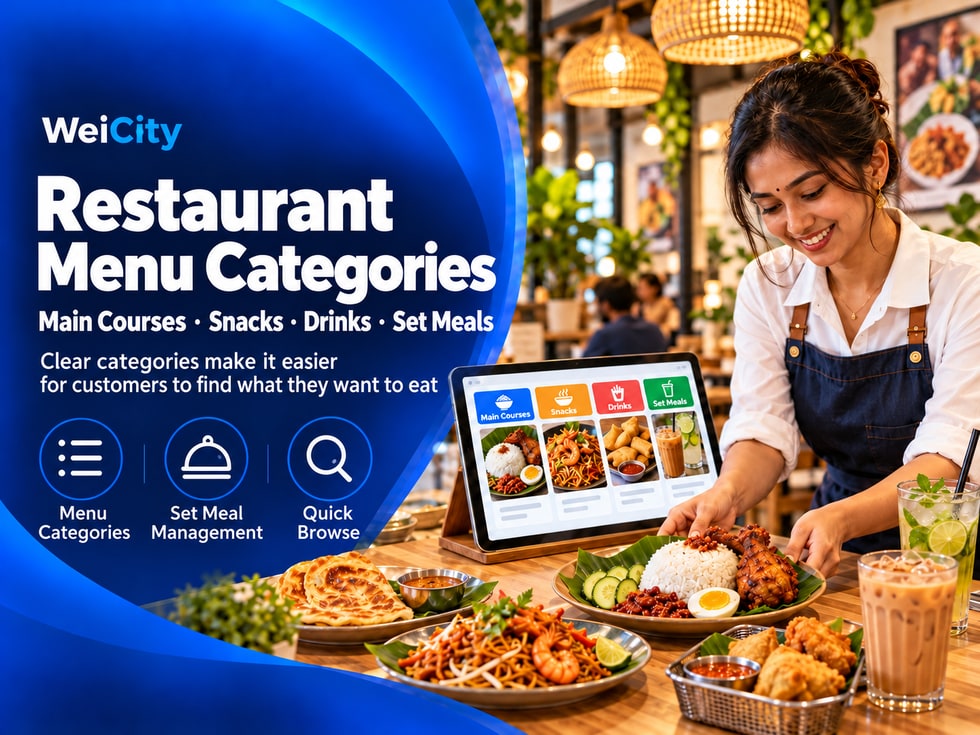
When customers open an online menu, they may find it hard to browse if they have to look through dozens of dishes one by one.
Dividing the menu into clear categories helps customers first find the type of dish they want, then compare specific choices.
🍽️ When organizing your WeiCity online menu, merchants can arrange categories according to their in-store menu and customers' ordering habits, so browsing gives customers a clear direction.
Before categorizing, list the dishes currently served in your store, and confirm the name and availability of each dish.
You can start by grouping dishes into a few broad areas:
🍚 Rice dishes and staples.
🍜 Noodles and soups.
🍟 Snacks and side dishes.
🥤 Drinks.
🍱 Set meals and sharing meals.
🍰 Desserts.
Not every restaurant needs all of the categories above. Simply choose the categories that suit your menu.
Customers usually look for familiar types of dishes first. Simple, direct category names are easier to understand at a glance.
✅ Use common names such as “Rice Dishes,” “Drinks” or “Snacks.”
✅ Keep category names short, and avoid abbreviations that only staff would recognize.
✅ Special categories can use wording customers understand, such as “House Recommendations” or “Vegetarian Options.”
✅ Category names should match the dishes actually in them.
If customers have to guess what a category contains, the name may not be clear enough.
The purpose of categories is to help customers find dishes, not to repeat the same dish in many places.
For example:
🍗 Chicken chop rice: Place under “Rice Dishes” or “Staples.”
🥟 Fried spring rolls: Place under “Snacks and Side Dishes.”
🧋 Milk tea: Place under “Drinks.”
🍱 Combo meal: Combo meals that include a staple and side dish go under “Set Meals.”
If a dish truly fits several categories, consider placing it where customers are most likely to look for it, and describe its features in the introduction.
Sometimes customers only want one dish, and sometimes they want to quickly choose a combo meal.
Separating à la carte items from set meals makes the menu easier to browse.
🍚 À la carte dishes: Organize by rice dishes, noodles, snacks or drinks.
🍱 Set meals: State clearly which staples, side dishes, drinks or other items are included.
👨👩👧 Sharing meals: State the suitable number of people or the dishes included.
Set meal descriptions should clearly state what is actually included, so customers do not assume extra dishes are also included.
If the restaurant has signature dishes or dishes customers often order, you can set up corresponding categories to help new customers quickly see recommended choices.
⭐ House recommendations: Feature the dishes the restaurant wants to highlight.
🔥 Popular dishes: Include dishes customers frequently choose.
🆕 New arrivals: Introduce dishes recently launched.
When setting up these categories, make sure the dishes in them are still available, and update the content promptly.
The order of categories affects what customers see first.
You can arrange them according to how customers usually browse, for example, placing staples and set meals first, followed by snacks, drinks and desserts.
A simple example of an order:
1️⃣ House recommendations.
2️⃣ Rice dishes and staples.
3️⃣ Noodles and soups.
4️⃣ Set meals and sharing meals.
5️⃣ Snacks and side dishes.
6️⃣ Drinks and desserts.
Merchants can adjust the order according to their restaurant type.
Breakfast shops, cafés, tea shops and family restaurants may have different menu structures.
When dishes are added, discontinued or changed by season, categories may also need updating.
📌 After adding a new dish, place it in the appropriate category.
📌 For temporarily unavailable dishes, update their sales status promptly.
📌 After a seasonal limited dish ends, remove or adjust the related category.
📌 If a category has too many dishes, consider reorganizing it further.
Checking the menu regularly helps prevent customers from seeing outdated or unavailable dishes when they open a category.
After organizing the categories, imagine opening this restaurant's online menu for the first time:
🔸 Can I immediately find staples, drinks or snacks?
🔸 Are the category names clear at a glance?
🔸 Is it easy to tell set meals apart from à la carte items?
🔸 Are there any duplicate, empty or no-longer-applicable categories?
🔸 Are dishes placed where customers are most likely to look for them?
If customers need staff to explain the menu for a long time, it is usually worth rechecking the category names and order.
With clear menu categories, customers can move more quickly from a dish category to a specific choice.
By organizing your online menu through WeiCity Online Ordering, merchants can arrange categories by dish type, making browsing easier for customers and making it easier for them to continue choosing and placing orders.
🗂️ Start by categorizing staples, snacks and drinks, then refine them gradually based on your actual menu.
🌐 WeiCity | Make your restaurant menu clearer and ordering easier for customers.