

3 How do I use video updates on WeiCity? Show life, processes and brand stories
Record movement, change and atmosphere so that others can more directly understand what you are sharing.
Video updates are suited to recording life moments, showing production processes, sharing knowledge and telling brand stories. Starting from video themes, filming arrangements, captions and pre-publishing checks, and using examples for individuals and merchants, this article explains how to prepare clear, focused video content for WeiCity so that viewers understand it more easily and future conversations have a starting point.
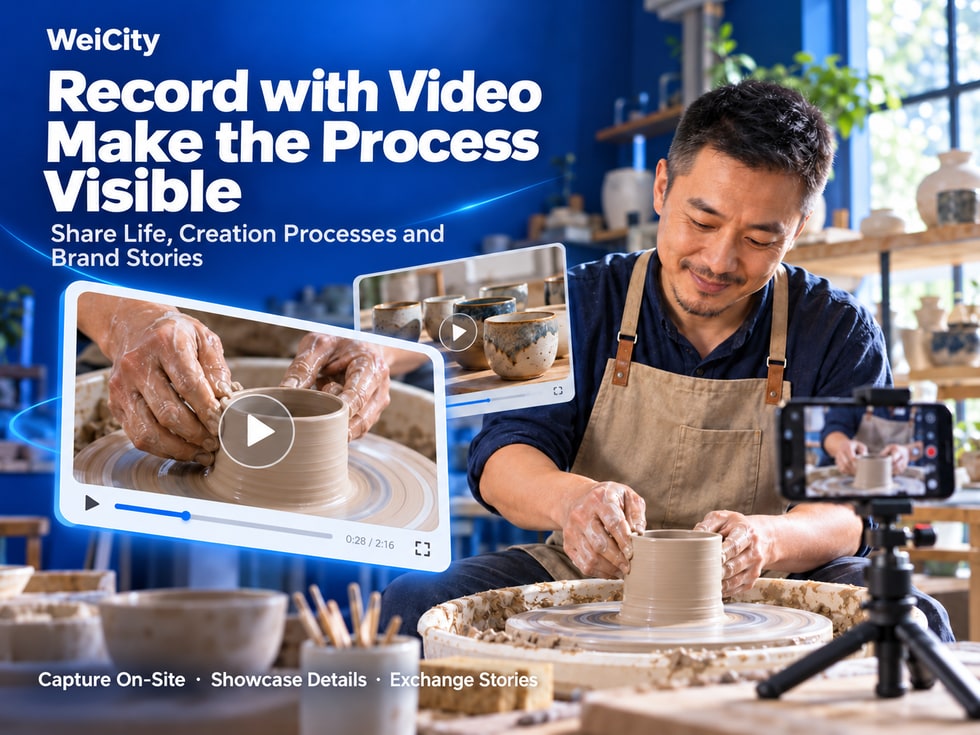
A single photo can capture a wonderful moment.
But if you want to show how a dish is made, how a piece of work is completed, or the real atmosphere of an event, video often captures more detail.
For example:
🍞 A freshly baked bread being cut open to show its soft texture inside.
💐 A bouquet from selecting the flowers to completing the packaging.
☕ A barista's movements and sounds while brewing coffee.
🎨 A designer's progression from sketch to finished work.
🎉 Highlights from an event on site.
🏞️ Scenery and everyday moments seen while traveling.
The WeiCity video update feature allows individuals, content creators and merchants to share daily life, show making processes, introduce professional knowledge and interact with users who are interested.
You do not need professional photography equipment or complex editing skills.
Start with a clear theme, film related scenes with your phone, and add suitable text descriptions to prepare a meaningful video update.
🎯 Define the video theme so viewers can quickly understand the key point.
📹 Plan the shots to show the overall picture, the process and the result.
📱 Pay attention to stable framing, lighting and sound.
✍️ Add text descriptions to provide background for the video.
🏪 Show the real process behind products and services.
💬 Continue the conversation through replies and interaction.
The value of a video is not just making the picture move, but helping others see the process and details that a photo cannot fully express.
Before preparing a video, you can first consider this question:
“Does this matter need to be seen in motion, change or sound to be understood more easily?”
If the answer is yes, consider sharing it as a video.
For example:
🏞️ Scenery along a trip.
🥾 Hiking and outdoor activities.
🌸 Natural scenery in a park.
🍳 Everyday cooking.
🎉 Family or friend gatherings.
Videos can preserve the movements, sounds and on-site atmosphere of the moment.
For example:
🍞 Bread making.
💐 Flower bouquet packaging.
🎨 Handmade creations.
🧰 Product assembly.
📦 Product packaging.
This type of content suits showing the key steps from preparation to completion.
For example:
🖼️ Artworks.
📸 Photography works.
🎨 Design results.
🛍️ Product display.
🏠 Space arrangement.
Videos can present the details of a work from different angles.
For example:
🎉 Store opening.
🎓 Educational activities.
🤝 Community gatherings.
🎤 Lecture sessions.
🏢 Company events.
For example:
📚 A learning method.
🛠️ A simple operation.
💻 A software tip.
🍳 A cooking step.
🌱 A gardening tip.
For example:
👥 Daily life of the team.
📦 Product preparation.
🛠️ Service process.
🎨 Creative process.
🍽️ Food preparation.
📌 A video is best built around one main theme, so viewers can understand it easily and it is easier to discuss the content.
Many people do not know how to film a video because they have not planned which shots they need in advance.
In fact, you can use a simple method:
Overall shot → Process shot → Result shot.
First, let viewers know:
📍 Where is it?
👤 Who is doing this?
🎯 What is the main content?
For example, when filming the making of a handmade ceramic cup, you can first show the workbench, the materials and the ceramic cup being made.
Next, show the steps that deserve the most attention.
For example:
🛠️ Material preparation.
🎨 Making movements.
✏️ Detail adjustments.
🔄 Before and after changes.
This part is usually the main content of the video.
Finally, show how it looks when completed.
For example:
☕ The finished ceramic cup.
🍞 The freshly baked bread.
💐 The completed bouquet.
🎨 The final design work.
📍 Shot 1: Show the workbench and materials.
🛠️ Shot 2: Record the clay shaping process.
🔍 Shot 3: Film the detail of trimming the cup rim.
🏁 Shot 4: Show the finished ceramic cup.
If the making process takes several hours, you can select only the key clips related to the theme.
📌 Overall, process and result is a video filming structure suitable for beginners.
You do not necessarily need expensive photography equipment to shoot videos.
For everyday sharing, a phone can already meet many basic filming needs.
However, pay attention to a few key points when filming.
Try to avoid sudden shaking when filming.
You may consider:
📱 Hold your phone steadily with both hands.
🪑 Use a fixed position for support.
🎥 Move the camera slowly.
📍 Try to avoid changing the shooting direction frequently.
For example:
☀️ Use natural light.
💡 Use appropriate indoor lighting.
📸 Avoid making the subject too dark.
🎨 Check whether the product colors are close to the actual appearance.
For example:
🍞 When filming bread, highlight the bread itself.
💐 When filming a bouquet, let the flowers be the main focus of the frame.
🛠️ When filming repair steps, make sure the working area is clearly visible.
If you need to explain something, try to choose a quieter environment.
For example:
🎤 Is the speaking voice clear?
🚗 Is there any obvious traffic noise?
🎵 Is the background music drowning out the voices?
If your video needs subtitles, please note:
🔤 Font size.
🎨 Contrast between the text and the background.
📱 How readable it is on a phone screen.
👀 Whether it blocks the main content of the frame.
Whether to shoot vertically or horizontally should depend on the content and how it will be displayed on the post page.
For example:
📱 Vertical: suitable for some phone viewing scenarios.
🖥️ Horizontal: suitable for showing wider scenes.
Check the actual display and cropping effect before publishing.
📌 A clear, stable, and easy-to-understand picture is usually more important than complicated visual effects.
Not every video needs complicated editing.
However, if the footage is long, you can organize it appropriately to keep the theme focused.
For example, if the video's theme is:
“Showing the internal texture of bread after it is cut open.”
then viewers should see the relevant footage as soon as possible.
For example:
📹 Long preparation of equipment.
🛠️ Operations unrelated to the theme.
📱 Repeated shots of the same scene.
For example:
🥣 Ingredient preparation.
🍞 Production process.
🔥 Baking completed.
🔪 Cutting open the finished product.
If you add narration or background music, make sure it does not affect understanding of the content.
For example:
“Step 1: Prepare the materials.”
“Step 2: Adjust the shape.”
“Step 3: Complete the making.”
If you need to edit, add subtitles, or adjust sound, you can first complete this with a suitable video editing tool, then upload the prepared file.
For example, when showing product effects, do not use editing to make viewers mistakenly believe the product has features it does not actually have.
📌 The purpose of editing is to help viewers understand the content more quickly, not to make the video more complicated.
A video can show the visuals, but viewers may not know the full background.
Therefore, pairing it with appropriate text can make the content clearer.
It is recommended to use four parts.
For example:
“Today I'm recording the process of trimming the rim of a handmade ceramic cup.”
For example:
“This step mainly adjusts the thickness of the cup rim so that the finished cup is more suitable for everyday use.”
For example:
“In the video, you can pay attention to the changes in the rim line before and after trimming.”
For example:
“Do you prefer a rounded cup rim, or a style with clear lines?”
🎨 Handmade Ceramic Cup Making Log
Today I'm recording the process of trimming the rim of a handmade ceramic cup.
🛠️ This step mainly adjusts the thickness of the edge so the cup rim line looks more natural.
🔍 In the video, you can see the changes before and after trimming, as well as the details to watch for during making.
☕ Every small step affects the overall feel of the final piece.
💬 Do you prefer a simple, rounded cup shape, or a design with obvious handmade lines?
🎯 The theme is clear.
📝 The background is clear.
🔍 It points out what to watch for.
💬 It leaves room for discussion.
📌 The video shows the process, while the text explains the background. Together they make the content more complete.
For merchants, video updates do not necessarily need to promote prices or discounts every time.
Real work processes can also help customers understand products and services.
They can share:
🥣 Dough preparation.
🍞 Shaping bread.
🔥 The baking process.
🔪 Cross-section of the finished product.
For example:
“Today I'm recording the making process of our new whole wheat bread. This time I mainly adjusted the fermentation time, hoping to make the texture softer.”
They can share:
🌸 Selecting flowers.
🎨 Color coordination.
💐 Making bouquets.
🎁 Packaging completed.
For example:
“This bouquet uses a blue and white color scheme. The video records the process from arranging the flowers to finishing the packaging.”
They can share:
☕ Preparing coffee beans.
💧 Brewing process.
🥛 Beverage preparation.
🍰 Dessert pairings.
For example:
“Today I'm sharing a pour-over coffee process, recording the changes at different water-pouring stages.”
They can share:
🔧 General maintenance methods.
🛠️ Work preparation.
📋 FAQ descriptions.
💡 Basic maintenance knowledge.
For operations involving professional risks, clearly state the applicable scope to avoid leading people without relevant experience to think that all steps are suitable for doing themselves.
They can share:
✏️ Sketching.
🎨 Color matching process.
🔄 Design revisions.
🖼️ The finished work.
They can share:
📚 Preparing teaching materials.
🎨 General teaching activities.
💡 Introduction to learning methods.
📖 Sharing educational knowledge.
When featuring students' images or personal information, obtain appropriate consent and pay attention to privacy protection.
📹 Showing real processes.
🛍️ Introducing product details.
👥 Helping customers get to know the team.
💬 Providing topics for further inquiries.
Videos should reflect actual conditions as closely as possible.
If results are affected by usage conditions, materials, or other factors, explain this appropriately.
📌 The focus of merchant videos is to let customers see the real details behind products and services.
Not everyone needs to make professional videos.
A small everyday moment can also be content worth recording.
For example:
🏞️ Mountain scenery.
🚶 Walking routes.
🌅 Sunrises and sunsets.
🌿 Natural scenery.
For example:
🌿 Repotting plants.
🌱 New leaves growing.
💧 Daily watering.
🌸 Flowers blooming.
For example:
🥬 Ingredient preparation.
🍳 The cooking process.
🍽️ Finished meals.
For example:
✏️ Painting practice.
📸 Photography process.
🎨 Handmade works.
🎼 Music practice.
For example:
💡 Small tips you just learned.
📖 Study methods.
💻 Software operation.
🛠️ Simple practical knowledge.
You may take photos of:
🌱 Segment 1: The plant's condition before repotting.
🪴 Segment 2: Trimming the roots and preparing the new pot.
🌿 Segment 3: The plant after repotting.
Paired with the text:
“Today I repotted a plant at home into a new pot.”
“This time I mainly adjusted the potting soil and placement, and I hope to observe its growth over the next few weeks.”
“The video records the changes before and after repotting, and it's also convenient to compare later.”
Because real experiences often have a personal character.
People with similar interests may also find common topics because of them.
📌 You don't need to film a whole day. A clear small clip can also become a video update with substance.
Event videos do not necessarily need to record every process in full.
You can start by selecting a few representative scenes.
For example:
🏢 Event venue.
🎉 On-site decorations.
📍 Entrance and main areas.
For example:
🎤 Host or explanation segments.
🤝 On-site interaction.
🎨 Event experiences.
📚 Learning process.
For example:
👏 On-site interaction.
🏆 Award presentation.
🎨 Work showcases.
🎊 Closing scene of the event.
Suggested content:
📅 Event Dates.
📍 The event location.
🎯 Event theme.
💡 Key highlights worth sharing.
🎉 Record of Today's Community Exchange Event
Today I took part in a community exchange event.
👥 Participants from different fields were present, and everyone shared their experiences and ideas.
🎤 The video records several highlights, as well as the atmosphere of the exchange on site.
🤝 I'm glad to have the chance to get to know more people who share common interests.
If the event video contains images of other people, children, or private conversations, first confirm whether it is appropriate to make it public, and obtain any necessary consent.
📌 An event video can help people who were not present understand what happened through the setting, the process, and the highlights.
If your video is ready, you can upload it using the current social posting interface on WeiCity.
The exact entry points, button names, and available settings depend on the actual version.
For example:
🍞 Bread making.
🎨 Creative process.
🏞️ Travel records.
🎉 Event scenes.
Make sure the visuals and content match the theme.
For example:
🎬 Trim unrelated segments.
📝 Add appropriate subtitles.
🔊 Adjust the sound.
Open the WeiCity social post entry.
Follow the prompts on the page to add your prepared video file.
It is recommended to clearly state:
📝 The video theme.
🔍 Relevant background.
💡 Details worth noting.
Confirm:
📹 Whether the video is correct.
🔊 Whether the sound is normal.
📝 Whether the text is accurate.
🔐 Whether the content is suitable for public viewing.
Follow the prompts on the current page to complete the action.
Includes:
📦 File size.
🎬 Video format.
⏳ Video length.
📐 Aspect ratio.
📱 Posting settings.
These requirements may change with platform versions.
📌 Before posting, confirm that the video plays properly and check that the text and materials are correct.
Before uploading, it is recommended to watch the entire video from the viewer's perspective.
Can someone seeing it for the first time understand the video's theme?
Does the main content appear early?
Is there any obvious shaking or unnecessary camera movement?
Are the main people, objects, or operational details clearly visible?
Can the narration be heard clearly?
Does the background music interfere with understanding?
Check for:
❌ Typos.
❌ Incorrect dates.
❌ Incorrect product names.
❌ Descriptions that do not match the actual content.
Could key content be cropped after posting?
If you use:
🎵 Background music.
🖼️ Other people's images.
🎬 Third-party video clips.
Make sure you have appropriate usage authorization.
If the video involves:
👶 Children.
🎓 Students.
🛍️ Customers.
🤝 Partners.
Obtain necessary consent and respect privacy.
Avoid filming or editing in ways that create impressions that do not reflect reality.
📌 Reviewing the entire video before posting can reduce content errors, privacy issues, and unnecessary misunderstandings.
After a video is posted, other users may be interested in its steps, materials, or experiences.
In such cases, you can reply based on the actual situation.
For example:
"How long does this bread need to bake?"
"Which flowers were used in this bouquet?"
"Where was this video filmed?"
For example:
🛠️ How it was made.
🎨 Design choices.
🍽️ Special features of the ingredients.
📍 Shooting location.
For example:
Someone shares that they have also tried a similar work.
You can discuss the making process and insights further.
For example:
Video 1: Show bread making.
Video 2: Introduce dough shaping.
Video 3: Explain different baking results.
If you notice users are especially interested in a certain topic, consider introducing related content further.
Arrange your responses according to the actual situation, your time, and the needs of the conversation.
📌 A video can be a starting point for conversation, and specific, helpful responses can help the discussion go deeper.
Yes.
Users can share videos through the relevant social features.
Specific steps depend on the current posting page.
Not necessarily.
Everyday sharing can be done with a phone camera.
The key is clear visuals, suitable sound, and content that is easy to understand.
It is recommended to start with something familiar.
For example:
🍳 A home-cooked dish.
🌱 Repotting a plant.
🎨 A handmade craft.
🏞️ Scenery from a trip.
It should be decided based on the content.
The maximum allowed upload length is subject to the current posting page on WeiCity.
You can choose based on the content and how the platform displays it.
Before posting, check that the main visuals display completely.
Not necessarily.
If a video contains important narration, subtitles can help some viewers understand it.
Yes, you can complete editing with a suitable tool first, then upload according to the platform's requirements.
For example:
🍞 Product making.
💐 Floral arrangement pairings.
☕ Coffee brewing.
🛠️ The service process.
🎨 Creative works.
When videos involve other people's images or personal information, obtain appropriate consent and confirm the content is suitable for public viewing.
Confirm that the music has appropriate usage authorization. Do not assume you can use it freely just because it is easy to find.
Yes, you can reply and communicate using the relevant interaction features provided by the current platform, based on the actual situation.
Not necessarily.
Viewing depends on factors such as content theme, quality, audience interest, and how the platform actually displays content.
📌 The key to video updates is expressing content through clear, authentic visuals, not guaranteeing any particular number of views.
✅ Is there a clear theme?
✅ Do you know what you want viewers to understand?
✅ Does it focus on one main point?
✅ Have you planned overall, process, and result shots?
✅ Is the subject clear?
✅ Is the lighting appropriate?
✅ Is the footage stable?
✅ Are excessive unrelated clips avoided?
✅ Is the screen orientation appropriate?
✅ Is the narration clear?
✅ Does background sound interfere with understanding?
✅ Have you checked the volume?
✅ Does it state the video's theme?
✅ Have I added necessary background?
✅ Does it point out what to watch for?
✅ Do you have appropriate permission to use the materials?
✅ Does it involve people whose public appearance was not consented to?
✅ Does it contain private information that should not be made public?
✅ Are product displays truthful?
✅ Are service descriptions accurate?
✅ Does it avoid exaggerating effects?
✅ Are the video files correct?
✅ Does it meet current upload requirements?
✅ Have you watched it all the way through and checked it?
📌 From choosing a theme and preparing to shoot through to the final review before posting, planning each step can make the video content clearer.
Video posts don't necessarily require complicated production.
A genuine everyday moment, a clear step-by-step process, or a memorable event can all be topics worth sharing.
WeiCity video posts let individuals, creators, and merchants express more through visuals, movement, and sound.
🎯 Define the theme: Make it clear to viewers what the video mainly shares.
📹 Plan the shots: Present the content through the overall view, the process, and the result.
📱 Shoot clearly: Pay attention to stability, lighting, and sound.
✂️ Edit appropriately: Keep the highlights related to the theme.
✍️ Write captions: Add background and details worth noticing.
🏪 Merchant showcase: Share products, services, and daily team life.
🌿 Personal records: Preserve wonderful moments from everyday life.
💬 Interact: Respond to questions and share more experiences.
🤝 Build connections: Give people with shared interests a chance to get to know each other.
WeiCity video posts can do more than record what has happened. They can also show how a work was completed, how a service is carried out, and the real process behind a brand.
You don't need to start with a complicated video.
Simply choose a small moment worth sharing, record the key shots with your phone, and add a clear written description.
Start with a genuine, specific clip that lets others see your life, work, and creative process.
🎬 Record the process with visuals.
✍️ Provide background with text.
💬 Keep the conversation going with replies.
Specific video formats, durations, file sizes, publishing options, and usage scope are subject to WeiCity's current platform interface.
👉 Open WeiCity: https://wei.city/