

1 🌐 Want to Create a Merchant Website? Start by Learning How to Set Up a WeiCity Merchant Channel
Centralize your brand introduction, products and services, images, and contact details, and prepare your materials step by step to build an online entry point that makes it easy for customers to learn about and contact you.
Want to create a website for your business to centrally present your brand, products, and contact details? Start by finding out whether a WeiCity merchant channel suits your needs. This article explains the purpose of a merchant channel and the complete approach from preparing materials, creating the channel, and arranging content to checking before publishing, helping you judge whether it fits and complete your first version of the channel.
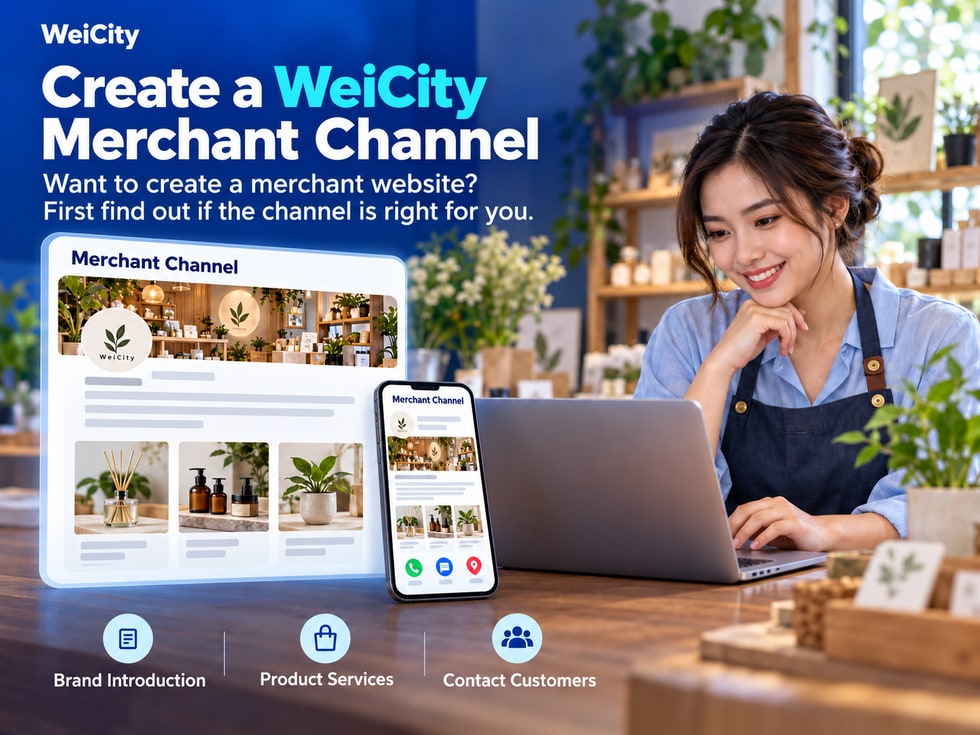
Want to build a website for your business but not sure where to start?
For restaurants, retail stores, repair services, educational institutions and other local merchants, the goal of an online page is usually not just to have a web address, but to make it easier for customers to get to know your business.
For example:
🏪 Learn about the merchant: Know what you do and what products or services you offer.
🛍️ View products: Browse product photos, specifications, prices and related information.
📸 Get to know the environment: View the store, service cases and representative works.
📍 Find the location: Learn the address, business hours and service areas.
💬 Take the next step: Contact for inquiries, check purchase options, book services or navigate to the store.
If you have these needs, you can first learn about the WeiCity Merchant Channel.
WeiCity provides merchant channels within the platform. Merchants can use their channel URL to centrally display their information and content, then use the link for social media, customer inquiries and everyday promotion.
📌 Before building, first confirm your business needs, then choose a suitable online display method.
Different types of merchants can arrange channel content according to customer needs.
Restaurants, cafés, bakeries and other food and beverage merchants can use their channel to introduce:
🍜 Restaurant features and main dishes.
📸 Photos of the store environment and dishes.
📋 Menus and related price information.
📍 Address and business hours.
💬 Contact information and ordering arrangements.
Help customers understand what the restaurant offers before they visit or place an order.
Clothing stores, furniture stores, hardware stores, gift shops and other retail merchants can organize:
📦 Product categories.
📸 Product photos.
📏 Sizes, colors and specifications.
💰 Prices and purchase conditions.
💬 How to inquire before purchasing.
Make it easier for customers to browse products and make a selection.
Repair, renovation, cleaning, beauty and other service merchants can showcase:
🔧 Service items.
📍 Service area.
🖼️ Related service cases.
📝 Frequently asked questions.
📞 How to book and request quotes.
Help customers determine whether the merchant provides the service they need.
Kindergartens, tuition centers, training institutions and other education service merchants can introduce:
📖 Courses and teaching content.
🏫 Learning environment.
👩🏫 Teaching staff and related materials.
📅 Course schedule.
💬 Parent inquiries and enrollment process.
Let parents learn about the basics of the institution before making contact.
The WeiCity merchant channel is an online showcase space within the platform and should not be treated as equivalent to a fully independently developed website.
If a merchant needs:
🌍 A custom independent domain name.
🎨 A specially designed website interface.
🔗 Integration with specified third-party systems.
⚙️ Special business processes or backend functions.
Please first confirm with WeiCity officially whether these are supported, along with the applicable conditions.
📌 Determine your actual needs first, then decide whether a merchant channel is suitable.
Before you start filling in information, you can first ask yourself one question:
"After customers view my channel, what do I most want them to do?"
For example:
💬 Contact for Inquiries
Suitable for repair, renovation, design and other services that require discussing needs.
🛍️ View Products
Suitable for retail, wholesale and product display.
📚 Learn About Courses
Suitable for education institutions and training services.
🍽️ View Menu
Suitable for restaurants, cafés and other food and beverage merchants.
📍 Get Directions to the Store
Suitable for merchants who want customers to visit their physical stores.
If the main goal is to make it easy for customers to request quotes, you can prioritize preparing:
🔧 Service items.
📍 Service area.
📸 Repair cases.
📝 Information needed for quotes.
💬 Contact Information.
If the main goal is to make it easy for customers to shop, you can prioritize preparing:
📦 Product categories.
📸 Product photos.
📏 Product specifications.
💰 Price information.
🛒 Purchase methods.
📌 Determine the main goal first, so you know which content should be completed first.
Before creating a channel, it is recommended that you first organize basic merchant information.
🏪 1. Merchant Name
Use the name your business currently uses officially with the public.
🏷️ 2. Business Category
Choose the industry or category that matches your actual business.
✍️ 3. Merchant Introduction
Briefly explain your business content, features and main target customers.
🛍️ 4. Products or Services
Organize main products, courses, service items and related materials.
📸 5. Merchant Images
Prepare logo, cover image, store environment, product and case photos.
📍 6. Address and Service Area
Indicate the location of your physical store, or the area where you actually provide services.
🕒 7. Business Hours
Provide your current business hours and rest-day arrangements.
📞 8. Contact Information
Confirm that your phone number, WhatsApp or other contact methods are correct.
📌 9. Purchase or Service Conditions
Explain booking, quote requests, delivery, pickup or other important arrangements.
The more complete your merchant information is, the easier it will be to arrange content when creating the channel.
For example:
If the service requires an appointment, explain how to make one.
If the project requires an on-site assessment, explain what basic information customers need to provide.
If products come in different specifications, prepare clear names and corresponding images.
📌 Materials should match your current business operations. You do not need to prepare everything at once, but the key information should be accurate.
After logging in to WeiCity, you can follow the creation process provided on the current page to set up your merchant channel and fill in the corresponding information.
The specific operation locations, fillable items and setup methods are subject to what is actually displayed on the page.
You can first answer three questions:
🏪 What do you sell or offer?
📍 Which customers or areas do you mainly serve?
💬 How can customers contact you further?
"We provide plumbing and electrical repair services for homes and small shops, mainly serving designated areas on Penang Island.
For quote requests, you may contact us via WhatsApp with a description of the problem, on-site photos and your location, so we can further confirm the service arrangement."
"We offer home storage products, tableware and everyday living accessories.
Customers can learn about different styles and specifications through product images. If you need to confirm prices, stock or delivery arrangements, please contact us through the channel's contact details."
"We provide courses related to children's learning and development, helping parents understand different learning content and course arrangements.
Parents can first review course introductions and our learning environment, then contact us to confirm suitable courses and consultation times."
The above are only writing examples and should be revised according to your actual business.
📌 A good merchant introduction does not just state your company name; it helps customers who are meeting you for the first time understand what you offer.
In addition to text introductions, merchant channels can also use images to show your actual business.
It is recommended to prioritize photos that are authentic, clear and relevant to your business.
Help customers identify the merchant and build a consistent brand impression.
Show the facade, entrance, business space and related facilities.
Show the appearance of products, important details and different specifications.
Show completed work and related results.
Where suitable, show the team, work processes or representative works.
✅ Are the photos clear?
✅ Are the products fully displayed?
✅ Have the images been cropped inappropriately?
✅ Are the text and labels easy to read?
✅ Do the images display properly when opened on a phone?
For photos involving customers, students or other people, first confirm that you have appropriate usage permission.
📌 Images are not just decoration; they should help customers understand products, services and the actual environment.
As channel content grows, you can arrange sections according to your business and the purpose of the information.
Section names do not need to be complicated; the key is to let customers know what they will see after entering.
🏪 About Us.
🔧 Service items.
📸 Project Cases.
❓ Frequently asked questions.
💬 Contact Information.
🏪 Brand introduction.
📦 Product categories.
📝 Buying guide.
🛒 Purchase Notes.
🆕 Latest News.
🏫 Institution Introduction.
📖 Course Introduction.
📸 Teaching Environment.
📝 Parent Guide.
📞 Inquiries and Enrollment.
You can first complete the most important content.
For example:
A small repair merchant just starting a channel can first prepare a merchant introduction, service items, cases and contact information.
As content grows, add frequently asked questions, service guides and other sections.
📌 More sections are not always better; the key is to make it easy for customers to find the information they need.
WeiCity merchant channels offer different features such as articles, Gallery, Shop, Online Ordering and video courses.
Merchants can learn which features suit them based on how they operate.
Suitable for introducing:
🏪 Brand and Business Highlights.
🛠️ Service items.
📋 Product Selection Guide.
❓ Frequently asked questions.
📚 Practical Knowledge and Industry Content.
Suitable for displaying:
📸 Product details.
🏪 Store environment.
🎨 Design work.
🛠️ Service case studies.
🏠 Completed Works.
Suitable for organizing:
📦 Product Information.
💰 Prices and Specifications.
🖼️ Product images.
🛒 Related Purchase Information.
Specific transaction processes should be based on the features currently available and their settings.
Suitable for food and beverage merchants to organize:
🍜 Dish names.
📸 Dish photos.
💰 Menu prices.
📋 Related ordering information.
Actual ordering and order handling methods should be confirmed based on current features.
Suitable for merchants who need to organize teaching content, such as:
📚 Training institutions.
👩🏫 Educators.
🎨 Skills-teaching merchants.
💻 Knowledge content providers.
Relevant course content can be arranged based on the current features and conditions of use.
✅ Whether the current account can use it.
✅ Whether a specific plan is required.
✅ How much content can be published.
✅ Whether the required business process is supported.
✅ Whether additional settings or staff management are needed.
📌 You do not need to add extra work just to use every feature. Start by choosing the features that truly match your business needs.
After customers review your content, they should be able to find a clear next step.
For example:
📞 Call.
💬 WhatsApp inquiry.
📍 View the map and navigation.
🛍️ View products and purchase options.
📅 Ask about appointment arrangements.
📞 Phone number
When tapped, does it dial the correct number?
Does it open the correct merchant account?
📍 Map location
Does it point to the current, correct business location?
🕒 Business hours
Do they match the actual operating hours?
📅 Appointment information
Do customers know they need to book in advance?
👥 Inquiry contact person
Is someone responsible for receiving and replying to customer messages?
If product purchasing, online ordering, or other business features are enabled, also check them against the processes that are actually available.
For example:
🍽️ Are menu prices accurate?
📦 Do product specifications match?
💰 Are fees and conditions clear?
📝 Do customers know what to do next?
📌 A merchant channel should not only let customers see information; it should also show them how to continue contacting you or take action.
After completing the main information, you can open the channel URL you plan to share and simulate a customer's first visit.
Can customers quickly tell:
🏪 What the business does?
🛍️ Which products are offered?
🛠️ What services are available?
📍 Where the service is provided?
💬 How can I get in touch?
Check:
✅ Is the merchant introduction clear?
✅ Are the main products or services easy to find?
✅ Are the section names clear?
✅ Do the images and text correspond to each other?
✅ Are prices, specifications, and conditions accurate?
You can check:
🖼️ Are the images complete?
✍️ Is the text easy to read?
📏 Is the page layout appropriate?
🔗 Do the links open normally?
💬 Can the contact methods be used?
If the content needs to be publicly visible, test whether it can be accessed normally when not logged in.
You can also ask someone who is unfamiliar with your business to try it.
For example:
"Please help me find this shop's address, main services, and WhatsApp contact."
Observe whether they can complete the task smoothly.
📌 The key point before publishing is not just confirming that information has been filled in, but confirming that customers can easily find the information they need.
Once the channel is complete, you can use its URL for different promotion scenarios.
For example:
Facebook Page.
Instagram bio.
TikTok account introduction.
Other social platforms suitable for your business.
When customers ask about products or services, you can share the relevant channel link.
For example:
"Here we have organized our service items, project cases, and contact details so you can learn more first."
You can include the channel link in:
📧 Email signatures.
📋 Company introductions.
💼 Sales representative profiles.
📝 Product or service introductions.
You can use the channel URL or QR code on:
💳 Business cards.
📦 Product packaging.
🏪 In-store displays.
📄 Promotional flyers.
As your business changes, update the following in a timely manner:
🆕 New products and services.
💰 Prices and Specifications.
📦 Supply availability.
📍 Address and business hours.
📸 Latest photos and cases.
💬 Contact Information.
A public merchant channel can serve as a display page for your online business content.
If you want customers to find relevant content through Google, consider:
📝 Content accuracy: Use specific, truthful descriptions of products and services.
🏷️ Title clarity: Make sure titles reflect the page topic.
📍 Local relevance: Where it is genuinely relevant, state the actual service area.
🖼️ Image descriptions: Use accurate names for products, works, and cases.
🔗 Page accessibility: Make sure public content opens normally.
🔄 Content updates: Promptly revise information that is outdated.
It should be noted that, publishing on the channel does not mean Google will index it immediately, nor does it guarantee a specific search ranking.
Search performance is also affected by web crawlability, technical settings, content quality, and other factors.
📌 Focus first on creating good content and writing clear information, then gradually improve promotion and search optimization.
When considering creating a merchant website, you do not necessarily need a large number of articles, images, or complex features from the start.
You can begin by completing the most basic business presentation.
Let customers know who you are and what you do.
Organize your main products, service items, and related information.
Let customers see your products, environment, and actual cases.
Confirm your address, business hours, and service area.
Let customers know how to inquire, book, or make further choices.
Make sure the main content is easy to browse.
Use the link for social media, customer inquiries, and everyday promotion.
Gradually refine based on new products, service changes, and customer questions.
For local merchants, a clear, accurate, and easy-to-browse online page can help customers understand your business more quickly.
🌐 Start with clear business needs and build a WeiCity merchant channel that suits you, so customers can find information, learn about your products and services, and know how to contact you next.
🏪 WeiCity | Give merchants an online space to showcase their business in one place, from being discovered and understood by customers to taking the next step.
👉 Learn about the WeiCity Merchant Channel: https://wei.city