

1 🍽️ WeiCity Online Ordering: From browsing the menu to submitting an order
Understand the online menu, dish selection and order submission to make ordering easier for customers
WeiCity Online Ordering connects the online menu with the ordering process, allowing customers to view dish photos, prices and descriptions, then select dishes, check details and submit orders. This article introduces the basic process of ordering food and the items to confirm before and after placing an order, helping merchants clearly explain their menu, service times and pickup arrangements.
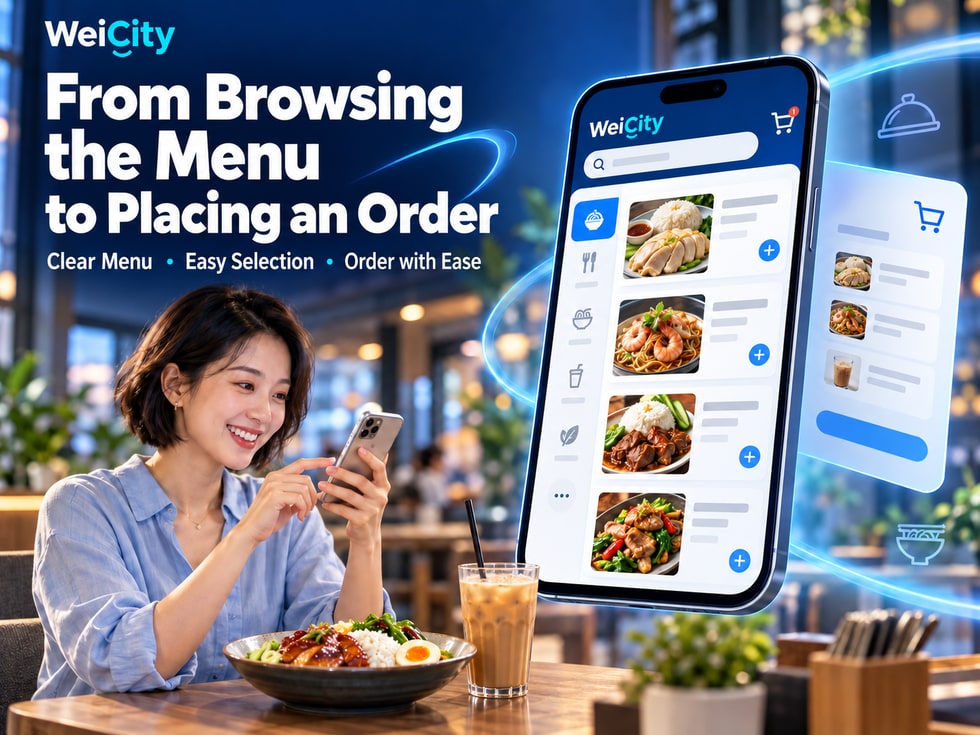
Want to order online but not sure where to start?
When ordering online, customers usually care most about three questions:
🍽️ What dishes are available to choose from?
💰 How much does each dish cost?
🏪 How should I pick up my order after placing it?
If the menu, prices, flavour options, and pickup instructions are scattered across different places, customers may need to keep searching, or even contact the merchant one by one to confirm.
The WeiCity menu and Online Ordering feature connects the online menu with the ordering entry point, allowing customers to start by browsing dishes, choose dishes according to the options provided on the page, check their order details, and then submit the order.
For food and beverage merchants, a clear online ordering process helps customers understand the dishes and also helps merchants prepare and handle orders in a more organized way.
This article introduces the main steps of WeiCity Online Ordering, as well as points to note for restaurants, cafés, bakeries, and dish pre-order merchants.
Specific menu, add-on, payment, scheduled pickup, and order handling features are subject to the current WeiCity page and the merchant's actual settings.
After entering the WeiCity ordering page, customers can first view the dish information displayed by the merchant.
A clear online menu should help customers quickly understand the dish contents, prices, and main features.
Photos help customers see what the food actually looks like.
For example:
🍛 Curry rice.
🍜 Soup noodles.
🍔 Burger.
🥐 Bread.
☕ Coffee.
Merchants are encouraged to use photos that match what they actually serve, to avoid large differences between the picture and the dish received.
Dish names should be easy to understand.
For example:
Pan-fried chicken chop rice
Rather than simply writing:
“Set A”
It is easier for customers browsing the menu for the first time to know what the dish contains.
If set numbers are used, a clear dish description can also be provided.
Customers need to know the selling price of each dish.
For example:
🍛 Pan-fried chicken chop rice: RM15.
🍜 Curry noodles: RM12.
☕ Iced latte: RM10.
The prices above are for illustration only.
If different sizes, flavours, or add-ons involve extra charges, they should be clearly displayed.
For example:
🍗 Main ingredients.
🍚 Accompaniments.
🌶️ Spice level information.
🥗 Portion size or suitable number of people.
🎁 Items included in a set.
Because when browsing online, customers cannot ask staff about the contents of each dish at any time as they can in a restaurant.
📌 Clear dish names, photos, prices, and descriptions can help customers more easily find food that suits them.
When a restaurant offers many dishes, if all food is listed on the same page, customers may spend more time searching.
Sensible menu categories can make the browsing process clearer.
For example:
🍚 Chicken rice.
🍜 Noodles.
🍝 Pasta.
🍛 Curry rice.
For example:
🍗 Fried chicken.
🍟 French fries.
🥟 Dumplings.
For example:
☕ Coffee.
🍵 Tea drinks.
🥤 Fruit juice.
For example:
🍰 Cake.
🍮 Pudding.
🍨 Ice cream.
For example:
🍔 Burger set.
🍱 Lunch set.
👨👩👧👦 Family sharing set.
Not necessarily.
If a merchant offers only a dozen or so dishes, a simpler categorization can be used.
If dozens of dishes are offered, they can be further organized according to the actual menu structure.
📌 The key to menu categories is not having as many as possible, but making it easy for customers to find the dishes they want.
After finding the dish they want, customers can continue choosing according to the options provided on the current ordering page.
Different dishes may have different settings.
For example:
Pan-fried chicken chop rice
Customers need to confirm that they have selected the correct dishes.
For example:
🍛 Chicken Chop Rice: 2 portions.
☕ Iced Latte: 1 cup.
If the page offers different specifications, you may choose according to your actual needs.
For example:
🥤 Small cup.
🥤 Medium cup.
🥤 Large cup.
If the merchant offers spice level options, you may choose based on what the page displays.
For example:
🌶️ Not spicy.
🌶️ Mildly spicy.
🌶️🌶️ Medium spicy.
🌶️🌶️🌶️ Extra spicy.
If the dish offers add-ons, you can check:
🥚 Add egg.
🧀 Add cheese.
🍗 Add meat.
🍚 Add rice.
For example:
🍛 Chicken Chop Rice: RM15.
🥚 Add egg: RM2.
🧀 Add cheese: RM3.
If there are no other fees:
Dish amount: RM20.
The above prices are examples.
If the customer has:
🥜 Food allergies.
🥛 Dairy restrictions.
🌾 Gluten-related restrictions.
🥗 Special dietary needs.
We recommend contacting the merchant first to confirm whether they can safely provide a dish that meets these requirements.
A regular order note may not guarantee that special preparation requirements will be met.
📌 When choosing dishes, check the dish name, quantity, specifications, spice level, and add-on fees at the same time.
In Online Ordering, besides choosing dishes, there may also be different types of options.
For example:
Not spicy.
Mildly spicy.
Medium spicy.
Extra spicy.
For example:
Small cup.
Medium cup.
Large cup.
For example:
Steamed rice.
Fried rice.
Noodles.
For example:
Add egg.
Add cheese.
Add meat.
For example:
Staple + drink.
Staple + snack.
Staple + drink + dessert.
Because different options may affect:
🍽️ Dish content.
💰 Final Price.
📦 Packaging method.
🧑🍳 Kitchen preparation requirements.
For example:
Coffee may offer size and hot/iced choices.
Chicken rice may offer added rice or added egg.
Cakes may offer sizes and flavors.
The options actually available are subject to what the merchant has set up on the current Online Ordering page on WeiCity.
📌 Clear options help customers express their needs and make it easier for merchants to prepare the correct dishes.
After selecting dishes, customers should first check the order details.
Especially when ordering for a group, it is even more important to check each item one by one.
Suppose the customer selects:
🍛 Chicken Chop Rice: 2 portions.
🍜 Curry Noodles: 1 portion.
☕ Iced Latte: 2 cups.
Confirm:
Is it 2 portions of Chicken Chop Rice?
Is it 1 portion of Curry Noodles?
Is it 2 cups of Iced Latte?
For example:
Is Chicken Chop Rice set to mildly spicy?
Is Curry Noodles set to not spicy?
For example:
Is an egg added to the Chicken Chop Rice?
Is the Iced Latte set to large?
Assumed:
🍛 Chicken Chop Rice: RM15 × 2 = RM30.
🍜 Curry Noodles: RM12 × 1 = RM12.
☕ Iced Latte: RM10 × 2 = RM20.
If there are no other fees or discounts:
Items subtotal: RM62.
If add-ons, delivery, or other applicable fees are involved, also check the actual payable amount.
If the page supports changes, customers can first adjust the relevant items.
If changes are not possible, follow the instructions on the page or contact the merchant to confirm.
📌 Checking dishes and quantities once more before submitting an order can reduce later changes and repeated communication.
Dishes usually have specific serving times.
For example:
🍳 Breakfast.
🍛 Lunch.
🍜 Dinner.
🥐 Daily limited bakery items.
🎂 Cakes that require advance booking.
For example:
7:00 AM to 11:00 AM.
For example:
11:30 AM to 2:30 PM.
For example:
5:30 PM to 9:00 PM.
The above time periods are examples.
For example:
🥐 Daily limited croissants.
🍱 Daily limited bento boxes.
For example:
🎂 Birthday cakes.
🍱 Group meal boxes.
🎁 Festive food gift boxes.
Because a restaurant's business hours are not necessarily the same as the serving times for every dish.
For example:
The restaurant is open until 10 PM.
However, a certain lunch set is only served until 3 PM.
Whether dish serving times, date restrictions, or automatic order-stopping features are available depends on the current actual Online Ordering settings.
📌 Before placing an order, customers should first confirm that the dish will be served at the time they need it.
If the merchant offers in-store pickup, customers need to understand the specific pickup arrangements.
For example:
Restaurant name.
Store address.
The actual pickup counter or designated location.
For example:
12:30 PM.
Or another time slot provided by the merchant.
If the page offers date and time selection, customers can confirm based on the actual options.
For example:
Merchants need some time to prepare dishes.
Customers should not assume that dishes are ready for collection just because the order has been submitted.
If the merchant requires an order number or other identifying information, customers should prepare it as instructed.
Please distinguish between:
🧾 Order submitted.
💳 Payment confirmed.
👨🍳 Merchant is preparing the dishes.
📦 Dishes are ready.
🏪 Customer can pick up the order.
The actual status and notification methods are subject to the current Online Ordering page and the merchant's arrangements.
📌 The key to in-store pickup is letting customers know where and when to collect their dishes, and what information they need to present to collect them.
Some food merchants may offer delivery services.
However, delivery areas, fees, and arrangements must be confirmed based on the merchant's actual way of operating.
For example:
Does the merchant deliver to designated areas?
For example:
Is it calculated by area, distance, or other conditions?
If the merchant has a minimum order requirement, it should be clearly explained before the customer places an order.
For example:
When is the expected dispatch time?
For example:
👤 Contact name.
📞 Contact phone number.
🏠 Full address.
📮 Postal code.
Whether the following are supported:
🚚 Delivery options.
📍 Delivery area restrictions.
💰 Automatic delivery fee calculation.
🛒 Minimum order amount restrictions.
📅 Delivery time selection.
Should be based on WeiCity's current actual features and the merchant's settings.
📌 The clearer the delivery conditions, the easier it is for customers to determine whether a dish can be delivered to the specified location.
After selecting their meal, customers need to fill in the required details as instructed on the page.
Enter a name that helps the merchant identify the order.
Provide a phone number at which you can be reached.
Fill in according to your actual selection.
For example:
🏪 Self-pickup location.
📅 Reservation date.
🕒 Pickup time.
🏠 Delivery address.
If the page provides a notes field, you may enter necessary information related to the order.
For example:
"Please contact me when I arrive at the store to pick up the meal."
However, if allergies or special preparation requirements are involved, it is recommended to confirm in advance with the merchant whether they can be accommodated, and not rely solely on the notes.
For example:
A certain dish is temporarily unavailable.
The merchant needs to confirm an alternative choice.
Or:
The pickup time chosen by the customer needs to be adjusted.
Accurate contact details help both parties communicate promptly.
Customers should not enter the following in ordinary order notes:
❌ Bank passwords.
❌ One-time verification codes.
❌ Sensitive personal information unrelated to ordering meals.
📌 Accurate contact details help the merchant confirm the order and make it easier to handle pickup and delivery issues.
Before submitting the order, customers can review the main details once more.
Confirm:
🏷️ Name is correct.
🌶️ Flavor is correct.
🧩 Add-ons are correct.
Confirm the number of portions for each dish.
Check:
💰 Dish prices.
🧩 Add-on fees.
🚚 Applicable delivery fees.
🎟️ Discounts or promotions.
Confirm:
🏪 Pickup location.
📅 Date.
🕒 Time.
Confirm:
👤 Name.
📞 Phone.
🏠 Required address.
For example:
📦 Minimum order quantity.
💰 Minimum order amount.
📅 Advance booking requirements.
🕒 Service hours.
Once the order is submitted, the merchant may already have begun preparing the meal.
If you need to change dishes, quantities or times, the change may not be possible immediately.
📌 Checking the details before submitting can reduce mistakes in dish selection, mismatched quantities and pickup arrangements.
After clicking submit, customers should check the result shown on the page.
However, please note:
An order being submitted, the merchant confirming it, and payment succeeding may be different processing stages.
Confirm whether the page shows that the order has been successfully created.
If the page provides an order number, you may save the related record.
If the current ordering process includes a payment step, follow the instructions shown on the actual page.
For example:
📦 Confirmation of meal availability.
💳 Payment check.
🕒 Pickup time.
🚚 Delivery Arrangements.
If the merchant needs time to prepare the meal, wait according to the actual notice or the agreed arrangement.
Customers can check:
📍 Store.
🕒 Time.
🧾 Order details.
It is recommended to first check your order record, and then contact the merchant to confirm.
Do not resubmit immediately when the result is unclear, to avoid creating duplicate orders.
📌 After submitting an order, confirm the order status and next steps, rather than only checking whether the submit button was clicked.
Restaurant orders differ from general retail products.
This is because the meal may already have started being prepared.
For example:
The customer originally chose chicken rice.
Later, they want to change it to noodles.
Whether a change is possible depends on the order status and the merchant's actual handling.
For example:
Originally ordered 2 portions.
Later, they want to increase it to 3 portions.
Confirm whether the merchant can make the adjustment.
For example:
Originally agreed to pick up at 12 p.m.
Later, they want to change it to 1 p.m.
Contact the merchant as early as possible.
Whether an order can be cancelled, and the applicable refund arrangements, are handled according to the purchase conditions, the meal preparation progress and the applicable rules.
This is because the meal may already have:
🥬 Ingredients prepared.
👨🍳 Started cooking.
📦 Completed packaging.
🚚 Arranged for delivery.
It is recommended to explain in advance:
📅 Reservation requirements.
🕒 Deadline for changes.
❌ Cancellation conditions.
💳 Payment and refund arrangements.
📌 Restaurant orders involve actual meal preparation progress, so customers who wish to make changes should contact the merchant as early as possible to confirm.
For restaurants, online ordering is not just about providing an entry point for submitting orders.
More importantly, it makes it easy for customers to understand the dishes and purchase conditions.
Recommendations:
📷 Show the actual meal.
🍽️ Make the main contents clearly visible.
🔍 Avoid cropping out important food.
For example:
"Pan-Fried Chicken Chop Rice"
Compare:
"Special Set Meal"
are easier to recognize.
If add-ons are charged, this should be clearly explained.
For example:
🍗 Main ingredients.
🍚 Set meal contents.
🌶️ Spice level.
📏 Portion size.
For example:
🥚 Add egg.
🧀 Add cheese.
🍚 Add rice.
If dishes are only available during specific periods, update the information promptly.
For example:
Daily limited-quantity bento.
Limited-quantity desserts.
For example:
📍 Location.
🕒 Time.
📋 Pickup requirements.
So customers can confirm:
❓ Dish contents.
❓ Availability.
❓ Order status.
For example:
💰 Price changes.
🍽️ New dishes.
📦 Temporarily sold out.
🕒 Service hour adjustments.
📌 The more accurate the menu information, the easier it is for customers to choose, and the easier it is for merchants to check and prepare orders.
After the menu is published, merchants are advised to use a phone to check the ordering process once from the customer's perspective.
Confirm:
🍽️ Categories are clear.
📷 Images are complete.
🏷️ Names are accurate.
Confirm:
🍛 Dishes are correct.
🔢 Quantities can be selected accurately.
If the current feature supports it, check:
🌶️ Flavor.
🧩 Add-ons.
🥤 Specifications.
Confirm:
💰 Dish selling prices.
🧩 Add-on fees.
🧾 Order amount.
Confirm:
🕒 Service hours.
🏪 Pickup location.
📅 Booking requirements.
Confirm whether the information customers need to fill in is clear.
If the current ordering process provides a payment step, confirm that the actual operation matches the instructions.
Confirm whether the prompts shown after submission are easy to understand.
When customers encounter problems, do they know how to contact the merchant?
If the platform provides a testing method, it can be used first.
If an actual test order needs to be submitted, arrange the related order, payment and follow-up handling in advance to avoid affecting real business records.
Completing a full check from the customer's perspective can help merchants find issues in the menu and ordering process.
An online menu not only makes it easy for customers to order, but also helps visitors understand what dishes the restaurant offers.
However, whether a menu page is indexed and displayed by Google still depends on platform technical settings, page content, and other factors.
For example:
"Penang Curry Mee"
Compare:
"Signature Dish"
make it easier to explain the type of food.
For example:
🍜 Main ingredients.
🌶️ Flavor characteristics.
🍚 Accompaniments.
Photos should match the food actually served.
If prices change, update them promptly.
For example:
🏪 Restaurant name.
📍 Address.
🕒 Opening hours.
📞 Contact information.
Customers should be able to clearly see:
🍽️ Menus.
💰 Prices.
🛒 The online ordering entry point.
Adding more dishes or articles does not necessarily lead to a higher ranking.
📌 A clear online menu serves customers first, and also helps search engines understand the page content.
Customers can enter the menu through the ordering entry provided by the merchant and follow the prompts on the current page to browse and select dishes.
Merchants can display related dish information and photos according to the features of the current menu.
The way to select quantities depends on the current ordering page.
Whether separate flavor options are offered depends on the current dish settings.
Whether add-on options and extra charges are supported depends on the current features.
The way dishes are selected and combined in an order depends on the current page.
Usually, the dish price, quantity, and any applicable add-ons, delivery, or other fees need to be checked.
Whether date and time slot selection is available depends on the current ordering features and the merchant's settings.
Actual delivery options, coverage areas, and fees depend on the merchant's current settings.
Please provide the necessary contact information as required on the current ordering page.
Not necessarily.
Order submission and merchant confirmation may be separate stages.
Not necessarily.
Please confirm based on the actual payment process and order status.
Whether changes are possible depends on the current order status, system features, and how the merchant actually handles the order.
It is recommended to check the order record first, then contact the merchant to confirm, to avoid submitting duplicate orders.
It is recommended to complete the menu, specifications, prices, quantities, availability times, and pickup instructions, and to regularly check the actual ordering process.
📌 The key to online ordering is making it easy for customers to choose dishes and helping merchants accurately understand order details.
✅ Dish names are clear.
✅ Dish photos are accurate.
✅ Dish descriptions are complete.
✅ Categories are easy to understand.
✅ Selling prices are correct.
✅ Prices for different specifications are clear.
✅ Add-on fees are clear.
✅ Flavors are correct.
✅ Specifications are accurate.
✅ Add-on content is clear.
✅ The quantity for each dish is correct.
✅ There are no duplicate selections.
✅ Dishes are still available.
✅ Limited-quantity item information is accurate.
✅ Availability times are clear.
✅ The pickup location is correct.
✅ The pickup time is clear.
✅ Reservation conditions are clear.
✅ The delivery area is clear.
✅ Fee information is complete.
✅ The delivery method matches actual business operations.
✅ The contact name is correct.
✅ Phone numbers are valid.
✅ Necessary addresses are complete.
✅ Dishes are correct.
✅ Specifications are correct.
✅ Quantities are correct.
✅ Amounts are accurate.
✅ Payment methods are clear.
✅ The payment amount is correct.
✅ The order status can be verified.
✅ The submission result is clear.
✅ Order information has been saved.
✅ Follow-up contact channels are working.
✅ The menu is updated regularly.
✅ Prices are adjusted promptly.
✅ Availability information is accurate.
✅ Order handling arrangements are clear.
📌 A complete ordering check helps customers reduce dish selection errors and makes it easier for merchants to prepare and deliver dishes.
When ordering online, customers need more than just dish photos.
They also need to clearly understand:
🍽️ What dishes are available: View the menu and categories.
📷 What the dishes look like: Understand their actual appearance.
💰 How much they cost: View selling prices and applicable fees.
🌶️ How to choose: Confirm flavors, specifications, and add-ons.
🔢 How many portions are needed: Check the ordered quantity.
📦 Whether it is still available: Understand the dish availability.
📅 When pickup is available: Confirm availability and reservation arrangements.
🏪 Where to pick up: Check the store and pickup location.
🚚 Whether delivery is offered: Understand the applicable conditions.
👤 What information to provide: Provide necessary contact details.
🧾 Whether the order is correct: Check again before submitting.
🔔 How to confirm after submitting: Check the order result and merchant notifications.
WeiCity menu and ordering features help merchants connect dish information with the ordering entry, so customers can complete dish selection and order submission by following the actual page process.
For customers:
🍽️ A clear menu makes it easier to find the dishes you want.
🎨 Clear options make it easier to choose the flavors and combinations you need.
💰 Complete pricing makes it easier to check the order amount.
🏪 Clear pickup instructions make it easier to arrange collection times.
For merchants:
📋 Complete dish information can reduce repeated inquiries.
🛒 Clear order details make food preparation more convenient.
🔢 Accurate quantities help reduce omissions.
📅 Clear availability arrangements help plan preparation times.
💬 Valid contact methods make it easier to handle order questions.
🍽️ Lets customers see clearly.
🛒 Lets customers choose conveniently.
🧾 Makes order information more accurate.
📦 Helps merchants prepare food more systematically.
From the online menu to order submission, organizing the information needed at each step makes it easier for customers to complete their order and for merchants to confirm and prepare dishes.
Specific menu categories, dish specifications, flavors, add-ons, reserved pickup, delivery, payment, and order management features are subject to WeiCity's current ordering page, merchant settings, and activated services.
👉 Open WeiCity: https://wei.city/