

5 Can You See the Number of Visits to a Cloud Drive Sharing Link? WeiCity Feature and Usage Guide
After quotations, product catalogs and partnership proposals are sent, check how many times the link has been visited so you can follow up with customers with more context.
WeiCity Cloud Drive supports viewing the number of visits to sharing links, helping merchants understand whether material links have been accessed and supporting customer follow-up arrangements. This article introduces the uses of visit counts, how to view them and practical scenarios, and also explains the differences between visit counts, reading completion, number of visitors and purchase intent.
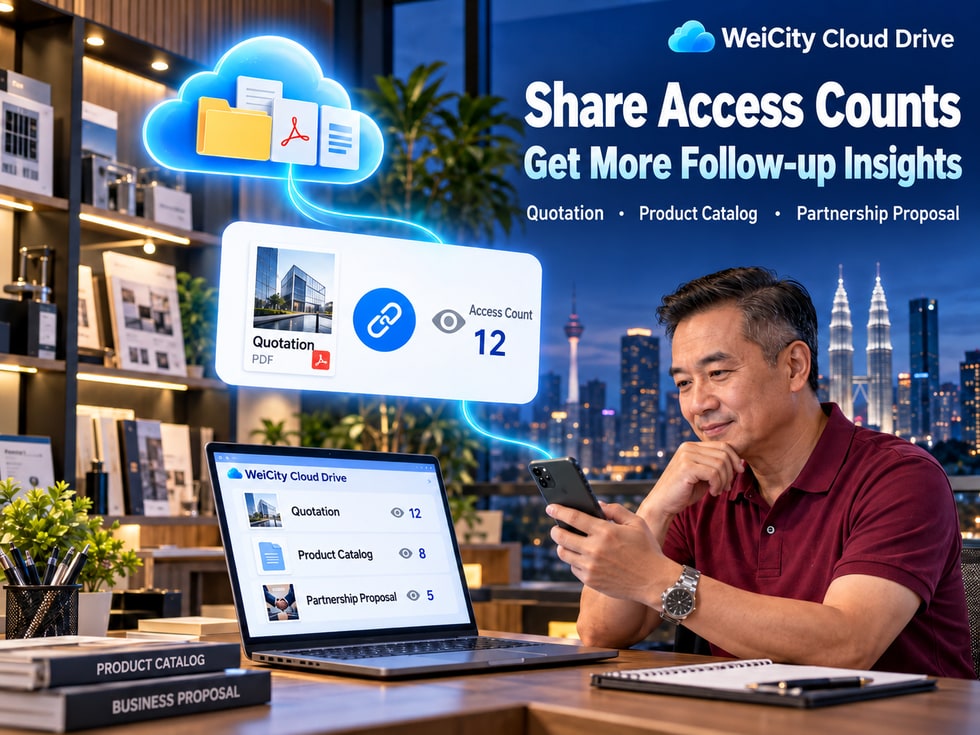
After sending a customer a product catalog, quotation, or cooperation proposal, merchants often run into one question:
Has the customer received the materials? Have they opened them? Should you keep waiting or reach out proactively?
In the past, merchants usually could only ask customers through chat whether they had reviewed the materials.
Now, with the share access count feature in WeiCity Cloud Drive, you can see how often the corresponding share link has been accessed, which provides a reference for follow-up communication.
💰 After a quotation is sent, learn whether the link has been accessed.
📄 After sharing a product catalog, help arrange product consultations.
🛠️ After sending a cooperation proposal, arrange discussions around project progress.
📁 After sharing a folder, understand how the corresponding share entry is being used.
WeiCity Cloud Drive not only helps merchants store and share files, but also gives post-sharing communication a clearer basis.
WeiCity Cloud Drive supports viewing the access count of share links.
After you share a file or folder with a customer, you can use the count shown in the corresponding share record to understand how the link has been accessed.
Use the access count to get an initial sense of whether the link you sent has been used.
Check the count shown in the corresponding share record to see whether the link has been accessed multiple times.
Plan different follow-up communication depending on whether you shared a product catalog, quotation, or cooperation proposal.
Combine customer replies, agreed times, and project progress to decide whether the next step needs contact.
👤 It is not the actual number of people who accessed the link.
📖 It does not mean the customer has read the entire file.
🎯 It does not mean the customer has a clear purchase intention.
⏱️ It does not show how long the customer spent reading.
📌 The access count reflects how the link is being used. It cannot directly tell you whether a customer understands the content or is ready to buy.
When running retail, wholesale, or product sales businesses, customers often need to review a product catalog first.
For example:
🛍️ Product styles and colors.
📦 Product specifications and packaging.
💰 Product prices and quantity requirements.
📸 Product photos and usage instructions.
Merchants can first organize these materials into a file, then share it with customers through WeiCity Cloud Drive.
You can combine the needs the customer mentioned earlier and proactively offer more specific product recommendations.
"Hello, regarding the product catalog I sent you earlier: if you're comparing different styles, I can help organize the specifications and prices that suit your needs."
This kind of follow-up does more than ask whether the customer has looked at the materials; it also helps them narrow down their options.
You can first confirm whether the customer received the materials and whether they encountered any problems opening them.
📨 Confirm whether the link was received.
🔗 Check whether the link opens normally.
🔑 Confirm whether an access password is required.
👤 Confirm whether a specific account is needed to sign in.
📌 Catalog access counts are useful for arranging consultations, but what matters most is understanding which products the customer needs.
A quotation usually includes prices, quantities, product specifications, service scope, and payment terms.
After receiving a quotation, customers may need time to compare different options or discuss it with other decision-makers.
Viewing the access count of a quotation share link in WeiCity Cloud Drive can serve as a reference for planning follow-up communication.
You can first confirm whether the customer received the quotation link.
💬 "Hello, did you receive the quotation I sent earlier? If you run into any problems opening the file, please let me know."
Based on the time agreed with the customer, you can ask whether they need further explanation.
💬 "Hello, regarding the quotation we provided earlier: if you need to confirm prices, quantities, or the service scope, I can explain further."
You can ask whether the customer needs additional materials to help them complete their evaluation.
💬 "Hello, if you are comparing different options, I can help organize the main differences between them for your reference."
The same customer may open a quotation several times.
Therefore, multiple accesses should not be taken directly to mean that the customer is very interested or about to confirm an order.
📌 Quotation follow-up should be based on the customer's actual replies, the quotation's validity period, and what both sides have agreed, not on access counts alone.
Decoration, design, event planning, education and training, and professional service industries often need to provide clients with a cooperation proposal first.
After the client reviews the proposal, both sides can discuss details further.
Sharing a proposal through WeiCity Cloud Drive lets you provide related materials in one place and view the access situation of the corresponding link.
Does this proposal include the service items the client needs?
Are the expected start date, execution timeline, and delivery deadline appropriate?
Does the client need to adjust the service content, configuration, or budget?
Is there a need to provide case studies, product specifications, project photos, or further explanation?
"Hello, regarding the cooperation proposal we sent earlier: if you would like to adjust the service scope, budget, or timeline, we can discuss it further."
A link being accessed does not mean the customer has read all of the content.
An access count usually cannot tell you by itself:
📖 Which page the customer actually read.
⏱️ How long the customer stayed.
📝 Whether the customer understood the proposal.
🎯 Whether the customer has already decided to cooperate.
📌 Important cooperation matters should still be confirmed through actual communication, not relying on access counts alone.
Sometimes merchants need to share several files at once.
For example:
📂 Product catalogs and specification sheets.
📄 Project quotations and cooperation proposals.
🎓 Course textbooks and learning materials.
🛠️ Engineering drawings and project files.
In these cases, you can share a folder so the customer can view related materials from the same entry point.
They can help you understand how the corresponding folder share entry is being used.
However, it is important to distinguish:
📂 A folder link being accessed does not mean that every file inside has been opened.
📄 Whether a particular file has been read in full cannot be judged from the folder access count alone.
👤 Whether it is viewed by a designated customer should be confirmed based on the actual access settings and communication.
After sending the project folder, you can tell the customer:
"Hello, the project materials have been organized in this folder. Please review the Service Scope Description first, then confirm which items to keep or adjust."
This helps the customer know which content to focus on this time.
📌 When sharing multiple files, beyond checking the number of views, it is more important to clearly tell the customer which materials to read and confirm.
WeiCity Cloud Drive provides a "My Shares" management entry.
Merchants can view the access counts shown for the corresponding file or folder shares through the share records.
The display location may vary across devices and page versions. Please follow the current interface for actual operation.
Go to the Cloud Drive page and find "My Shares."
Look for the share record of the file or folder you want to check.
Confirm the file name and corresponding link to avoid checking the wrong share record.
Check the access count shown for that share record.
Refer to whether the customer has replied, the time agreed upon by both parties, and the current project progress.
Based on the actual situation, confirm whether the customer can open the materials or whether supplementary explanations are needed.
If multiple share links have been created for the same file, check the corresponding share record for each link separately.
Do not mix the access counts of different links and mistakenly assume they all come from the same customer.
📌 Before checking access counts, first confirm the corresponding file, share link, and customer communication records.
Not necessarily.
The same person may open the link multiple times.
Therefore, the access count cannot be directly treated as the number of different visitors.
Not necessarily.
A customer may only open the file, or may continue reading it later.
Whether they have read the important content still needs to be confirmed with the customer.
Not necessarily.
A customer may be comparing prices, repeatedly checking specifications, or reviewing certain materials again.
Purchase decisions are still affected by needs, budget, internal approval, and other factors.
Such judgments cannot be made based on access counts alone.
An access count is not a complete visitor tracking report.
Not necessarily.
Whether different access behaviors are counted, how duplicates are handled, and when the count updates should be based on WeiCity's actual statistical rules.
📌 Access counts are auxiliary data and should not be treated as a complete customer behavior analysis report.
If the share link has not shown any access for now, it does not necessarily mean the customer is not interested.
Possible reasons include:
📅 The customer has not yet had time to deal with it.
📨 The customer has not noticed the message.
🔗 The customer is not sure how to open the link.
🔑 The shared materials require a password.
👤 The materials are set to be accessible only by designated accounts.
Therefore, the first follow-up can focus on helping the customer access the materials smoothly.
"Hello, did you receive the material link we sent earlier?"
"This material requires a password to view. I will send the access details to you again."
"This material is set to be accessible only by designated accounts. Please log in with the authorized account."
"You may first review the product specifications section. If you need to compare different models, I can help organize that for you."
Customers may need time to read and discuss.
It is recommended to plan follow-ups based on the time agreed upon by both parties and the business progress, avoiding repeated reminders just because the count has not changed.
📌 Effective customer follow-up is not just asking whether the file has been opened, but helping the customer solve the next question.
When sharing materials with WeiCity Cloud Drive, you can build the following habits.
For example:
Product Catalog_October 2026.pdf
Product Quotation_Customer A_2026-10-16.pdf
Cooperation Proposal_Version 2.pdf
This helps reduce confusion between different materials.
Confirm whether the sharing recipient, password, validity period, and download permissions are appropriate.
Tell the customer what the file contains and which content they need to confirm.
Avoid mixing the access counts of different files or different share links.
Access counts can assist judgment, but they should not replace the customer's real feedback.
For matters involving quotations, contracts, delivery content, or cooperation terms, confirm through a communication method both parties accept and keep a record.
After materials are updated or discontinued, check whether old links need to be revoked to prevent customers from continuing to refer to outdated content.
📌 Clear file names, correct sharing permissions, and appropriate customer communication are more important than simply pursuing access counts.
Sending materials to customers is an important step in business communication.
But the real goal is not just to have the customer receive the file, but to help them understand the content, resolve their questions, and make a decision that suits them.
Through the share access count feature of WeiCity Cloud Drive, merchants can:
📊 View the access status of share links.
📄 Help manage product catalogs and quotation materials.
💰 Arrange follow-up communication in line with quotation progress.
🛠️ Prepare discussion points around cooperation proposals.
📁 Understand how the folder sharing entry is being used.
💬 Provide more targeted explanations based on customer feedback.
WeiCity Cloud Drive makes file sharing more than just sending links; it can also provide reference for follow-up customer communication.
Starting with your next send of a product catalog, quotation, or cooperation proposal, you can try combining share access counts with actual customer feedback to arrange clearer and more appropriate follow-up communication.
The specific counting method, update rules, and display location of access counts are subject to WeiCity's current actual platform features.
👉 Open WeiCity Cloud Drive: https://wei.city/app/drive