

9 How to Share Deliverable Files with Specific Customers? WeiCity Cloud Drive Application Guide
Organize project results, design files and service materials by customer, and share them with designated accounts to make delivery clearer.
WeiCity Cloud Drive supports sharing files and folders with designated accounts, making it easy for merchants to provide project results, design files and service materials by customer. This article introduces methods for organizing materials before delivery, arrangements for access and download permissions, and confirmation items after sending, helping merchants avoid mixing up files and making it easier for customers to find the materials they need.
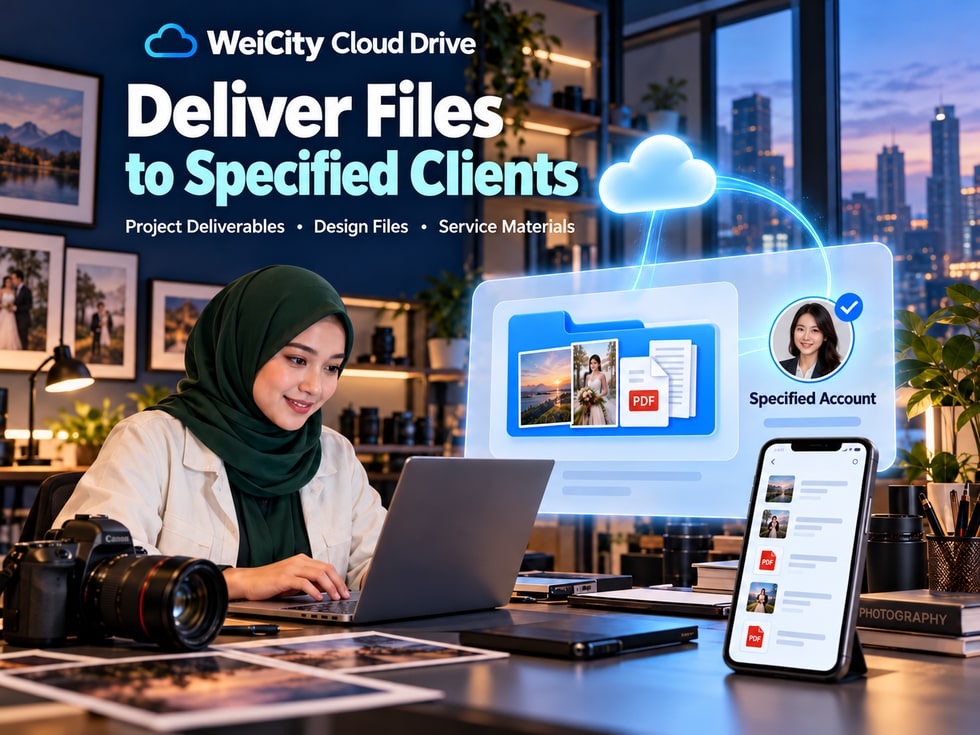
After a project is completed, how do you hand files to clients clearly, securely and conveniently?
For merchants in design, photography, renovation, education and training, and professional services, completing the work is only one part of the process.
How you deliver the final results to clients is equally important.
For example:
🎨 Design studios need to deliver promotional images, design works and source files.
📷 Photography studios need to provide high-resolution photos and finished videos.
🛠️ Professional service merchants need to deliver project reports and usage instructions.
🎓 Education and training institutions need to provide teaching materials, exercises and course resources.
📄 Other merchants may need to send contracts, product files or project results.
If these files are scattered across different chat records, clients may not know which are the final versions or which one they should download.
With WeiCity Cloud Drive, merchants can organize delivery materials first, share them with specified client accounts, and clearly explain the file contents, download methods and access period.
📁 Organize files centrally by client and project.
👤 Grant access to authorized client accounts.
🔐 Set passwords and sharing permissions as needed.
⬇️ Provide suitable file download options.
💬 Send delivery notices through WeiCity Chat.
📋 Help clients clearly verify the materials they have received.
WeiCity Cloud Drive does more than send a link; it also helps merchants build a clearer delivery process.
WeiCity Cloud Drive lets you arrange who can access shared content as needed.
For client files that require a clearly defined recipient, you can consider sharing with specified accounts.
Recipients need to sign in with an authorized account to access the relevant materials.
Compared with methods where anyone with the link can access, specified-account sharing is better suited to business scenarios where you need to control who receives the files.
Access can be arranged based on the client's account or email address.
For example:
📄 Client A's design results are shared only with accounts authorized by Client A.
📸 Client B's photography files are provided to the receiving account designated by Client B.
🛠️ Project reports are shared with the client representative responsible for acceptance.
Organize the results, explanations and delivery checklist of the same project into one folder.
Clients do not need to search for files across multiple chat records.
Decide whether clients can download or edit the relevant materials based on the delivery agreement.
After sharing files, you can continue handling client questions through WeiCity Chat.
When project arrangements change or the sharing period ends, you can adjust the relevant sharing according to the agreement.
Specified-account access only restricts the Cloud Drive sharing entry point.
After clients download files, copies may still be saved or forwarded.
Therefore, the scope of use, licensing conditions and confidentiality requirements should be clearly agreed before delivery.
📌 Specified-account sharing is suitable for clearly defining recipients, but it cannot replace an agreement between both parties on file usage rights and confidentiality responsibilities.
Different types of merchants may deliver different files.
However, whether they are photos, design works, project reports or teaching materials, clients need to clearly know:
What files they received? How should they be used? Do they need to be downloaded and saved?
After completing a project, a design studio may need to provide:
🖼️ Brand logos.
🎨 Promotional images.
📄 Print files.
📐 Design specification notes.
🗂️ Editable source files as agreed.
It is recommended to keep preview images separate from formal delivery files.
If the contract includes source file delivery, clearly label which files are editable sources and which are final output versions.
Photography studios may need to deliver:
📸 High-resolution photos.
🎬 Completed edited videos.
🖼️ Preview images.
📁 Finished products sorted by project.
📄 File usage instructions.
For finished high-resolution files that clients need to download and keep, open download permissions according to the agreement and state the access period.
After a project is completed, you can organize:
📄 Project completion report.
📸 Completed project photos.
📝 Usage and maintenance instructions.
📋 Project delivery checklist.
📁 Relevant technical materials.
Internal costs, files of other clients and working drafts should be kept separate from the formal delivery directory.
Education centers, training institutions and instructors can provide the following based on course arrangements:
📚 Course materials.
📝 Learning exercises.
📄 After-class materials.
🎬 Teaching videos.
📋 Learning guides.
Access recipients, download permissions and availability periods should be arranged according to the course agreement.
📌 Delivery content varies by industry, but clear file classification, version names and access instructions are all important.
Before delivery, it is recommended to create a separate folder for each client or each project.
This reduces the chance of different clients' materials being mixed together and makes later retrieval easier.
For example:
📁 Client A_Brand Design Project_2026-10
📂 01_Final Results
📂 02_Preview Files
📂 03_Usage Instructions
📂 04_Delivery Checklist
Save the formal delivery files that have been confirmed for this delivery.
For example:
🎨 High-resolution design images.
📸 Formal photography finished products.
📄 Project reports.
🗂️ Source files as specified in the contract.
Save images or PDFs that allow clients to review quickly.
Preview versions help clients confirm content, but should not be confused with formal delivery files.
Explain the purpose of the files, how to open them, and points to note.
For example:
🖨️ Which file is suitable for printing.
📱 Which image is suitable for social media.
🖥️ Which file is suitable for use on a computer.
📄 Which one is the formal report.
List the file names, quantities, and versions provided this time.
The client can check each item against the list.
If there are only two or three files, clear naming is usually more convenient than creating many layers of folders.
📌 The folder structure should be arranged according to the scale of the project. The key is to make it easy for the client to find the formal deliverables they need.
After a project goes through many revisions, file names like these often appear:
📄 Final Version.pdf
📄 Final Revised Version.pdf
📄 Final Confirmed New Version.pdf
📄 Final Version 2.pdf
Names like these may leave the client unsure which file is the correct version.
It is recommended to include the project, purpose, date, or version number in the file name.
Brand_Project_Promo_Image_2026-10-16.jpg
Brand_Project_User_Guide_V1.pdf
Brand_Project_Official_Delivery_2026-10-16
Client_A_Product_Photography_Final_Finished_2026-10.zip
Project_Name_Completion_Report_V2.pdf
A file name that says final does not necessarily mean the contents are the latest.
Before delivery, please check again:
📄 Whether the file contents are correct.
📅 Whether the dates match this delivery.
🎨 Whether the images are the confirmed versions.
📐 Whether the specifications are correct.
📦 Whether any agreed files are missing.
📌 Clear file naming can reduce version confusion, but the actual contents still need to be checked before formal delivery.
WeiCity Cloud Drive offers different sharing permission settings.
Merchants can choose suitable access methods based on the purpose of the files and the agreement between both parties.
Suitable for client materials that need a clearly designated recipient.
Before sending, check the client's account or email address.
For materials that require additional verification, a password can be set as needed.
The password should be provided to authorized recipients through an appropriate method.
Suitable for formal deliverables that the client needs to save, print, submit, or continue using.
For example:
🎨 Final design files.
📸 High-resolution photography images.
📄 Formal project reports.
📚 Course materials that are agreed to be downloadable.
Suitable for stage previews, or for content that the parties have agreed will only be available for online access.
For example:
🖼️ Design previews.
📄 Preliminary proposals.
📋 Interim reports.
If the project truly requires the client to edit supported Office files, editing permission can be opened as needed.
Editing permission for formal deliverables should generally be granted with caution to avoid unintentionally changing the content.
Set the access period according to the project schedule.
For example:
📅 Stage preview period.
📦 Formal deliverable download period.
🎓 Course material availability period.
If both parties agree that the client may download formal deliverables, a download method consistent with the agreement must be provided.
Online preview only cannot replace the delivery of downloadable files that have already been agreed upon.
Merchants can first organize the files, then arrange delivery through the sharing feature of WeiCity Cloud Drive.
Entry points may differ across devices and page versions. Actual operations should follow the current interface.
Find the organized files or project folder.
Confirm:
📄 All files are complete.
🏷️ The versions are correct.
📁 No other client materials are mixed in.
🔐 No internal files that should not be shared externally are included.
Select the option for access by designated people.
Select or enter the authorized client account or email address as required by the page.
Check:
🔑 Access password.
⬇️ Download permissions.
📝 Editing permission.
⏳ Sharing validity period.
Send the materials link to the client through WeiCity's sharing notification or private message feature.
Confirm whether the client can:
👤 Log in with the authorized account.
📁 Open the delivery folder.
📄 View all files.
⬇️ Download the agreed formal deliverables.
If the materials are authorized only for Client A's account, then even if Client A forwards the link to someone else, that does not mean other accounts automatically gain access.
📌 For formal delivery, in addition to sending the link, confirm that the client can use the correct account to access the files they need.
After receiving the cloud drive link, the client should ideally be able to immediately understand what the files contain and what needs to be done next.
It is recommended to clearly state the following items in the delivery notice.
Which files and deliverables are provided this time?
Which folder should the client open first?
Is there a delivery checklist?
Which authorized account should be used?
Which files can be downloaded?
Does the client need to save them personally?
Until when will the sharing link remain open?
Which content does the client need to check, and how should they reply?
"Hello, your project files have been organized.
📁 This delivery includes the formal design images, preview files, and user guide.
👤 Please open the sharing link using the authorized WeiCity account.
⬇️ The formal images are now available for download. Please save them within the period agreed by both parties.
📄 Please check whether the number of files, versions, and contents are correct.
💬 If you cannot open or download anything, or notice missing materials, please contact us promptly.
Once you have confirmed receipt and completed your review, please reply to notify us. Thank you!"
Do not make unauthorized promises of permanent access, or set download periods that are inconsistent with the contract.
📌 A clear delivery notice can reduce repeated client inquiries and also helps both parties confirm the delivery arrangements.
Not necessarily.
The number of share link visits in WeiCity Cloud Drive can serve as a reference for how the link is being used.
However, the number of visits cannot directly prove that the client has fully read, downloaded, or accepted the deliverables.
Can the client find all files included in this delivery?
Can images, videos, PDFs, or other files be used normally?
Do the materials provided this time match the agreement between both parties?
Has the client reviewed the content and provided feedback or confirmation as agreed?
📨 A chat message has been sent.
🔗 The share link has been accessed.
👀 The client has opened the files before.
⬇️ The files have been downloaded.
None of these situations alone can replace formal acceptance.
For important projects, delivery and acceptance records should be kept according to the contract and the methods agreed by both parties.
📌 File access and project acceptance are two different matters. Formal acceptance still requires the client's explicit confirmation.
After delivery, the client may find content that needs adjustment.
For example:
🎨 Design images need color changes.
📸 Some photos are missing from the photography deliverables.
📄 The project report needs additional explanation.
📝 File contents need correction.
📦 The original delivery materials are incomplete.
When these situations occur, files can be reorganized and supplemented.
Explain which files were changed this time.
For example:
🎨 Adjust the color of the promotional image.
📄 Update the second part of the report.
📸 Add three more product photos.
Use dates or version numbers so customers can easily tell them apart.
For example:
Brand_Design_Formal_Delivery_V1.pdf
Brand_Design_Formal_Delivery_V2.pdf
Confirm that new links or existing shares actually point to the correct materials.
If old files are no longer applicable, you may revoke old shares as needed.
Explain which files have been replaced and which can still be used.
After uploading a file with the same name, old sharing links may not automatically point to the new version.
Check the actual associations and access results.
📌 When submitting or revising files, clearly explain version changes to reduce the chance customers use outdated materials.
After formal delivery, customers may still need to download or view materials for a period of time.
Therefore, merchants should arrange file retention and sharing periods in advance.
Don't let customers discover that a link has expired only when they need the file.
If customers need to keep files long-term, remind them to complete downloads within the agreed period.
After downloading, confirm that the files open properly and that the content is complete.
Arrange suitable Cloud Drive capacity based on the number and size of project files.
For example:
📋 Delivery checklist.
📅 Delivery date.
💬 Customer confirmation records.
📄 Related version materials.
If the customer still needs continued access as agreed, merchants should not revoke shares arbitrarily without a confirmed arrangement.
Even if a sharing link has no expiration date, access may still be affected by the following factors:
📁 Whether the original files continue to be retained.
🔐 Whether sharing permissions remain valid.
📦 The storage status of the files.
↩️ Whether the share has been revoked.
📄 The platform's terms of service.
📌 Retention arrangements after file delivery should be coordinated with customer agreements, Cloud Drive storage, and sharing periods.
👤 Are the customer's account or email correct?
📨 Is it being sent to the correct recipient?
📄 Are all files included?
📋 Does it match the agreed delivery scope?
🎨 Is it the confirmed final version?
📦 Has any formal deliverable been left out?
📝 Are preview versions and final versions clearly distinguished?
🗂️ If source files need to be delivered, have they been organized separately?
📅 Are file names and dates correct?
🔑 Is a password required?
⬇️ Do download permissions match the agreement?
📝 Are editing permissions correct?
⏳ Has the sharing validity period been explained?
🔒 Have any internal materials been mixed in?
👥 Does it include files from other customers?
📄 Are there any contracts or records that should not be open to outside parties?
📨 Has the delivery note been sent?
📄 Has the customer been asked to review the file contents?
✅ Has a suitable confirmation or acceptance method been arranged?
📌 Checking once more before formal delivery can reduce missing files, version errors, and access problems.
For merchants, delivering files after a project is complete should not just mean sending a link.
A clear delivery arrangement should include:
📁 Properly organized project files.
📄 A complete delivery checklist.
👤 Clearly designated recipient accounts.
🔐 Appropriate access permissions.
⬇️ Clear download arrangements.
📅 Explained access periods.
💬 Delivery notifications that are easy for customers to understand.
✅ Confirmation and acceptance methods agreed by both parties.
Through WeiCity Cloud Drive, merchants can organize deliverables by customer and project, then share them with designated accounts, and use WeiCity Chat for notifications and follow-up communication.
WeiCity Cloud Drive helps merchants manage the process more clearly, from organizing files and sharing deliveries to customer confirmation.
Whether it is design work, photography, project reports, or course materials, you can start by creating a dedicated delivery folder.
Let customers clearly know what they have received, how to open it, how to download it, and what they need to confirm.
Specific designated-account sharing, download permissions, and file management features are subject to what WeiCity currently makes available on the platform.
👉 Open WeiCity Cloud Drive: https://wei.city/app/drive