

1 What Is WeiCity Cloud Drive? An Introduction to Its Features, Uses, and File-Sharing Advantages
From centralized storage to managing sharing permissions, make quotations, product assets, and work files better serve your business.
WeiCity Cloud Drive provides file storage, online preview, Office online editing, and sharing management. Merchants can set passwords, expiry dates, designated access accounts, and download permissions for shares, and use them together with WeiCity chat and channel content. This article introduces the main features, practical uses, and free trial options to help you understand whether it suits your daily work and business.
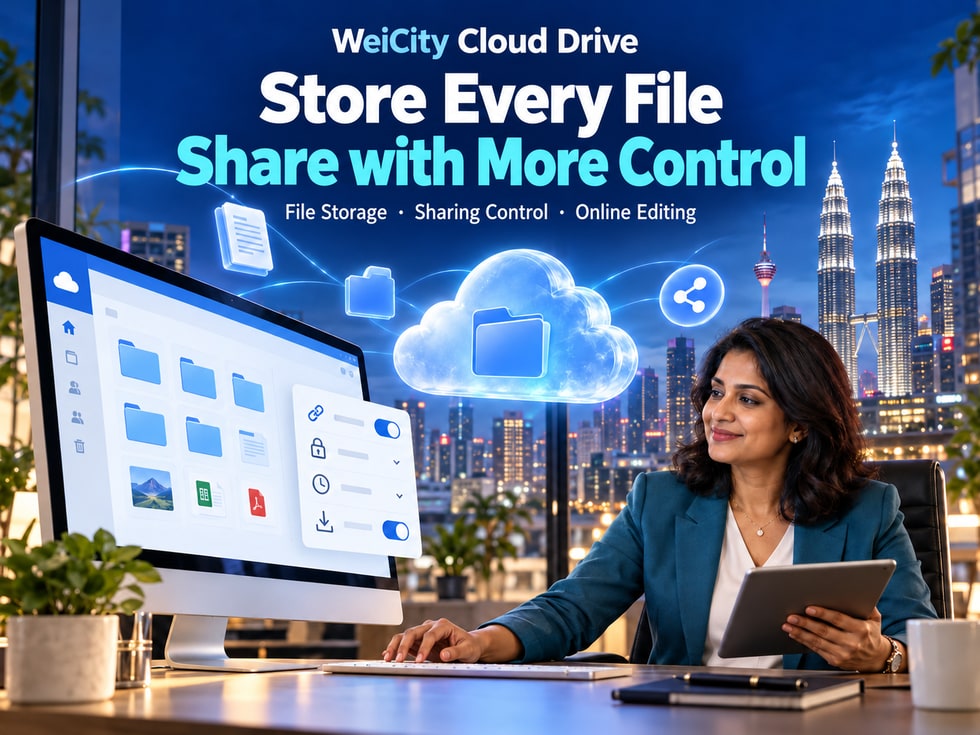
One cloud drive to centrally manage files and share materials, making daily work and business operations more convenient.
When running your business, do you often run into these situations?
📸 Product photos are saved on your phone, but you can't find them when you need them.
📄 A customer asks you to resend a quote, but you're not sure which file is the latest version.
🎬 Promotional videos are too large to send easily through regular chat.
📁 Contracts, teaching materials, and work files are scattered across different devices and chat histories.
🔗 After sharing a file with a customer, you want to control who can view it, how long they can access it, and whether downloading is allowed.
WeiCity Cloud Drive (WeiCity Cloud Drive) is a file storage, management, and sharing service provided by the WeiCity platform.
In addition to storing photos, documents, and videos, WeiCity Cloud Drive also offers file sharing permissions, online preview, online Office editing, large file uploads, and a recycle bin. It can also be used together with WeiCity chat, merchant channels, and shop apps.
For merchants who often need to organize materials, send quotes, showcase work, or deliver files, WeiCity Cloud Drive can help establish a more orderly way of managing files.
Merchants may need to use a large number of files every day.
If materials are scattered across different devices, each time you need to share something, you may spend time searching for, checking, and resending it.
Storing files together in the cloud drive and sorting them by purpose can make everyday access more convenient.
Suitable to store:
📸 Original product photos.
🛍️ Product display images.
🎨 Promotional posters.
🏪 Store environment photos.
📱 Social media promotional materials.
For example, a retail merchant can create folders by product line to make it easier to update product descriptions later.
Suitable to store:
💰 Customer quotes.
📋 Product price lists.
📦 Product catalogs.
📝 Service proposals.
📅 File versions from different dates.
It is recommended to include the date or version in file names to avoid mistakenly using outdated materials.
Suitable to store:
🎥 Product introduction videos.
🎓 Course recordings.
📚 Textbooks and courseware.
🎉 Event videos.
Suitable to store:
📄 Cooperation agreements.
📋 Project descriptions.
🎨 Design results.
📁 Client deliverables.
📌 Sorting files by client, project, or purpose is easier to manage than keeping all materials in one folder.
Sharing a file does not necessarily mean everyone can access it indefinitely.
For different materials, you can choose different sharing conditions based on their purpose.
WeiCity Cloud Drive provides a variety of sharing settings for files and folders.
You can limit sharing to specified accounts.
Suitable for:
📄 Customer-specific quotes.
🤝 Cooperative project materials.
📚 Course materials for designated students.
Set a password for a share link.
Recipients must enter the correct password to access the relevant content.
You can limit how long a share link remains valid based on actual needs.
For example:
📅 Materials open during an event period.
📄 Quotes valid within a set period.
📚 Short-term course materials.
Depending on the purpose of sharing, choose whether to allow downloads or view online only.
When a file no longer needs to be shared, or its materials have been updated, you can revoke the related link.
The number of times a share link has been accessed can help you understand how the link is being used.
However, the access count does not equal the actual number of readers, and it cannot prove that a customer has fully reviewed or agreed to the content.
Suppose you need to send a quote to a customer.
You can set it up as needed:
🔑 Access password.
⏳ Sharing validity period.
👀 View online only.
👤 Grant access to specified accounts.
If the quote is updated, you can revoke the old link and then share the new quote materials.
📌 Sharing permissions can help manage file access, but copies that have already been downloaded or saved separately cannot be retrieved by revoking the link.
Some materials need to be shown to customers first, but you may not want to immediately make the original file available for download.
For example:
🎨 Design proposals.
📄 Service quotes.
🖼️ Photographic works.
📚 Course materials.
🛍️ Product catalogs.
WeiCity Cloud Drive offers a "View Online Only" sharing option, which lets recipients browse supported files online while restricting downloads of the original file through the sharing feature.
Present a service proposal to the customer first, then provide the agreed deliverables after the cooperation is confirmed.
Show design work first so the customer can provide revision feedback.
Based on the course schedule, decide which textbooks are suitable for online reading and which can be downloaded.
Recipients may still record content through screenshots, photos, or other methods.
Therefore, for important business materials, you should still choose appropriate sharing recipients and access periods based on your cooperation needs.
📌 View-only sharing is suitable for arranging the presentation and delivery of materials, but it should not be treated as an absolute measure to prevent file copying.
Your Cloud Drive may store both ordinary promotional materials and important work files.
For example:
📸 Product photos.
📄 Client contracts.
💰 Financial records.
👤 Customer files.
📋 Internal work records.
These materials may not all be suitable for the same management method.
WeiCity Cloud Drive supports setting separate access passwords for important folders.
When entering a password-protected folder, you need to unlock it first.
This also applies when the account holder enters the relevant directory themselves, who must also enter the password.
📁 Products and promotional materials.
📁 Customer quotes.
📁 Contracts and agreements.
📁 Financial records.
📁 Project files.
📁 Courses and textbooks.
Based on the recovery process provided by the platform, you can verify and reset the password through a verified email address.
A folder password is an access control measure and is not end-to-end encryption.
For highly sensitive materials, you still need to manage them together with account security, access permissions, and appropriate backup measures.
📌 Storing important files in separate categories and then adding folder passwords can make file management clearer.
In daily business, merchants often need to send files through chat.
For example:
💰 Send a quote to a customer.
🛍️ Share a product catalog.
📄 Provide service descriptions.
📚 Share textbooks with students.
🎨 Send design files to partners.
WeiCity Cloud Drive can work with the platform's private message and group chat features, so that file sharing and communication stay together on one platform.
When a customer asks about a product, you can share product materials from your Cloud Drive based on the current feature.
When discussing a project with your team, you can share related files or folders.
Teachers can share course materials as needed and set appropriate access permissions.
Share project files with specified partners to reduce the steps of repeatedly uploading the same materials.
Based on each file's sharing settings, you can continue to manage link expiration, access scope, or revoke sharing.
However, whether a link remains valid also depends on whether the file is retained, the account status, and the related service terms.
📌 Chat handles communication, and Cloud Drive handles file management. Used together, they can make material delivery more centralized.
When running a merchant channel, you may need to prepare different types of content.
For example:
📝 Channel articles.
🖼️ Product Gallery.
🎬 Promotional videos.
🛍️ Product introduction.
📚 Video courses.
📄 Service description files.
If you have to look for materials again every time you publish content, organizing your work will take more time.
WeiCity Cloud Drive can help merchants store these materials in one place and use them together with channel and shop apps.
Organize images by product line to make it easier to update displays later.
Store event posters, brand images, and promotional designs in one place.
Manage product introductions, promotional films, and course materials.
Organize specification sheets, product catalogs, and related files.
Sort by client or project to make later sharing easier.
A restaurant can create the following folders:
🍽️ Menu photos.
📸 Dish photos.
🎬 Restaurant promotional videos.
🎉 Event posters.
📝 Menu description materials.
This makes it easier to find the materials you need when updating content in your WeiCity merchant channel.
📌 Cloud Drive helps you organize materials, and the merchant channel showcases your content, so your files better support everyday business.
Sometimes you just want to view a file's contents without downloading it to your device first.
WeiCity Cloud Drive offers online preview, so users can browse supported files directly.
Supported file types include:
📸 Images.
🎬 Videos.
🎵 Audio.
📄 PDF.
📝 Text files.
Actual preview results still depend on the file format, encoding, and current platform support.
Supported Office files can be edited through a browser.
📝 Word: Edit documents and text materials.
📊 Excel: Edit spreadsheets and data.
📽️ PowerPoint: Edit presentation content.
After editing, you can save the file back to Cloud Drive, depending on the current features.
Based on account and editing permissions, you can authorize specified people to work on supported files together.
For example, team members can update a work checklist online, reducing repeated steps of downloading, editing, and re-uploading.
Legacy .doc, .xls, and .ppt files are read-only online.
For the supported formats and editing scope, please refer to the current platform interface.
📌 Online preview makes it quick to check materials, and Office online editing can reduce some repeated downloading and uploading.
Promotional videos, course recordings, and large design files may require substantial storage space.
WeiCity Cloud Drive supports single files up to 20GB, and provides features for uploading large files.
Large files are transferred in chunks, making larger files easier to handle.
Depending on the current upload status, you can pause the file transfer.
When resume conditions are met, you can continue from the completed upload progress, reducing the need to re-upload the entire file.
You can drag files into a designated area on the web interface to start uploading.
Provides folder management, search, and batch operations to help you organize materials.
🎬 Video creators.
🎓 Education and training institutions.
🎨 Design teams.
🏪 Merchant marketing staff.
📋 Project management teams.
20GB is the upload limit for a single file and does not mean the account has unlimited storage.
Actual uploads are still affected by remaining capacity, network connection, device status, and platform limits.
📌 Large file uploads suit videos, courses, and project materials, but you still need to choose enough Cloud Drive capacity based on actual file sizes.
When organizing files, accidental deletion can happen.
For example:
📄 Deleted a quotation that you still needed.
📸 Accidentally deleted product photos.
🎬 Deleted a promotional video.
📚 Removed a textbook while cleaning up a folder.
WeiCity Cloud Drive provides a Recycle Bin feature.
Files moved to the Recycle Bin can be restored within the retention period, depending on their actual status.
30 days.
Files past the retention period or permanently deleted may not be recoverable.
For this reason, important materials should not rely only on the Recycle Bin for protection.
📁 Sort by purpose.
📝 Use clear file names.
📅 Distinguish between different versions.
🔐 Manage access permissions.
💾 Keep extra backups of important materials.
📌 The Recycle Bin provides a chance to recover accidentally deleted files, but it cannot fully replace file backups.
If you are using Cloud Drive for the first time, you can start by trying the free storage.
1GB.
You can upload a small amount of materials you actually need to learn about:
📁 File storage and organization.
🔗 Share links.
🔐 Access permissions.
👀 Online preview.
📝 Office online editing.
For specific free storage conditions and feature limits, please refer to the current platform plan details.
As the number of files grows, you can choose paid capacity based on your actual needs.
| Capacity Plan | Suitable Usage Scenarios |
|---|---|
| 512GB | Everyday photos, documents, and work materials |
| 1TB | Individual users with many files and small merchants |
| 2TB | Ongoing accumulation of photos, videos, and project materials |
| 5TB | Larger volumes of merchant materials and team files |
| 10TB | Large videos and higher storage needs |
The above are examples of capacity usage scenarios and do not mean that different plans necessarily offer different feature permissions.
Users can choose a monthly or annual payment option based on their current plan arrangement.
If you need more capacity, you can contact a sales representative for advice.
📌 Actual prices, promotions, capacity conditions, renewal, and expiration handling are subject to the WeiCity Cloud Drive plan page and terms of service.
If you have not used WeiCity Cloud Drive before, you can start with a simple merchant file.
Go to:
For example:
"Product Materials"
"Customer Quotations"
"Promotional Materials"
First, upload a product catalog or quotation.
Confirm that the file content and version are correct.
Choose as needed:
👤 Specified accounts.
🔑 Access password.
⏳ Validity period.
👀 Download permissions.
Provide the file to customers or colleagues through a suitable method.
Confirm whether the other party can access the file normally and whether any additional materials are needed.
When a file is updated or no longer needs to be shared, check and adjust the related sharing settings.
📌 Starting with a file you often need to send is the easiest way to see whether WeiCity Cloud Drive fits your daily needs.
WeiCity Cloud Drive is more than a place to save photos and documents.
It helps users centrally manage file storage, organization, preview, editing, and sharing, and works with other WeiCity platform features.
📸 Organize photos and videos.
📄 Save everyday documents.
📁 Sort personal materials into categories.
🔗 Share files as needed.
🛍️ Organize product images and catalogs.
💰 Manage quotations and service plans.
🎬 Save promotional videos.
🔐 Control file sharing permissions.
💬 Share materials while handling customer inquiries.
📋 Organize project files.
📝 Edit supported Office documents online.
👥 Collaborate based on permissions.
📎 Share work materials.
📅 Manage file versions across different stages.
When running a business, what truly matters is not how much storage you have, but whether you can quickly find the right materials when needed and provide them to the relevant people in an appropriate way.
☁️ WeiCity Cloud Drive makes file storage more centralized and sharing permissions clearer, and helps materials better support daily work and business operations.
Start with a product catalog, a quotation, or a work folder, and gradually build a file management approach that suits you.
Specific features, capacity, sharing settings, editing support scope, and service terms are subject to WeiCity's current platform availability and terms of use.
👉 Open WeiCity Cloud Drive: https://wei.city/app/drive