

8 How Can Merchants Use WeiCity Cloud Drive to Manage Channel and Product Materials?
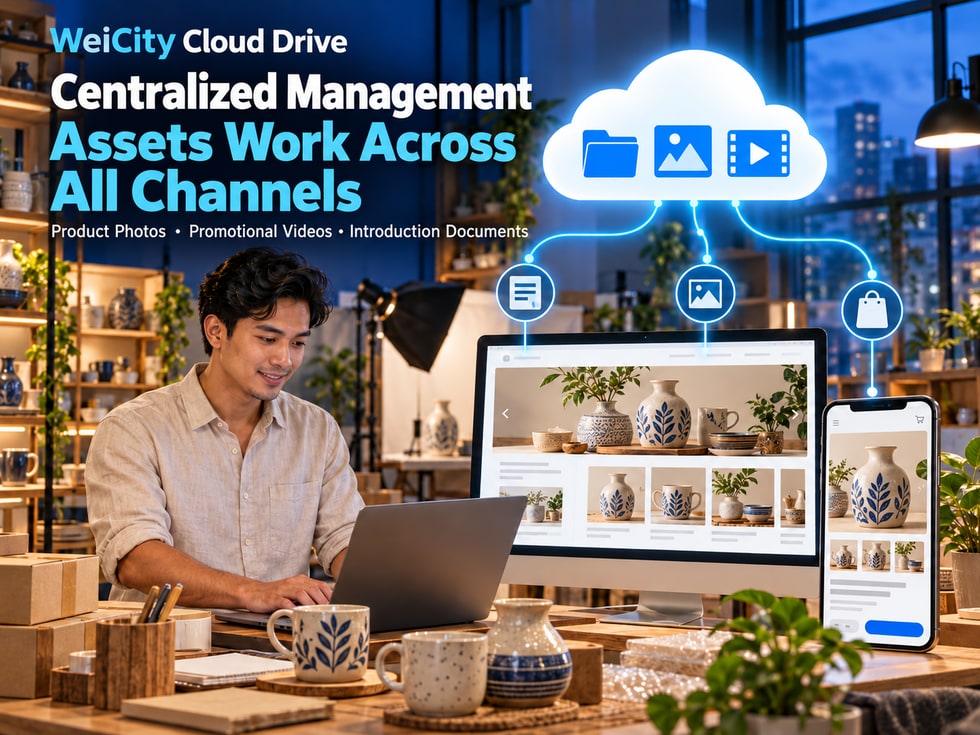
Centralize product photos, promotional videos and introduction files for use in articles, the Gallery and product displays, reducing repeated preparation.
WeiCity Cloud Drive connects with merchant channels, content publishing and product applications, allowing merchants to manage and use materials through the same account. Using product launches, service case studies and course promotions as examples, this article introduces how to organize photos, videos and files and publish them across different pages, making daily content updates more orderly.
In running a business, a product photo is often used more than once.
When a new product is listed, product images need to be prepared.
When publishing an introductory article, related photos are needed.
When organizing a gallery, you may need to show products or service cases from different angles.
When making promotional videos, updating your merchant channel, or replying to customers, the same set of materials may be used again.
If photos, videos, and files are scattered across phones, computers, and chat records, each time you publish content you have to search for them again, confirm the version, and may even upload them repeatedly.
Is there a way to centrally manage the materials merchants use often, so they are easy to use across different business features?
WeiCity Cloud Drive connects with WeiCity merchant channels, articles, galleries, videos, and product features, so merchants can organize and use business materials through the same account.
📁 Centrally save product photos and promotional files.
🛍️ Prepare images and introductory materials for product pages.
📝 Choose related photos for articles.
🖼️ Organize portfolio galleries and service case studies.
🎬 Manage product introduction videos and course videos.
💬 Quickly find the right materials when answering customer inquiries.
WeiCity Cloud Drive is more than a place to store files; it can also serve as a material management space for daily merchant operations.
WeiCity Cloud Drive and merchant channels serve different functions.
Cloud Drive is responsible for saving and organizing materials, while merchant channels are responsible for showing customers content suitable for public viewing.
Merchants can first organize product photos, videos, introductory files, and promotional materials in Cloud Drive, then select and use them as needed for different pages.
Keep commonly used photos, videos, and files in fixed locations.
When you need to create content, you can find the corresponding materials more easily.
When publishing product introductions, service descriptions, or business articles, you can use related photos to help customers understand the content.
For example:
🛍️ Product usage introductions.
🛠️ Service item descriptions.
🎓 Course content introductions.
📸 Real case sharing.
Galleries are well suited for centrally showing:
🏪 Store environment.
📦 Product photos.
🎨 Design work.
🛠️ Service case studies.
📸 Project results.
You can organize:
🎥 Product introduction videos.
🎓 Course videos.
🎉 Event promotional videos.
🛠️ Service demonstration videos.
Prepare the following for products:
📸 Main product images.
📐 Specification images.
🎨 Color and style photos.
📄 Product description materials.
Using the material selection or linking options provided by the platform can reduce some repeated upload steps.
📌 Supported material types and operations may vary across editing pages; the actual WeiCity features on each page take precedence.
The usefulness of a material library depends not on the number of files, but on whether you can quickly find the materials you need.
It is recommended that merchants first sort materials by product, service, or project, and then create subfolders based on how the files will be used.
📁 Product Line A
📁 Product Line B
📁 Product Line C
Each product line can be further divided into categories.
Save original product images, photos from different angles, and display versions.
Save product demonstrations, usage instructions, and promotional videos.
Organize sizes, models, materials, colors, and related notes.
Save advertising images, event posters, and social media promotional content.
Store discontinued packaging, old promotional images, and outdated materials.
You do not need to create a complicated folder structure at the start.
You can begin by organizing the products or services you use most often.
As the number of materials grows, subdivide them based on actual needs.
📌 Well-organized material categories help merchants spend less time searching for files and reduce the chance of using outdated versions.
When a new product is launched, you usually need to prepare several types of content at the same time.
For example:
🛍️ Product pages.
📝 Product introduction articles.
🖼️ Product galleries.
🎬 Promotional videos.
💬 Customer inquiry materials.
If you search for materials from scratch every time, repetitive work can easily increase.
It is recommended to first organize confirmed product photos, videos, and specification materials into the same Cloud Drive folder, then use them as needed for different pages.
Product pages should help customers quickly understand the product.
📸 Clear product photos.
💰 Product prices.
📐 Sizes and specifications.
🎨 Colors and styles.
📦 Packaging and selection guidance.
Articles can further explain the product's uses and suitable audiences.
For example:
🔎 What are the product's features?
👤 Who is it suitable for?
🛠️ How should it be used?
📄 What should be considered before buying?
Choose photos that support the article content to make the explanation clearer.
Galleries are suitable for photos showing different angles and usage scenarios.
📸 Front view of the product.
📸 Side view of the product.
🔍 Product details.
🏪 Actual display environment.
When customers ask about product specifications or how to use a product, you can find the corresponding files in Cloud Drive and share them.
Customers viewing product pages, articles, and galleries may have different needs.
Therefore, you can use the same basic materials, but should adjust image selection and text descriptions according to the purpose of each page.
📌 A set of well-organized product materials can support multiple business scenarios, but each page should still provide information that meets customers' needs.
Renovation, photography, beauty, repair, and other professional service businesses usually need to demonstrate their experience through real cases.
If case photos are scattered across different devices, you may need to spend time reorganizing them when creating promotional content.
It is recommended to create folders by client or project, and keep materials suitable for public use separate from internal files.
Record the original situation, client needs, and project background.
Show work steps, service processes, or professional techniques that are suitable for public display.
Present the final results, details, and actual effects.
Organize:
📄 Service project.
📅 Implementation time.
🛠️ Key work points.
✨ Results achieved.
The following content should be managed separately as needed:
📄 Client contracts.
💰 Internal quotations.
👤 Client personal information.
📋 Work records not suitable for public display.
Not all project photos are suitable for public display.
Before publishing, confirm that you have the necessary usage rights and client authorization.
If photos contain the following information, check and handle it first:
👤 Client faces.
📍 Home or private addresses.
📱 Phone numbers.
📄 Contracts or personal information.
📌 Service case studies should not only showcase results; also pay attention to client privacy and material usage permissions.
Education centers, training institutions, and instructors often need to manage promotional materials and teaching documents at the same time.
For example:
📣 Enrollment promotional images.
🎬 Course introduction videos.
📄 Course descriptions.
📚 Teaching textbooks.
📝 Student exercises.
📋 Internal teaching records.
These materials serve different purposes and should not all be placed in the same public folder.
You may save:
🖼️ Course covers.
📸 Event photos.
🎨 Enrollment posters.
📝 Course introduction materials.
Suitable for use on merchant channels, articles, and course promotion pages.
Use videos to introduce:
🎓 Learning content.
👩🏫 Teaching methods.
📅 Course schedule.
🏫 Learning environment.
Organize:
👤 Target audience.
📚 Learning topics.
⏳ Course duration.
📅 Class schedule.
Classify by course, class, or learning stage.
When providing textbooks, set appropriate sharing audiences and permissions based on the teaching arrangements.
Files involving students' personal information, assessments, or internal records should be managed separately from public promotional materials.
📌 Course promotional materials can be displayed publicly, while student textbooks and internal materials should have access permissions set according to their actual use.
Storing photos centrally in Cloud Drive makes it easier for merchants to access materials.
However, different pages may have different requirements for image size, aspect ratio, and composition.
The same original image is not necessarily suitable for direct use on every page.
Banners usually need a wide image.
Recommendations:
🖼️ Use clear landscape images.
👤 Avoid placing people or products too close to the edges.
📝 Leave space for titles and text.
📱 Check whether the image is cropped when displayed on mobile phones.
Article images should be related to the topic.
Recommendations:
📸 Clear main subject.
🎯 Clear focal point.
🖼️ Still easy to recognize when reduced in size.
📱 Displays completely on mobile phones.
Product images should highlight the physical item and its details.
Recommendations:
📦 Product displayed in full.
🎨 Colors should be as close to the actual product as possible.
🔍 Important details are clear.
📐 Avoid unnecessary cropping.
Video covers should let customers quickly understand the video's topic.
Recommendations:
🎥 The image should match the video content.
📝 Keep titles concise.
👤 Place people or products appropriately.
📱 Clear preview on mobile phones.
You may save the following separately in Cloud Drive:
📸 High-resolution originals.
🖼️ Banner versions.
📝 Article cover versions.
🛍️ Product display versions.
🎬 Video cover versions.
This allows you to select images based on different purposes, and avoids repeatedly modifying the same file and losing the original material.
📌 Cloud Drive is responsible for centrally storing materials; different pages still require selecting suitable image sizes and compositions.
During product operations, information is often updated.
For example:
📦 Product packaging changes.
💰 Product price adjustments.
📐 Product specification changes.
🎨 Product color updates.
🛠️ Service content revisions.
📅 Event date changes.
Centralized material management helps merchants find different versions.
However, please pay special attention to the following:
Replacing a file in Cloud Drive does not mean that all published pages will be updated automatically.
Do product images still show the old packaging?
Are the product specifications and prices correct?
Do the models, features, or descriptions in the article need to be revised?
Are there any old photos still kept that could mislead customers?
Are the service descriptions, prices, or promotional information in the video still applicable?
Are the files previously shared with customers still the correct versions?
If a file is already used or linked by a page, first confirm how the current WeiCity system actually handles it before moving, replacing, or deleting it.
Avoid changes in file location or status affecting how published pages display or how customers access them.
📌 Centralized material management helps maintain versions, but content that has already been published still needs to be checked item by item.
You do not need to organize all historical files at once to build a material library.
You can start with one product, one service, or one course that you are preparing to promote recently.
For example:
🛍️ A product line.
🛠️ A main service.
🎓 A course.
🎉 A promotional campaign.
Upload photos, videos, and introduction files that have been confirmed as usable to WeiCity Cloud Drive.
It is recommended to include the product, purpose, date, or version in the name.
For example:
ProductName_ProductImage_2026-10.jpg
ProductName_Banner_2026-10.jpg
ServiceName_CaseCover_2026-10.jpg
CourseName_PromoVideo_2026-10.mp4
It is recommended to manage them separately:
📣 Public promotional materials.
📄 Client deliverables.
🔐 Internal business materials.
🗃️ Historical versions.
Select suitable materials based on the needs of merchant channels, articles, Gallery, videos, and product pages.
Confirm:
🖥️ Desktop pages display normally.
📱 Mobile pages have no obvious cropping.
🖼️ Images are clear.
📝 Text is easy to read.
When product, service, or course content changes, promptly check related materials and published pages.
📌 Starting with one product or service and gradually building a material library is easier to maintain over the long term than setting up a complex folder structure all at once.
📸 Do the images correspond to the correct product, service, or course?
📦 Do the product photos match the current supply?
🎬 Is the video content still applicable?
💰 Have the prices been verified?
📐 Are the product specifications correct?
📅 Are the event dates still valid?
🛠️ Does the service scope need to be updated?
👤 Do you have the necessary rights to use the photos, videos and other materials?
📄 Have you obtained the required client authorization?
🔒 Does it contain personal or internal information that is not suitable for public display?
📱 Does it display correctly on mobile phones?
🖥️ Is it clear on computers?
📐 Is the image aspect ratio suitable?
🔍 Is any important content cropped?
📁 Does the page use the correct file?
🔗 Can the sharing link be accessed normally?
↩️ Do old versions need to be stopped from being used?
📌 Checking materials, content and permissions before publishing can reduce repeated revisions and help customers get more accurate information.
Running a merchant channel requires continuously updating products, services, articles, images and videos.
If you have to look for materials again every time you publish content, it not only adds to your workload but can also easily lead to version confusion.
By connecting WeiCity Cloud Drive with your merchant channel, content and product applications, merchants can:
☁️ Centrally store frequently used business materials.
📁 Organize files by product, service and project.
🛍️ Prepare product images for product pages.
📝 Choose suitable photos for articles.
🖼️ Build a Gallery of service cases and works.
🎬 Organize product introduction and course videos.
💬 Quickly find relevant materials when customers make inquiries.
🔄 Manage material versions in a more orderly way.
WeiCity Cloud Drive lets merchants do more than just save photos and files. It also helps them use well-organized materials for daily display, promotion and customer communication.
Starting with your next product launch, service promotion or course promotion, first organize the photos, videos and introduction files you need into Cloud Drive.
Give every material a clear storage location, which also makes later content creation and updates more convenient.
Specific material selection, file linking and the features supported on each page are subject to the features WeiCity actually provides on the platform at the time.
👉 Open WeiCity Cloud Drive: https://wei.city/app/drive