

2 How to Set Passwords, Expiry Dates, and Designated-Person Access for Cloud Drive Files? WeiCity Sharing Guide
Set sharing methods by recipient for quotations, partnership proposals, and course materials, so every send is better organized.
When sharing files, you can do more than send a link. You can also manage who has access, passwords, and expiry dates. This article introduces the purposes of the three sharing settings in WeiCity Cloud Drive and uses quotations, partnership proposals, and course materials as examples to help merchants choose suitable access methods and reduce the issues caused by materials remaining open for a long time or links being forwarded.
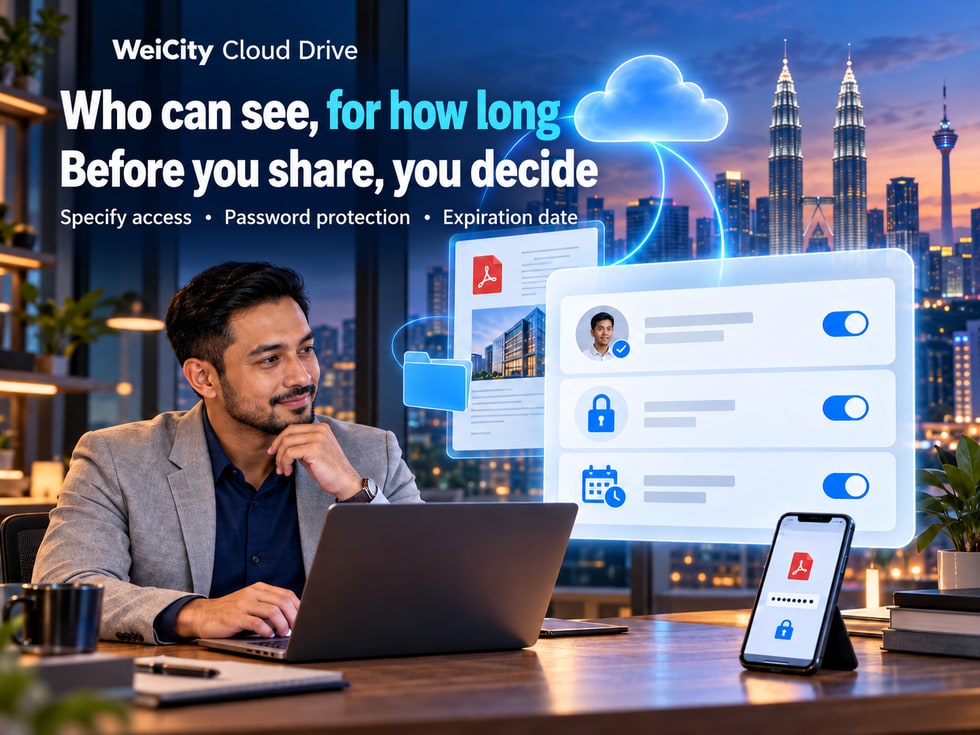
Sharing files with customers is more than just sending a link. The more important decisions are who can view them, how long they can access them, and what permissions they have.
When running a business, you often need to share files with customers, partners, or team members.
📄 Quotation: Only relevant customers should be able to view it.
🛍️ Product catalog: You want more customers to be able to browse it easily.
🤝 Partnership proposal: Only open to designated partners.
🎓 Course materials: Only provided to relevant students.
📁 Project files: Access recipients and sharing periods need to be controlled.
If all files are shared in the same way, materials may be forwarded, old quotations may keep circulating, or people who should not have access may obtain the files.
WeiCity Cloud Drive supports sharing of files and folders, and provides settings for access recipients, access passwords, validity periods, and download permissions.
Merchants can choose the sharing method that best suits the purpose of each material, making files easier to deliver and keeping access scope clear.
Before sharing a file, first decide:
Is this material suitable for public browsing, or should only designated people be allowed to view it?
WeiCity Cloud Drive offers different access methods.
Suitable for materials that can be publicly available.
For example:
🛍️ Product catalogs.
🏪 Brand introduction.
🎨 Promotional images.
📄 General service descriptions.
🎉 Event materials.
Recipients who obtain the link can open the file under the sharing conditions without registering a WeiCity account.
If an access password is set, recipients must still enter the correct password.
Please note:
Public sharing links may continue to be forwarded.
Therefore, a public link without other restrictions should not be treated as being for use by only one particular customer.
Suitable for materials that need clearly restricted recipients.
For example:
💰 Customer-exclusive quotations.
📋 Partnership project files.
📚 Course materials for designated students.
📄 Internal work materials.
After inviting recipients through designated accounts or email addresses, they must log in with an authorized account to access the file.
If the material can be displayed publicly, consider access by link.
If the material should only be viewed by specific customers or partners, designated-account access is recommended first.
📌 Public links prioritize browsing convenience, while designated-account access is better suited to clearly controlling recipients.
An access password can add a verification step to file sharing.
After a password is set, recipients need to obtain the sharing link and enter the correct password before they can access the related content.
When providing a quotation file to a customer, you can set an access password.
For example:
"Hello, here is the quotation for this request. The file is protected with an access password, please use the password we provide separately to open it."
Share the service proposal with people involved in the discussion and provide the corresponding password.
If a project contains multiple materials, you can share the entire folder and set an access password as needed.
Consider providing the link and password separately.
For example:
💬 First message: send the file link.
🔑 Second communication: provide the access password.
This reduces the risk of the link and password being forwarded accidentally at the same time.
Even with a password set, recipients may still pass the link and password on to others.
If a file must be restricted to specific people, consider combining it with the designated-account access feature.
📌 An access password adds verification but cannot fully replace management of recipients.
Some files only need to be open for a specific period.
For example:
💰 Time-limited quotation.
🎉 Event description.
🤝 Phased partnership proposal.
📚 Short-term course materials.
WeiCity Cloud Drive offers different sharing validity period options.
Suitable for materials that need to be confirmed within a short time.
For example, a temporary file that a customer needs to review the same day.
Suitable for materials that need to be discussed or confirmed within a week.
For example, a short-term project proposal.
Suitable for materials that need to be referenced over a longer period.
For example, phased partnership documents.
Suitable for materials that need to be accessible over the long term.
For example, general product catalogs or public introduction documents.
Permanent means the link has no preset expiry date.
However, it does not mean the file can be accessed indefinitely.
The link may still be affected by the following:
↩️ Sharing manually revoked.
🔐 Changes to sharing permissions.
📁 File deleted or no longer retained.
📦 Changes to account capacity or service status.
📋 Platform terms of service.
For example, a quotation states:
"This quotation is valid until October 30."
Even if the sharing link can still be opened, this does not mean the quotation remains valid after that date.
Therefore, the quotation file itself should clearly state the commercial terms.
📌 The sharing validity period controls when the link is open, while the quotation validity period is a commercial term within the file. The two cannot replace each other.
You can combine these settings according to your actual sharing needs.
These three features each address a different issue.
👤 Designated accounts: determine who can access the file.
🔑 Access password: determines whether an additional password must be entered when accessing.
⏳ Validity period: determines how long the share remains open.
Suitable considerations:
🌐 Anyone with the link can access.
🔓 No access password is set.
♾️ Choose a longer validity period as needed.
The main purpose is to make it easy for customers to learn about the products.
Suitable considerations:
👤 Grant access to specified accounts.
🔑 Set an access password.
📅 Choose a validity period that matches the quotation discussion.
The main purpose is to let relevant customers view the materials.
Suitable considerations:
👤 Grant access to designated partners.
🔑 Set a password based on the sensitivity of the material.
⏳ Set a validity period based on the project stage.
👀 Control download permissions as needed.
Suitable considerations:
👤 Grant access to designated student accounts.
📅 Set a validity period based on the course schedule.
👀 Decide whether to allow downloads or only online viewing.
📌 Not every file needs all restrictions enabled. Choose settings that balance security and ease of use based on the content of the material.
A product catalog is usually used to help customers learn about products.
For example:
🛍️ Product images.
📏 Product dimensions.
🎨 Colors and styles.
📄 Product introductions.
If these materials can be displayed publicly, you can consider using access by link.
① Confirm that the product catalog is the latest version.
② Check product names and specifications.
③ Choose access by link as needed.
④ Set a suitable validity period.
⑤ Generate the sharing link.
⑥ Provide the link to customers.
"Hello, here is our latest product catalog.
You can view product images, styles, and specifications through the link below.
If you are interested in any products, please send us the model numbers and we will confirm pricing and stock for you."
If the product catalog is updated regularly, consider marking the version date in the file name or content.
For example:
"Product Catalog_October 2026 Edition"
This helps reduce the chance of customers using outdated materials.
📌 Public product catalogs should prioritize browsing convenience while also maintaining good file version control.
Quotations differ from general product catalogs.
A quotation may include:
👤 Client name.
🛍️ Product specifications.
🔢 Purchase quantities.
💰 Exclusive prices.
📅 Quotation validity period.
📋 Partnership terms.
Therefore, before sharing, first decide whether recipients need to be restricted.
👤 Grant access to designated customer accounts.
🔑 Set a password as needed.
⏳ Set a suitable sharing period.
👀 Choose download permissions based on delivery needs.
"Hello, here is the quotation prepared based on your request this time.
📄 File: Display rack quotation.
📅 Quotation validity: Subject to the date stated in the document.
🔐 Access method: Please log in with the designated account to view.
If you need to adjust any quantities or specifications, you can reply to us directly.”
The link's validity period cannot replace the prices and trading terms in the quotation.
Whether the customer accepts the quotation must also be confirmed through clear communication or a formal process.
📌 Customer-specific quotations should be managed together with access permissions, file versions, and commercial terms.
Education and training institutions may need to share materials with different classes or students.
For example:
📚 Course materials.
📝 Practice files.
📄 Course descriptions.
🎬 Teaching videos.
📋 Activity schedule.
If materials are only for specific students, you may consider granting access to designated accounts.
Provide files to the relevant people according to the course needs.
For example, make relevant materials available only during the course period.
Some materials are suitable for online reading, while others need to be downloaded by students to complete exercises.
Please pay special attention to:
❌ Whether materials from other classes have been mixed in.
❌ Whether it includes students' personal information that should not be shared.
❌ Whether it includes internal teaching records.
❌ Whether there are any expired files.
“Hello, these are the study materials needed for this week's course.
Please use your authorized account to view them.
If you cannot open them, you may contact the course coordinator to confirm.”
📌 When sharing teaching materials, consider not only convenience but also the scope of recipients and the protection of personal information.
The actual button names and locations may vary depending on the device and platform version.
You can prepare by following these steps.
Confirm whether you are sharing a single file or an entire folder.
Check:
🏷️ File name.
📅 File date.
🔢 Version number.
💰 Prices and amounts.
👤 Customer-related information.
Find the sharing function based on the current Cloud Drive interface.
Choose link access or designated account access as needed.
If the materials require additional verification, you can set a password.
Choose a suitable time period based on the actual purpose.
Confirm whether recipients can download the file.
If Office files are involved, also check whether editing permissions should be enabled.
Provide the link along with any necessary access instructions to the recipient.
For example:
“Can you open the file normally? If a password or account verification is required, please let me know.”
📌 Checking the file, recipients, and permissions once more before sharing can reduce the risk of sending the wrong materials.
Yes.
If a file is no longer suitable for continued sharing, you can revoke the related share links according to the current features.
💰 The old quotation is no longer valid.
📋 The cooperation project has ended.
🎨 The design proposal has been updated.
📁 The file was shared with the wrong recipient.
📚 The teaching materials no longer need to be made available.
Recipients can no longer access the related materials through the revoked link.
It cannot automatically retrieve:
📥 Files the recipient has already downloaded.
📸 Screenshots the recipient has saved.
📄 Text that has already been copied.
💾 Separate copies the recipient has saved.
It is recommended to act as soon as possible:
① Revoke the related share links.
② Check whether the file contains sensitive information.
③ Confirm the correct recipient.
④ Reset the sharing permissions.
⑤ Send the materials again to the correct recipient.
📌 Revoking a share can stop continued access through the original link, but it cannot guarantee that materials already obtained can be fully retrieved.
WeiCity Cloud Drive provides a link access count feature for shared links.
Merchants can use the access count to help understand whether a link has been used.
For example:
📄 Quotation link.
🛍️ Product catalog link.
🎨 Design proposal link.
📚 Teaching materials link.
It shows how many times the link has been accessed.
However, it does not necessarily indicate:
❌ How many different customers have accessed it.
❌ Whether the customer has read the file in full.
❌ Whether the customer understands all of the content.
❌ Whether the customer agrees to the quotation.
❌ Whether the customer has decided to buy.
You can ask directly:
“Hello, I'd like to check whether you had a chance to look at the product catalog I shared earlier. If you would like more information on the size or price of any item, we are happy to explain further.”
Because a customer may open the same link several times, or may open it without reading it completely.
📌 The access count is useful as a supplement for follow-up, but the customer's actual needs still need to be confirmed through communication.
If the quotation contains an individual customer's cooperation terms, first consider whether access through a designated account is more appropriate.
Even with a password set, if the link and password are widely spread at the same time, the protection may be weakened.
For short-term cooperation or time-limited quotations, consider whether access should be limited by time.
Before sending, check the date, content, and version.
The folder may contain other materials that are not suitable for the recipient.
If the recipient only needs to read the file, check whether editing permissions are necessary.
Online viewing restrictions cannot prevent screenshots, photos, or re-recording of the content.
Materials that have been downloaded or saved separately cannot be automatically retrieved by revoking the link.
📌 File sharing should consider not only whether sending is convenient, but also the content, recipients, duration, and permissions.
Before sending important files each time, you can quickly check the following items.
📄 File version: Is this the latest material that needs to be provided this time?
👤 Recipient: Are the account or email address correct?
🌐 Access scope: Is it appropriate for anyone with the link to view it?
🔑 Access password: Is a password needed? Has it been provided through an appropriate method?
⏳ Sharing period: Does the validity period match actual needs?
👀 Download permission: Is the recipient allowed to download?
📝 Edit permission: Is it necessary to enable editing?
📁 Folder contents: Does it include other files that should not be shared?
💰 Commercial terms: Are the quotation, amounts, and validity period correct?
🔗 Share link: Has it been confirmed that the link works properly?
📌 Especially for customer quotations, contracts, and internal files, please check each item carefully before sending.
WeiCity Cloud Drive not only helps users store files, but also offers different sharing settings so merchants can manage access to materials according to actual purposes.
Through the file sharing feature, you can:
👤 Specify recipients
Let relevant customers or partners view materials.
🔑 Set an access password
Add extra verification to a share.
⏳ Control the validity period
Reduce cases where links remain open for a long time.
👀 Manage download permissions
Arrange online viewing or downloading based on the purpose of the materials.
↩️ Revoke old links
Stop access to the original link when a file is disabled or shared incorrectly.
📊 View access count
Helps you understand how a share link is being used.
If you often need to send quotes, product catalogs, cooperation proposals or teaching materials to clients, you can start with one file you actually need to share.
Step 1: Confirm who you are sharing with.
Step 2: Decide whether a password is needed.
Step 3: Set a suitable validity period.
Step 4: Check download and editing permissions.
Step 5: Review the file before sending it.
🔐 WeiCity Cloud Drive | Make file sharing clear about who it is for, appropriate in duration, and easier to manage in terms of access.
Specific sharing entry points, account verification, password settings, validity options and permission features are subject to what WeiCity currently makes available on the platform.
👉 Open WeiCity Cloud Drive: https://wei.city/app/drive