

7 How to Send Cloud Drive Files and Folders in WeiCity Chat? A Guide to Sharing Customer Materials
Send quotations, product catalogs and project materials directly from Cloud Drive into private messages or group chats, reducing repeated uploads.
WeiCity supports sharing Cloud Drive files and folders directly in private messages or group chats, keeping customer communication and material delivery in one platform. This article introduces the uses of chat sharing, operating approaches and permission arrangements, helping merchants send quotations, catalogs, teaching materials and project files while reducing repeated uploads and steps spent searching for materials.
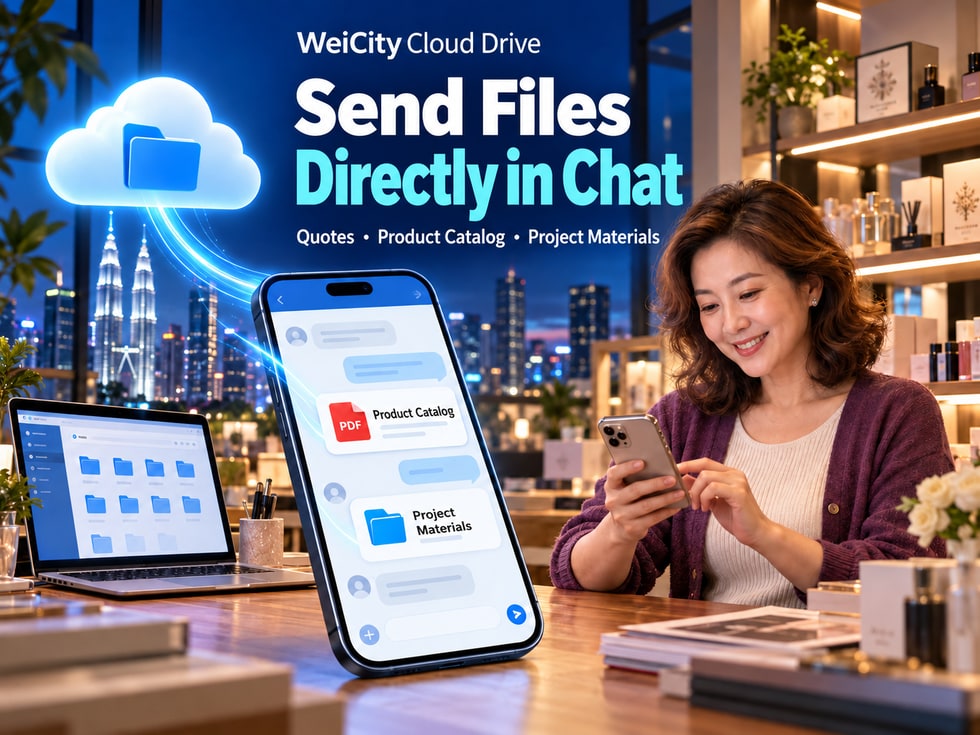
When a customer asks about product specifications in chat, you need to send the product catalog.
When a customer wants to know the price, you need to provide a quotation.
When a project is under discussion, you may also need to add design photos, cooperation proposals, or related files.
If you have to search for materials on your computer or phone and upload them every time, it not only takes time but may also lead to sending an outdated version by mistake.
So, can files already stored in WeiCity Cloud Drive be shared directly in chat?
Yes. WeiCity connects chat with Cloud Drive, allowing merchants to share saved files or folders directly in WeiCity private messages or group chats.
📁 There is no need to re-upload the same materials each time.
💬 You can continue discussing file content in chat.
🔐 You can set sharing permissions as needed.
📂 Multiple related materials can be shared together through a folder.
↩️ Share links that are no longer needed can be revoked.
WeiCity makes file storage, material sharing, and customer communication more centralized, helping merchants reduce repetitive work.
WeiCity Cloud Drive stores and organizes files, while chat helps merchants stay in touch with customers.
Together, these features let merchants select prepared materials and share them as soon as a customer raises a question.
Product catalogs, quotations, or cooperation proposals already stored in Cloud Drive can be sent through the Cloud Drive sharing entry.
There is no need to upload the same file again for every inquiry.
After receiving the materials, customers can continue asking questions in the same chat.
For example:
💰 Are there other pricing options for this product?
📐 Are there different sizes available?
🎨 Can other colors be provided?
📦 When can it be delivered?
Merchants can continue explaining based on the materials already shared.
Depending on the purpose of the material, you can arrange:
👤 Sharing recipients.
🔑 Access password.
⏳ Sharing validity period.
👀 Download permissions.
If a quotation is updated, a plan is revised, or a share was sent to the wrong recipient, you can revoke the corresponding link as needed.
After organizing related materials into the same folder, you can share the entire directory.
📌 What is sent in chat is a sharing entry for Cloud Drive materials. Whether recipients can open it still depends on sharing permissions, validity period, and the status of the original file.
When customers ask about products or services through WeiCity private messages, you can choose the most relevant materials based on their actual questions.
There is no need to send a large number of files at once. Instead, first help customers find the information they need.
Suitable for retail, wholesale, and merchandise sales merchants.
You can introduce customers to:
🛍️ Product styles.
📐 Product Specifications.
🎨 Colors and Options.
📦 Packaging and Related Notes.
When customers ask about prices, you can send the corresponding price list.
For example:
💵 Product Prices.
📦 Purchase Quantities.
🛠️ Service Fees.
📅 Quote Validity Period.
Suitable for decoration, design, education and training, and professional service industries.
May include:
📄 Scope of Services.
📅 Project Timeline.
💰 Fees and Budget.
📦 Deliverables.
Through actual works or completed projects, let customers learn more about the merchant's services.
After a project is completed, relevant results and explanations can be provided as agreed by both parties.
Customer: "Do you have a product catalog?"
Merchant: "Yes, I'll share the latest product catalog with you. You can first review the styles and specifications, and if there's a product you like, I can provide a quote."
Then select the corresponding file from WeiCity Cloud Drive and share it directly.
📌 In one-on-one consultations, prioritize sending materials related to the customer's question. This reduces unnecessary information and keeps communication clear.
In addition to private messages with customers, WeiCity group chats are also suitable when multiple people need to review materials together.
For example:
🛠️ Project Collaboration Group.
🎓 Course Group.
🏪 Merchant Business Group.
🎉 Event Preparation Group.
Sharing Cloud Drive files in a group chat allows relevant members to discuss the same set of materials.
They can share:
📄 Project Proposals.
📅 Work Schedules.
📸 Construction or Execution Photos.
📝 Work Instructions.
They can share:
📚 Course materials.
📝 Practice files.
📄 Study Instructions.
📎 Reference Materials.
They can share:
📄 Product Information.
🛍️ Product introduction.
📋 Confirmed business documents that members may view.
📸 Promotional Materials.
They can share:
📅 Event Schedule.
🎨 Promotional design.
📄 Task Assignments.
📁 Execution Files.
Sending a Cloud Drive link to a group chat does not mean that all group members automatically gain access to the specified account.
If a file is set to specified-account access, you still need to verify which accounts have been authorized.
When group membership changes, you should also recheck the related sharing arrangements.
📌 Group chats handle centralized communication, while Cloud Drive sharing permissions manage file access. The two need to work together.
If a customer needs to review several related materials, sending files one by one may make the chat history fragmented.
In this case, you can first organize the materials into the same folder and then share the entire directory.
📄 Product catalogs.
🖼️ Product photos.
📐 Product Specifications.
📝 Product Usage Instructions.
📄 Cooperation Proposal.
📅 Project Timeline.
📸 Related Case Photos.
📝 Work Instructions.
📚 Course materials.
📝 Learning exercises.
📄 Course descriptions.
📎 Reference Files.
📁 Does the folder contain other customers' materials?
💰 Are internal quotes or cost files mixed in?
📄 Are there any contracts that should not be made available externally?
👤 Is the sharing recipient correct?
⏳ Is the sharing validity period appropriate?
If a folder is already shared, check whether any new files added to it are suitable for that sharing scope.
For files that apply only to specific customers, it is recommended to create a separate folder for each customer.
📌 Sharing an entire folder can reduce repeated sending, but you need to pay closer attention to what materials it contains.
WeiCity connects chat with Cloud Drive, allowing merchants to select Cloud Drive materials to share in private messages or group chats.
Button locations may differ between devices and page versions. Always follow the current screen.
Upload the materials you need to send to WeiCity Cloud Drive.
Confirm that the file name, content, and version are correct.
Enter the private message or group chat where you want to send the materials.
Use the relevant entry in the chat to select a file or folder already stored in Cloud Drive.
Based on the purpose of the materials, confirm:
👤 Access recipients.
🔑 Access password.
⏳ Sharing validity period.
👀 Download permissions.
Send the corresponding Cloud Drive sharing entry to the customer or group.
Tell the customer:
📄 What this material is.
🔎 Which part to review first.
🔑 Whether a password or specified account is required.
💬 How to contact you if they have questions.
If you first create a share from WeiCity Cloud Drive, you can also use the "Notify recipient by private message" option on the page to send the share link card to the recipient's in-site chat.
📌 When sending files, in addition to providing the link, it is best to add a brief note so the customer knows what to look at.
Sometimes a customer has received the chat message but cannot open the Cloud Drive material.
This does not necessarily mean the file failed to send.
Receiving a share link and gaining file access permission are two different things.
You can first check the following situations.
If the material is set to specified-account access, the customer must log in with an account that has been authorized.
If a password is set, the recipient must enter the correct password to access the file.
After the sharing validity period ends, the customer may no longer be able to access the original link.
If the merchant has actively revoked the corresponding share link, the old link can no longer be used.
If the original file has been deleted or its storage status has changed, this may also affect shared access.
"Hello, if the material cannot be opened for now, please tell me what message the page displays. I will help you check the sharing permissions and access method."
📌 When a customer cannot open a file, first confirm the specific cause instead of repeatedly sending the same link.
WeiCity Cloud Drive sharing supports selecting a permanent validity period.
For materials that need long-term reference, you can arrange a longer access period based on actual use.
For example:
📄 Product introductions.
📚 Long-term course reference materials.
📁 Ongoing project files.
📝 Service instructions that are frequently referenced.
In this way, when customers need to review the materials again, they can access them through the original Cloud Drive sharing entry without asking the merchant to upload them again.
Even with a permanent validity period, the following conditions must still be met:
📁 The original file is still retained.
👤 The recipient meets the access permissions.
↩️ The corresponding share has not been revoked.
📦 The file status and service arrangements allow continued access.
For files that need to remain in use, consider the following:
📁 File retention arrangements.
🔐 Sharing permissions.
📅 The customer's actual usage period.
📝 Whether the file needs to be updated.
📌 A permanent validity period means no expiration date has been preset. It does not mean the file can always be accessed under all circumstances.
When running a business, files often need to be updated.
For example:
💰 Product price adjustments.
📄 Re-creating price lists.
🎨 Design plan revisions.
📐 Product specification updates.
📅 Changes to the project timeline.
If customers continue to view an old version, it may cause misunderstandings.
Therefore, when updating a file, you should also manage the corresponding sharing links.
Confirm that the prices, specifications, dates, and content in the new version are correct.
For example:
Product Price List_2026-10-01.pdf
Product Price List_2026-10-16.pdf
Verify the sharing recipients, password, validity period, and download permissions.
Tell the customer which file is the currently applicable version.
If the old version has been deactivated, you can stop sharing links that no longer apply.
“Hello, we have updated our product quotation. The previously sent version has been deactivated. Please view the latest materials through the new link shared this time.”
Do not assume that after uploading a new file with the same name, the old chat link will automatically point to the new file.
First confirm which file was actually shared, then provide the correct access point to the customer.
📌 After updating a file, remember to also check old shares and customer notifications to avoid mixing different versions.
Beyond everyday consultations, WeiCity Chat and Cloud Drive can also be used for project delivery communication.
For example:
🎨 Design work delivery.
🛠️ Project outcome delivery.
📄 Providing contract-related materials.
📚 Course material delivery.
📸 Event photo delivery.
When formally delivering, in addition to sending files, you should also explain the related arrangements.
Which files, outcomes, and explanations are included in this delivery?
Can the customer download the original files?
Is password verification required first?
Until when can the files be accessed?
Is a designated account required to log in?
Can the customer open the materials normally?
Is confirmation of receipt or acceptance required?
“Hello, the delivery files for this project have been organized and shared with you through WeiCity Cloud Drive. Please review the file contents. If you cannot open the files or the materials are incomplete, please let us know here.”
Successfully sending a file does not mean the customer has completed acceptance.
Even if the share link has been accessed, you cannot directly conclude that the customer has confirmed the delivered content.
Important delivery and acceptance records should be kept in the manner agreed upon by both parties.
📌 When formally delivering, explain the file contents, access method, and confirmation requirements at the same time.
👤 Is the current direct message recipient correct?
👥 Does the group include members who should not receive the materials?
📁 Did you select the correct file?
📝 Is it the latest version needed for this request?
🔎 Has the folder mixed in other customers' or internal materials?
👤 Is the designated account correct?
🔑 Is an access password needed?
⏳ Is the sharing validity period appropriate?
👀 Do the download and editing permissions match the purpose?
📄 Did you tell the customer what the materials contain?
🔎 Did you explain which parts need close review?
💬 Did you clearly state which items require customer confirmation?
🔗 Do old version links need to be revoked?
📁 Do the files need to be kept?
📨 Do you need to notify the customer that the materials have been updated?
📌 Checking once more before sharing can reduce mis-sending, version confusion, and access permission errors.
From a customer's first inquiry to product introductions, quotation discussions, and project delivery, files often accompany the entire business communication process.
If you have to search for and upload materials again every time, it not only adds repeated work but may also cause customers to receive different versions of files.
Through the connection between WeiCity Chat and Cloud Drive, merchants can:
☁️ Keep frequently used materials centrally stored in Cloud Drive.
📁 Directly select files or folders that have already been uploaded.
💬 Send product catalogs and quotations in direct messages.
👥 Share project and course materials in group chats.
🔐 Manage access permissions according to actual needs.
↩️ Revoke shares that no longer apply after files are updated.
📦 Provide project delivery materials through chat.
WeiCity allows file storage, material sharing, and customer communication to work together on one platform, reducing repeated uploads and making business communication more convenient.
Merchants are advised to first organize frequently used product catalogs, quotations, service introductions, and project materials.
The next time a customer asks through chat, you can directly select the needed Cloud Drive files and continue communicating around those materials.
Specific chat sharing entry points, file access permissions, and related operations are subject to WeiCity's actual platform features at the time.
👉 Open WeiCity Cloud Drive: https://wei.city/app/drive