

13 How Much Space Does WeiCity Free Cloud Drive Have? 1GB Free Capacity and Feature Overview
Start with everyday files, try out material organization, permission sharing and Office online editing, then choose greater capacity as your needs require.
WeiCity Cloud Drive gives new accounts 1GB of free storage for saving files, organizing materials, and trying core features such as password-protected sharing, validity period settings, access by designated accounts and Office online editing. This article explains what types of materials the free capacity suits, how to get started, and how to organize or upgrade when storage runs short, helping individuals and merchants begin with their actual work needs.
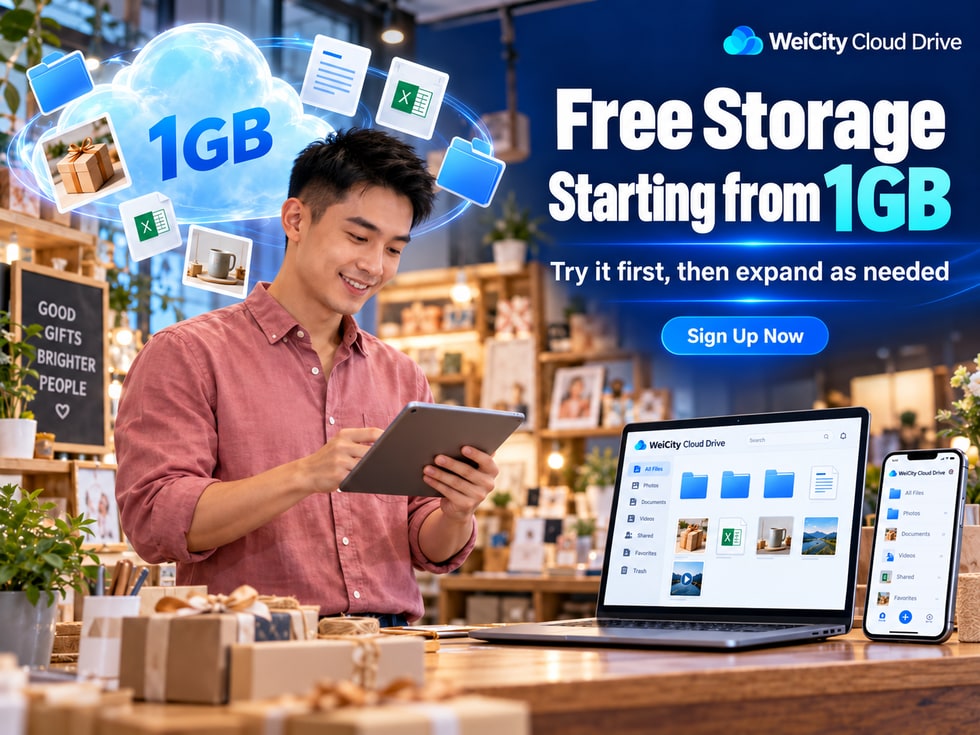
Want to use Cloud Drive to save files but not sure how much storage space to choose?
Or do you just want to try out Cloud Drive first to see whether it suits your work and daily life?
For individual users, small merchants, educational institutions, and freelancers, you may not need to buy a large-capacity Cloud Drive plan at the start.
WeiCity Cloud Drive provides 1GB of free storage for newly registered accounts, so you can try core features such as file management, online preview, Office editing, and file sharing.
📁 Save commonly used files in one place.
📂 Create folders to organize work materials.
👀 Preview supported file formats online.
🔗 Share files or folders.
🔐 Set a sharing password and access permissions.
👤 Designate accounts that can access important materials.
📄 Edit supported Office files online.
♻️ Handle some accidental deletions through the 30-day Recycle Bin.
Try it for free first, then decide whether you need more storage space based on the actual number of files and your usage needs.
WeiCity Cloud Drive provides1GB of free storage space for newly registered accounts.
This means new users can first save a small number of commonly used files to Cloud Drive and learn how to upload, organize, view, and share files.
☁️ Free storage space: 1GB.
📁 You can upload and manage files.
🔗 You can try the core file sharing features.
📄 You can use online editing for supported Office files.
Legacy accounts that already have 30GB of space keep their existing capacity under the current arrangement.
Their capacity will not be changed to 1GB simply because the new registration plan has been adjusted.
Some accounts may have received additional capacity through promotional campaigns, complimentary arrangements, or other plans.
Actual available space may vary.
After logging in to WeiCity Cloud Drive, check the following shown on the account page:
☁️ Total storage capacity.
📊 Used space.
📦 Remaining available space.
📅 Validity period of complimentary space or subscription plans.
📌 New accounts get 1GB for free; legacy accounts and other complimentary space follow their existing arrangements and the account's actual display.
The free Cloud Drive not only stores files but also lets users try the core management features of WeiCity Cloud Drive.
You can organize materials by different purposes.
For example:
📁 Work files.
📁 Product images.
📁 Client materials.
📁 Course materials.
📁 Personal files.
You can, as needed:
🏷️ Rename files.
📂 Move files.
🔎 Search by file name.
📁 Organize files across different folders.
For file formats supported by the platform, you can view the content in your browser.
For example:
🖼️ Images.
📄 Documents.
📊 Spreadsheets.
🎬 Videos that support preview.
Preview support may vary by file format; please refer to the actual page.
You can share materials in Cloud Drive with others.
For example:
📄 Business introduction.
💰 Product quotes.
📸 Product photos.
📚 Course materials.
For materials that require additional access verification, you can set a sharing password as needed.
For materials used temporarily, you can set an appropriate sharing period.
For materials that only specific customers or partners should view, you can arrange access for designated accounts.
Decide whether recipients are allowed to download, based on the purpose of the file.
You can edit the following supported formats online:
📝 Word documents.
📊 Excel spreadsheets.
📽️ PowerPoint presentations.
If a file is deleted by mistake, you can try to recover it from the Recycle Bin when it meets the recovery conditions.
The value of the free plan is not just the 1GB capacity; it also lets users experience the complete process of organizing and sharing files first.
Whether 1GB is enough depends mainly on the file types, sizes, and quantity.
In general, text files, simple spreadsheets, and appropriately processed images take up less space than high-definition videos and large design source files.
For merchants just starting with Cloud Drive, you can prioritize materials you often need to find or share daily.
For example:
🏪 Company profile.
🛠️ Service item descriptions.
📄 Business registration documents.
📋 FAQ descriptions.
For example:
📄 Product quotations.
💵 Service price lists.
📝 Partnership quotation materials.
For example:
📦 Product lists.
📅 Work schedules.
📋 Project records.
📝 Customer requirement lists.
For example:
📸 Product display photos.
🎨 Promotional images.
🏪 Store environment photos.
🛍️ Product introduction materials.
For example:
📄 Course descriptions.
📚 Learning handouts.
📝 Practice files.
🎓 Teaching reference materials.
For example:
📄 Project reports.
🖼️ Confirmation images.
📋 File delivery checklists.
A merchant providing services can first set up three folders.
📁 Business introduction
📁 Service pricing
📁 Customer quotations
After uploading commonly used materials, you can find the corresponding files in Cloud Drive and share them when customers ask.
You do not need to search your phone album, computer folders, or old chat history every time.
📌 For individuals and small merchants with a limited number of files, the 1GB of free space can serve as a starting point for trying Cloud Drive features.
Yes.
WeiCity Free Cloud Drive provides core sharing features, so users can arrange different access methods based on the purpose of each file.
Suitable for introductory materials that others need to view easily.
For example:
🏪 Merchant introduction.
📄 Product catalogs.
📚 General reference materials.
Recipients can open the file according to the access conditions of the link.
If you do not want anyone with the link to view directly, you can add password verification as needed.
Suitable for materials that need clearly defined recipients.
For example:
💰 Customer quotes.
📄 Project descriptions.
📦 Customer delivery files.
Recipients need to access using an account that meets the authorization conditions.
For files that only need to be made available temporarily, you can set an appropriate access period.
For example:
📅 Temporary quotations.
📄 Stage-based reference materials.
📦 Short-term project deliverables.
If a file only needs to be read by recipients, you can turn off download permission depending on platform support.
If a customer needs to keep the final deliverables, enable downloads according to the agreement between both parties.
A merchant needs to provide a quotation to a customer.
You can first upload the quotation to WeiCity Cloud Drive.
Then:
👤 Designate the customer's account.
⏳ Set an appropriate access period.
⬇️ Arrange download permissions based on the purpose.
💬 Send the sharing link through WeiCity Chat.
Share passwords, designated accounts, validity periods, and download permissions each control different access conditions.
📌 Free accounts can also try these sharing settings first to decide whether they suit your work needs.
Yes.
Free WeiCity accounts can also try online editing for supported Office files.
For users who often need to revise work files, this is a practical feature.
Suitable for editing:
📄 Business introduction.
🛠️ Service descriptions.
📚 Course documents.
📝 Work materials.
For example, when service content changes, you can edit the corresponding Word file.
Suitable for updating:
🛍️ Product information sheets.
📦 Simple inventory records.
📅 Work schedules.
📋 Project lists.
For example, when product model or price information needs adjusting, you can edit spreadsheets that support online editing.
Suitable for editing:
🏪 Product introductions.
🎓 Course presentations.
📢 Event materials.
🛠️ Cooperation proposals.
Legacy Office file formats:
📄 .doc
📊 .xls
📽️ .ppt
Currently support online read-only viewing only.
For files that can be edited, also pay attention to compatibility with complex layouts, formulas, and special features.
The first time you use online editing, you can upload a test file first.
Try:
📝 Open the file.
✏️ Edit the content.
☁️ Save the changes.
👀 Reopen and check.
For important files, it is still recommended to keep a copy before making changes.
📌 Office online editing can reduce some download and re-upload steps, but important materials still require attention to save status and version management.
You do not need to upload all files from your phone or computer at once.
It is recommended to first select a few frequently used files and try the complete workflow.
Enter your WeiCity account and open Cloud Drive.
Confirm what your current account shows:
📦 Total capacity.
📊 Used space.
☁️ Remaining space.
You can start by creating two or three simple folders.
For example:
📁 Work Materials
📁 Product Photos
📁 Frequently Used Files
Upload a few frequently used materials.
For example:
📄 One service description.
📊 One spreadsheet.
🖼️ A few product photos.
Open files that support preview and check whether the content displays properly.
Select a file suitable for testing.
Try:
🔑 Share password.
⏳ Sharing validity period.
👤 Grant access to specified accounts.
⬇️ Download permissions.
Based on your sharing settings, test using the way the recipient will actually access the file.
Confirm that the file opens properly.
If you have a supported Word, Excel, or PowerPoint file, you can test online editing with a copy.
you will be able to better understand:
📁 Whether file management is convenient.
👀 Whether online preview meets your needs.
🔗 Whether the sharing methods suit daily work.
📄 Whether Office online editing is practical.
☁️ Whether the current capacity is sufficient.
📌 Starting with a small number of frequently used files makes it easier to understand your actual needs than uploading a large amount of material at the beginning.
These are two concepts that new users often confuse.
WeiCity Cloud Drive provides:
☁️ 1GB of free storage for newly registered accounts.
📦 Support for uploading individual files up to 20GB.
However, these two numbers represent different limits.
Storage capacity determines the total amount of material an account can store.
For example:
📁 Word files.
📊 Excel spreadsheets.
🖼️ Product photos.
🎬 Video files.
All of these files use up storage space.
The single-file limit determines the maximum size of one file.
WeiCity Cloud Drive supports uploading individual files up to 20GB.
However, this requires that the account still has enough available storage capacity.
Assumed:
☁️ The free account capacity is 1GB.
📊 There is currently no additional bonus space.
🎬 The video you want to upload is 3GB.
Although 3GB does not exceed the 20GB single-file upload limit, it already exceeds the account's available capacity.
Therefore, this 3GB video cannot be stored directly.
📦 Individual file size.
☁️ Remaining Cloud Drive space.
📌 20GB is the single-file upload limit, not the free capacity of a new account.
As you use the service over time, the number of files in Cloud Drive may keep growing.
For example:
📸 Product photos keep increasing.
📄 Work files gradually accumulate.
🎬 You start uploading course videos.
🎨 You save more design assets.
📦 The number of client projects increases.
When free space gradually runs low, you can first check actual usage.
Confirm whether the same photos or documents were uploaded multiple times.
Separate historical materials from current work files.
For images used only for everyday previews or promotion, you can prepare smaller copies as needed.
However, important original images should still be kept safely.
Do not delete important files that are difficult to recover just to free up space.
For example:
📸 Original product photography files.
🎨 Design source files.
📄 Important contracts.
📊 Business records.
If you frequently use the following files, you may need to consider a larger storage plan.
🎬 HD videos.
📸 Large numbers of photos.
🎨 Large design files.
📚 Long-term course materials.
📁 Multiple client projects.
We recommend confirming:
☁️ How much space is already in use.
📦 How many files are expected to be added in the near future.
🎬 Whether you need to save large videos frequently.
📁 Whether you need to keep project materials long-term.
📌 Choosing capacity based on actual usage makes it easier to find a suitable option than simply comparing plan sizes.
Newly registered accounts receive 1GB of free space.
Existing accounts that already have 30GB of space keep their original capacity under the current arrangement.
If an account has additional bonus space or a subscription plan, the space actually shown in the account prevails.
Yes.
The free plan provides core file sharing features, including settings such as share passwords.
Yes.
Yes, you can set an appropriate sharing period based on the purpose of the file.
It depends on the sharing method.
🔗 General link sharing: Visitors can open the file according to the link's access conditions.
👤 Designated account sharing: Recipients need to log in to an account that meets the authorization conditions.
You can try online editing for supported Word, Excel, and PowerPoint files.
However, actual support depends on the file format and editor features.
Legacy .doc, .xls, and .ppt files are read-only online.
There is no fixed number.
It mainly depends on the size of each photo.
For example:
📸 Photos taken with phones.
🖼️ Compressed web images.
🎨 High-resolution design images.
Different images may take up different amounts of space.
It is recommended to first check the total size of the files you plan to upload.
Yes.
Free accounts can use the core file management features.
Whether files can be recovered still depends on the Recycle Bin retention period and the actual status of the files.
This depends on the number and size of your files and your actual usage needs.
For a small number of frequently used files, 1GB can be a good starting point.
If you need to store large numbers of photos, videos or project files over the long term, you may want to consider a larger storage plan.
Check your account's current capacity, the applicable free or bonus period, and the platform's storage and retention rules first.
Running out of space and the expiry of free or bonus capacity are not exactly the same. Do not assume files will be deleted immediately, and do not assume they can be kept indefinitely.
For capacity expiry, excess storage or subsequent cleanup, please refer to WeiCity's current Terms of Service and account notices.
✅ How much free storage does your account currently show?
✅ Is there any additional bonus capacity?
✅ Is there any validity period you need to be aware of?
✅ Have you set up clearly named folders?
✅ Are file names easy to recognize?
✅ Have you prioritized uploading frequently used materials?
✅ Are the file formats supported for preview?
✅ Do images and documents display correctly?
✅ Can the file be edited online?
✅ Were your changes saved successfully?
✅ Do you keep copies of important files?
✅ Is the sharing recipient correct?
✅ Do you need to set a password?
✅ Do you need to set an expiry date?
✅ Do the download permissions match your purpose?
✅ Did you check the file size before uploading?
✅ Is there enough remaining space?
✅ Do you need to consider a larger storage plan?
📌 By uploading, organizing, previewing and sharing a few files, you can get a clearer sense of whether WeiCity Cloud Drive suits your needs.
You do not have to start by buying a large amount of storage to use Cloud Drive.
For individuals and merchants who are new to cloud drives, trying the features first often makes it easier to understand what you need.
WeiCity Cloud Drive provides 1GB of free storage for newly registered accounts, so you can try it first:
☁️ Save a small number of frequently used files for free.
📁 Create folders to organize work and personal materials.
👀 Preview supported file formats online.
🔗 Share files or folders.
🔐 Set passwords, expiry dates and access permissions.
👤 Grant specific accounts access to important materials.
📄 Edit supported Office files online.
♻️ Handle some accidental deletions through the 30-day Recycle Bin.
📦 Choose larger storage based on your actual needs.
WeiCity Free Cloud Drive offers more than 1GB of space. It also gives you a chance to see how file organization, online editing and sharing management can work together in your daily tasks.
You can start by organizing frequently used merchant introductions, product price lists, course descriptions or personal files.
When you need to send materials, choose a suitable sharing method based on the recipient.
As the number of files grows and storage needs expand, consider upgrading based on your actual usage.
For the specific free capacity, bonus arrangements, feature permissions and storage rules, please refer to WeiCity's current account page and Terms of Service.
👉 Open WeiCity Cloud Drive: https://wei.city/app/drive