

4 How to Cancel a Cloud Drive Sharing Link? A Guide to Handling Wrongly Sent Files and Old Quotations | WeiCity
When files are sent in error, quotations are updated or partnerships end, revoke old links so that access to materials is better managed.
After sharing Cloud Drive files, if you find materials were sent in error, an old quotation is no longer in use, or access no longer needs to be open, you can revoke the corresponding sharing link. This article introduces the purpose of revoking shares in WeiCity Cloud Drive, the processing steps and precautions, helping merchants manage old materials and reduce customers continuing to view outdated content through old links.
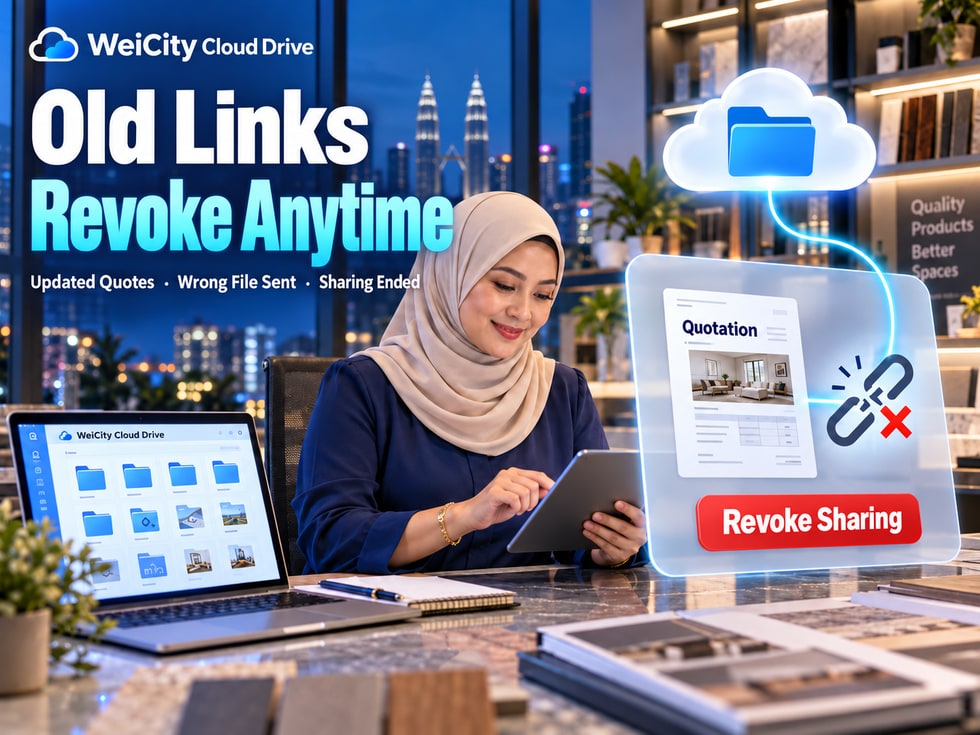
When running a business, you often need to send quotations, product catalogs, partnership proposals, and project files to customers.
However, after a file has been shared, the situation may change.
💰 The quotation has been updated, and the old prices no longer apply.
📄 The partnership proposal has been revised, and customers need to view the latest version.
📨 A file was accidentally sent to the wrong recipient.
🤝 The partnership project has ended, and some materials no longer need to be open.
🎓 After a course ends, the access scope for its teaching materials needs to be adjusted.
In these situations, must the original file be deleted in order to stop customer access?
No. WeiCity Cloud Drive supports revoking share links for files and folders, allowing you to stop access through links that no longer apply while keeping the original files.
This feature is especially suitable for merchants who frequently update quotations, revise proposals, and manage customer materials.
A share link is the entry point through which recipients access Cloud Drive materials.
Revoking a share means closing a specified share entry so that recipients can no longer open the related files through that link.
Recipients can no longer open materials through a revoked link.
Revoking a share does not directly delete files saved in Cloud Drive.
After checking the materials, you can create a new share link.
A new share can be set with access recipients, passwords, expiration dates, and download permissions as needed.
Files, screenshots, or records that recipients have already downloaded will not disappear because the link was revoked.
Note that if the same file has other valid share links, revoking one of them does not mean that all access has stopped.
📌 Revoking a share controls future access through the specified link; it does not retrieve file content that has already been distributed.
Quotations may change due to purchasing costs, product quantities, service scope, or promotion periods.
If an old quotation link remains open, customers may continue to refer to previous prices, causing unnecessary communication issues and misunderstandings.
When a quotation is updated, you can revoke the old link and then provide customers with the latest version.
💰 Check prices: Confirm the amounts, quantities, and pricing method in the new quotation.
📅 Mark dates: Clearly state the quotation date and validity period.
📝 Distinguish versions: Include a date or version number in the file name.
↩️ Revoke old links: Stop customers from continuing to view the old quotation through old links.
📨 Notify customers: Explain that the old quotation is no longer valid and provide the latest file.
Old file: Product Price List_2026-10-01.pdf
New file: Product Price List_2026-10-16.pdf
After completing the new quotation, you can revoke the share of the old version and then create a new share link.
“Hello, we have updated this product quotation. The previously shared quotation version is no longer valid, so please refer to the latest file. If you need to confirm prices, quantities, or delivery arrangements, please feel free to contact us.”
📌 When updating a quotation, in addition to revoking the old link, you should also clearly tell customers which document is the current applicable version.
When sending files, you may accidentally select the wrong chat recipient or share materials that do not belong to that customer.
For example:
📄 Sending Customer A's quotation to Customer B.
📋 Sending an internal partnership proposal to unrelated people.
📁 Sharing a folder that includes other customers' materials.
🔗 Sending a link intended only for internal use to the wrong group.
If a mistaken send is discovered, it is recommended to act as soon as possible.
↩️ Step 1: Revoke the related share links to stop access through that entry.
📄 Step 2: Check what content the mistakenly sent file contains.
👤 Step 3: Confirm the correct customer account or email address.
🔐 Step 4: If needed, reset the designated accounts, passwords, and expiration dates.
💬 Step 5: Contact the person who received the material by mistake, explain the situation, and ask them to delete any saved copies of the related content.
Revoking a link cannot guarantee that the recipient did not view or download the materials earlier.
If the mistaken send involves customers' personal information, contracts, or other sensitive information, you should also assess whether further measures are needed based on the actual situation.
📌 When a file is sent by mistake, first stop link access, then check the content of the materials and the possible impact.
Design, renovation, event planning, and professional service projects usually go through multiple rounds of revisions.
For example:
🎨 Version 1: Initial design proposal.
📝 Version 2: Revised proposal.
📄 Version 3: Confirmed proposal.
📦 Final delivery version.
If every version keeps a valid share link, customers may open an old proposal and give feedback based on outdated content.
📁 Create folders by customer or project.
📝 Use dates or version numbers to distinguish different stages.
📌 Clearly tell the customer which document they should review this time.
↩️ Revoke old version shares as needed.
📨 When sending a new link, briefly explain the main changes.
“Hello, we have updated the design proposal based on our last discussion. This revision mainly adjusts the colors, title, and event date. Please refer to the latest version; the previous share link has been deactivated.”
Confirmed historical materials that need to be kept can be archived separately and do not need to be deleted just because sharing is stopped.
📌 When a proposal is updated, good version labeling and share management can reduce cases where customers use the wrong file.
After a project ends, a course is completed, or a phased discussion wraps up, you can re-check the share links that are still open.
Whether to revoke should be decided based on the purpose of the material, the customer's continued needs, and the terms agreed by both parties.
Once the stage ends, you can stop access that is no longer needed.
Arrange according to the study period that has already been communicated.
Keep access or provide downloads according to the terms agreed with the customer.
Check whether access is still open to people who are no longer involved in the project.
Confirm whether there is still a need to keep them.
If a customer originally needed long-term access to a delivered file, do not stop access arbitrarily without a confirmed agreement.
Explaining the access period in advance can reduce misunderstandings when a customer later finds a link no longer works.
📌 File management after a collaboration ends should consider both material security and the usage rights the customer originally agreed to.
WeiCity Cloud Drive provides a "My Shares" management entry, where you can view file shares you have created and find the ones you want to stop.
Button locations may differ across devices and page versions; always follow the current Cloud Drive interface.
📁 Step 1: Open WeiCity Cloud Drive and go to "My Shares."
🔎 Step 2: Find the file or folder share record you want to revoke.
📄 Step 3: Verify the file name, share recipient, and corresponding link.
↩️ Step 4: Select the revoke share option.
🔗 Step 5: Use the recipient's access conditions to check whether the old link has expired.
📨 Step 6: If the customer still needs the material, explain the change and provide the correct new link.
The file owner may still be able to open the original file through their own Cloud Drive account.
This does not mean that a revoked share link is still valid.
Therefore, when checking, distinguish between the file owner's access rights and the access a recipient gets through a share link.
📌 After revoking a share, check whether the corresponding link has stopped working, rather than judging only by whether you can open the original file.
Revoking a share and deleting a file are two different actions.
Stops continued access through a specified link.
The original file remains in Cloud Drive and can continue to be managed or shared again.
Suitable for retiring old quotes, updating proposals, or correcting the wrong share recipient.
Removes the original file from its original storage location and, according to platform rules, moves it to the recycle bin.
Deletion affects the storage status of the file itself.
If you only want to prevent customers from viewing materials through an old link, you usually do not need to delete the original file.
📌 Revoking a share manages access permissions, while deleting a file manages stored content. The two should not be confused.
WeiCity Cloud Drive supports setting a share expiry period, and you can also revoke a share manually as needed.
Both methods help manage access timing, but they serve different purposes.
Schedules the link's expiry time in advance when sharing.
Suitable for time-limited quotes, short-term discussions, and course materials for a set stage.
When circumstances change and access needs to be stopped early, the sharer carries out the revoke action.
Suitable for files sent by mistake, quote adjustments, proposal version changes, or changed collaboration arrangements.
A quote was originally set to expire in 7 days, but on the third day a pricing error was found.
In this case, revoke the old link promptly instead of waiting for the 7-day period to end.
📌 An expiry period arranges access timing in advance, while manual revocation handles temporary changes.
The same file may be shared with different customers or partners.
For example:
👤 Customer A has one share link.
👤 Customer B has another share link.
👥 The internal team accesses it through a folder share.
If you revoke only Customer A's link, other valid shares may still be able to access the file.
🔗 Whether the same file has any other valid links.
👤 Whether designated accounts still have access permissions.
📁 Whether the folder containing the file has also been shared.
📄 Whether there are other copies or versions.
In particular for folder shares: if a file can still be accessed through another valid folder share, revoking only that file's individual link may not be enough.
📌 To stop all external access to a material, check every related sharing entry point.
If a customer is still using the related materials, it is best to explain promptly after revoking the link.
Otherwise, when a customer opens the old link again, they may not know why they cannot access it.
“Hello, the quote we shared earlier has been updated. The old version link is now deactivated; please use the new link to view the latest quote.”
“Hello, we have completed the second design revision. The previous preview link has been deactivated; please use the new version as the basis for this discussion.”
“Hello, this project has been completed. In line with the earlier arrangements for accessing materials, the share links for some temporary discussion files have been closed.”
“Hello, the online access period for this stage's course materials has ended. If you would like information on the next learning materials, please contact the course coordinator.”
📄 Which material has been deactivated.
📅 When it stops applying.
🔗 Whether a new share link is provided.
💬 Who to contact if there are questions.
📌 Clear customer notices can reduce questions caused by old links no longer working.
🔗 Have you found the correct share link?
📄 Have you confirmed the file version that needs to be deactivated?
👤 Have you verified the share recipients?
📁 Does the same file or folder have any other valid shares?
📦 Does the customer still need access to the final delivered materials under the agreement?
📝 Are the prices, dates, and version of the new file correct?
🔑 Does the new share need an access password?
⏳ Does the share expiry period match the current arrangement?
👀 Are the download and edit permissions correct?
📨 Have you notified the customer that the old link is deactivated and provided the new material entry point?
Completing these checks can reduce problems such as revoking the wrong share, missing other share entry points, or customers being unable to use the correct material.
When running a business, quotes change, proposals are revised, and projects move through different stages.
File sharing should not be left unmanaged after a link is sent.
Using WeiCity Cloud Drive's revoke share feature, merchants can, as actual needs arise:
↩️ Stop access through old links.
💰 Manage different versions of quotes.
🎨 Reduce mixing of old and new proposals.
📨 Handle sharing errors promptly.
🤝 Adjust access arrangements after a project ends.
📁 Reset share permissions while keeping the original file.
WeiCity Cloud Drive lets files stay saved where they are needed, and ensures that share links that no longer apply are stopped promptly.
From your next quote update or proposal revision, remember to also check old links, file versions, and customer notices, so that every material update is clearer.
The specific "My Shares" entry, revoke actions, and permission management methods are subject to the features WeiCity currently makes available on the platform.
👉 Open WeiCity Cloud Drive: https://wei.city/app/drive